


Participant
January 27, 2021
Answered

Lost all content in Adobe XD design mode

  • January 27, 2021
  • 1 reply
  • 427 views

My XD got updated yesterday to Version 36.1.32.5, Mac OS Catalina, Version: 10.15.6 (19G2021).


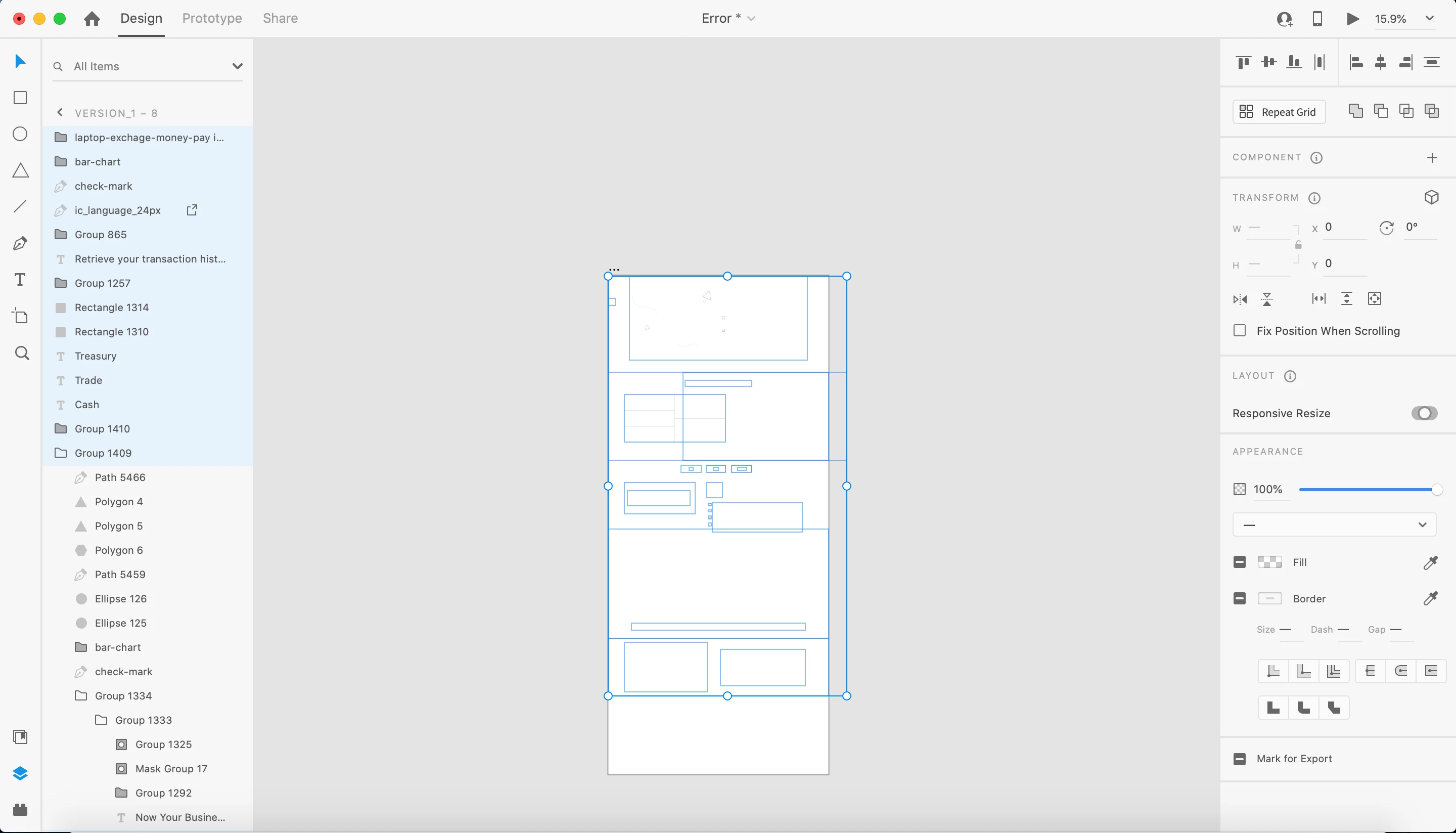
The Vector Graphics, Fonts changed the fill Color to "#CECECE" and Opacity to 0 in all the artboards. Basically the whole XD is blank. I can see the Text in layer Preview panel, but not on the artboard itself. Happening in Design Mode.


Attaching screenshot for reference. Can anyone help?

    This topic has been closed for replies.
    Correct answer Harshika Verma

    Hi Emil,


    This is definitely not expected behavior. Could you please check if you see your missing assets via http://assets.adobe.com? Please try the below steps-


    • Sign out and sign back into Creative Cloud Desktop
      End all Adobe processes from Task Manager (Windows) or Activity Monitor (OS X)
      Reboot the computer
    • Sign back to XD.


    Let us know if that helps.


    Thanks,

    Harshika


    1 reply

    Harshika Verma
    Community Manager
    Harshika VermaCommunity ManagerCorrect answer
    Community Manager
    January 27, 2021

    Hi Emil,


    This is definitely not expected behavior. Could you please check if you see your missing assets via http://assets.adobe.com? Please try the below steps-


    • Sign out and sign back into Creative Cloud Desktop
      End all Adobe processes from Task Manager (Windows) or Activity Monitor (OS X)
      Reboot the computer
    • Sign back to XD.


    Let us know if that helps.


    Thanks,

    Harshika