
Participating Frequently
May 11, 2022
Question

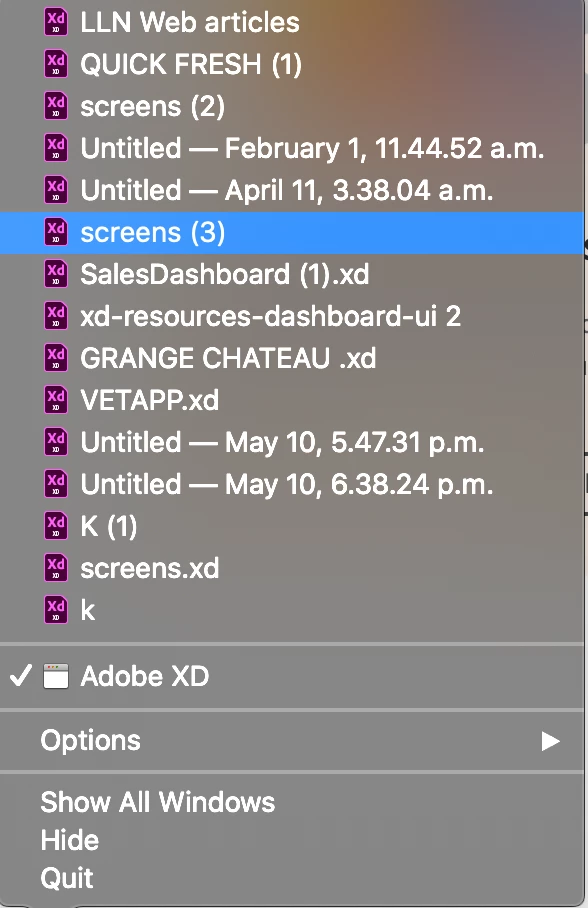
LOST my most recent XD file name SCREENS(3) which had 6 months of work, GONNA KILL MYSELF!!!!
  • May 11, 2022
  • 1 reply
  • 677 views

Here I can see this file ,  that I have been working on for 6 months!!! I have been saving everyday, I clicked save as for screens(2) multiple times and screens(3) multiple times. 
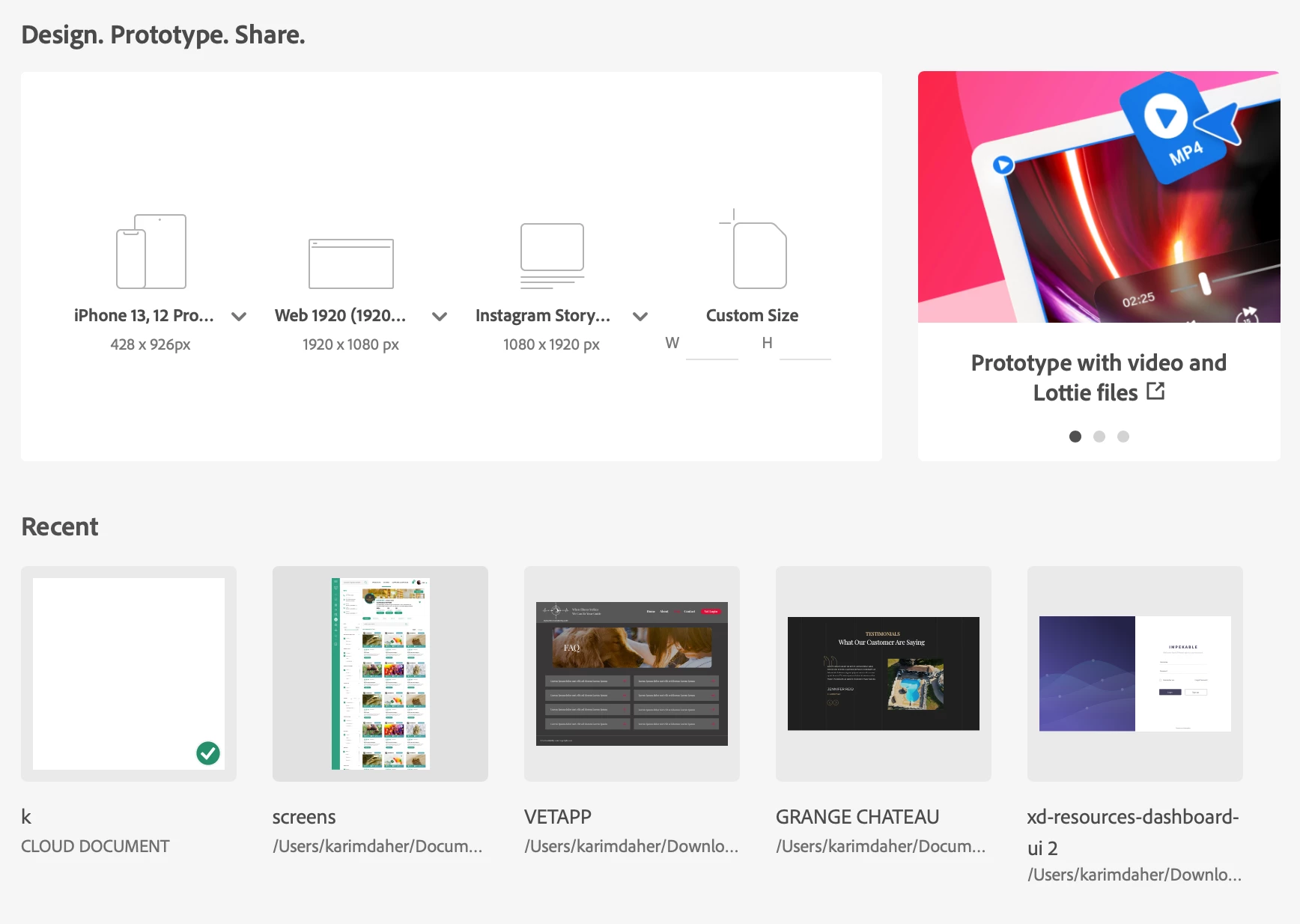
 NOW ALL I CAN SEE IS SCREENS. I'm done for if this is the case, how can I just lose everything!!!!! I HAVE BEEN USING ADOBE XD JUST FINE FOR MONTHS!!!!

This topic has been closed for replies.

1 reply

HARSHIKA_VERMA
Community Manager
Community Manager
May 11, 2022

Hi dahermedia,


We are sorry for the frustration. We understand your concern, and we will try our best to help you. 

Could you please let us know if it's a cloud file or a local file?  If it's a cloud file, please check if you are able to find the file here: https://assets.adobe.com/cloud-documents

If not, you can also check these locations to find the local copy of the cloud file:

• Windows: %LocalAppData%\Packages\Adobe.CC.XD_adky2gkssdxte\LocalState
• Mac: ~/Library/Application Support/Adobe/Adobe XD CC

The above-shared locations are the temporary save locations for Auto-save in XD, so let us know if this helps or if you need any further assistance.

We would be happy to help.


Thanks,

Harshika

Participating Frequently
May 11, 2022

Harshika I can't find this file location on my mac nor can I find any sign of my old files other than my right click screenshot on adobe application above O've my logs and everything!!! I NEED THIS RESOLVED!

Participating Frequently
May 12, 2022

Dear User,

The following file has been uploaded on Adobe LogCollector Portal: File: AdobeLogs_20220510_202751_647-mac-GS.zxp

Please use the above filename as a reference when contacting Adobe Customer Care.

Thank you,


The Log Collector Tool team


Note: Please do not reply to this email; it is auto-generated.