Wolfgang.H
Inspiring
August 17, 2020
Answered

Masking: Single background, multiple foregrounds

  • August 17, 2020
  • 2 replies
  • 500 views

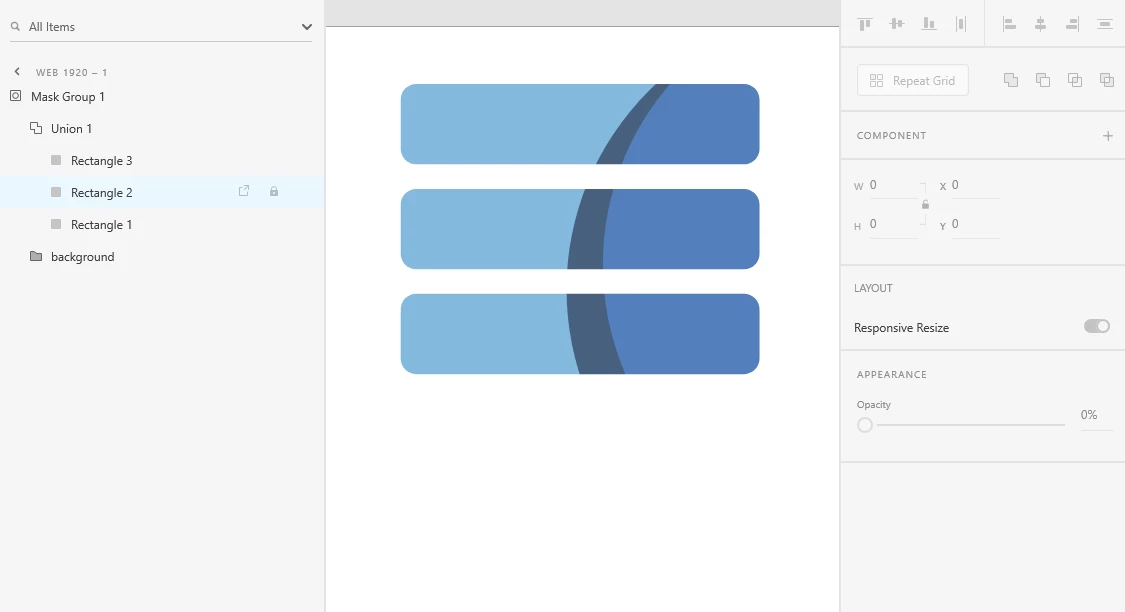
I found this app (called "Productive" on iphone) that does a cool effect in the intro pages.  It looks like there is a single background, and each of these three buttons serves as a mask on that background.


Do I need to create a unique background to be masked by each button/layer, and then line up those backgrounds to that it looks like the same continuous image, or is there a way of creating a sort of mask group where multiple layers share the same background image?


See attached image.  Thanks!

 

This topic has been closed for replies.
Correct answer Spas K.

Hey there. Yes, you can. First make the three rectangles, then combine them into a union. Then use that union as a masking shape for the background.


2 replies

Spas K.
Community Expert
Spas K.Community ExpertCorrect answer
Community Expert
August 21, 2020

Hey there. Yes, you can. First make the three rectangles, then combine them into a union. Then use that union as a masking shape for the background.


manal shanableh
Legend
August 21, 2020

you can do this on adobe XD, im many ways. thank you to give me this cool idea 🙂