Participating Frequently
October 14, 2024
Answered

Mesas de trabajo adobe xd no se ordenan en la visualización

  • October 14, 2024
  • 1 reply
  • 614 views

Hola,
Tengo un problema con Adobe XD y sus mesas de trabajo.

He reordenado la posición de las mesas de trabajo en el panel correspondiente pero al actualizar el vinculo para compartir el proyecto online, las mesas de trabajo no están ordenadas correctamente con el orden establecido. No encuentro ninguna solución al problema

    This topic has been closed for replies.
    Correct answer creative explorer

    @Néstor_tasman artboards are like canvases. I won't say pages because you may think that if the pages are in order they would show up in that order and that's not the case. Normally, how I create my mockups and prototypes is with how I set my arrangement of artboards determining the overall layout and flow of your design....so for example, in my layers of Artboard, I may start with a landing page, followed my home, services, gallery, about and contact (let's keep this site simple for the question). 

    But, on the Xd file, I can create a design stage as shown, I did create my first artboard (frame), which was the landing page, but because I duplicated the artboard 4x, it got pushed down a bit. Each artboard can have its own unique layout and elements, regardless of the order in the Layers panel. So what you shown me is how your file is built. Noticed how my 'Contact' artboard is actually showing up first on my layers, but it's the '3rd' box in the second row?
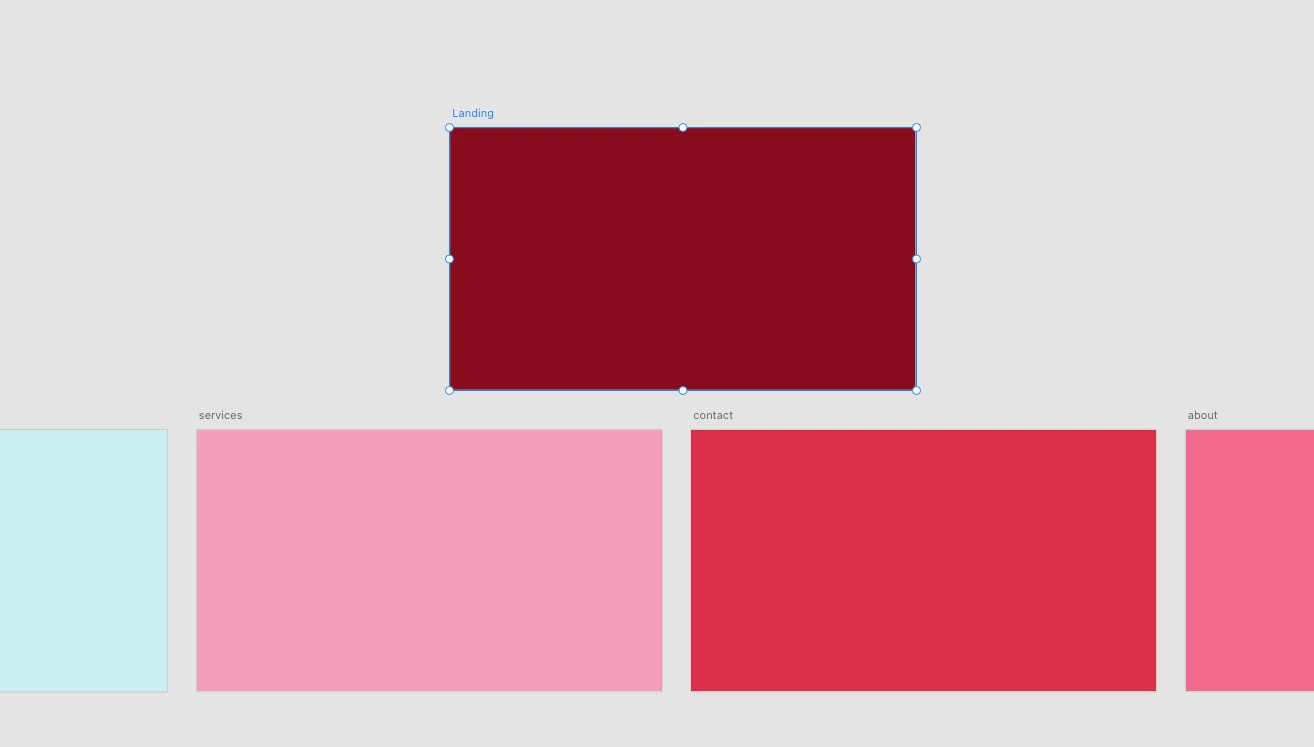
     

    You can arrange the artboards to make more sense to you, which I arranged in my example to show the corresponding artboards that I want in the layers and to my file shown as well. But, I need to make sure those artboards on in the correct order to show as well....now it shows you the correct order that 'services' should be in the '3rd' box and Contact is the '4th' box in the second row.
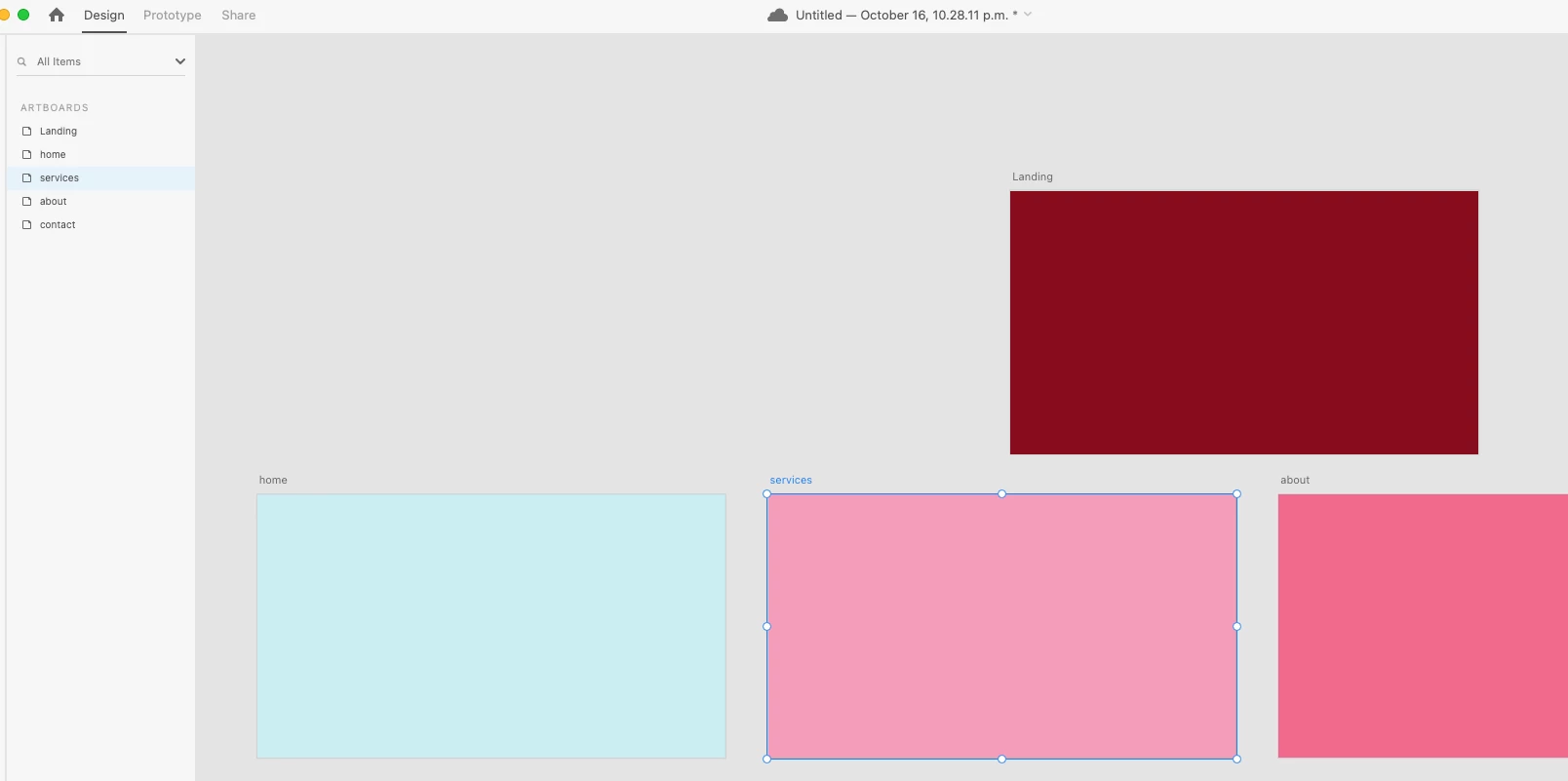


    My clients won't see the build-up of the mockups, they will only see the 'shared' link of the prototypes....they don't need to see how the file was built...unless they are paying for that service. In that case, you can re-order the artboards and make sure it's in order just as how you have laid out in the layers, or you could leave as is. 

     

    1 reply

    creative explorer
    Community Expert
    Community Expert
    October 16, 2024

    @Néstor_tasman can you please take screenshots of your issue? Artboards don't need to be in order, although it does make life easier when prototyping when you do connections. 

    m
    Participating Frequently
    October 16, 2024

    Hi Creative Explorer,

    This is what I mean. If you take a look at the screenshots, you'll see that the artboards "Inicio" and "Inicio-b" are at the top of the list. They should be displayed first in the online visualization link, showing your artworks in the correct order. However, as you can see, this isn't happening, since "Inicio-b" appears in the last position (46).

    This is not okay to share with my client because both designs are supposed to be shown together as two options. It doesn’t make sense for the client to have to scroll to a different position to see the second option of the proposals. This issue also affects other artworks in the project, where two alternative designs aren’t being displayed together, which is very frustrating.

    I've correctly arranged them in the Artwork panel, as shown in the sample, but the order doesn’t update in the visualization link when I try to share my project.

    creative explorer
    Community Expert
    creative explorerCommunity ExpertCorrect answer
    Community Expert
    October 17, 2024

    @Néstor_tasman artboards are like canvases. I won't say pages because you may think that if the pages are in order they would show up in that order and that's not the case. Normally, how I create my mockups and prototypes is with how I set my arrangement of artboards determining the overall layout and flow of your design....so for example, in my layers of Artboard, I may start with a landing page, followed my home, services, gallery, about and contact (let's keep this site simple for the question). 

    But, on the Xd file, I can create a design stage as shown, I did create my first artboard (frame), which was the landing page, but because I duplicated the artboard 4x, it got pushed down a bit. Each artboard can have its own unique layout and elements, regardless of the order in the Layers panel. So what you shown me is how your file is built. Noticed how my 'Contact' artboard is actually showing up first on my layers, but it's the '3rd' box in the second row?


    You can arrange the artboards to make more sense to you, which I arranged in my example to show the corresponding artboards that I want in the layers and to my file shown as well. But, I need to make sure those artboards on in the correct order to show as well....now it shows you the correct order that 'services' should be in the '3rd' box and Contact is the '4th' box in the second row.


    My clients won't see the build-up of the mockups, they will only see the 'shared' link of the prototypes....they don't need to see how the file was built...unless they are paying for that service. In that case, you can re-order the artboards and make sure it's in order just as how you have laid out in the layers, or you could leave as is. 

     

    m

