
missing file, sorry we can't open this document. unable to sync to cloud
Can someone please help me out.
My recent designs are shown when i right click on adobe xd picto, but when i click on one of the files i get: sorry we can't open this document. see picture it's about the two files 'lisanne plat and verse vis volendam'
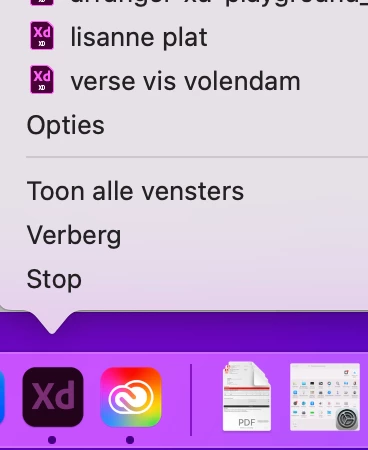
when i go to the cloud, these 2 files are not shown there so i cant find them anywhere. I already restarted the creative cloud app, adobe xd en my computer but nothing works. I tried to open it on another computer but the files aren't there. i can just only see them when i right click on the adobe xd pictogram.
My adobe xd is also 'unable to lad' the cloud isnt' syncing. i dont know what i am doing wrong
is there someone who can please help me out?
is there someone who can please help me out?


 AdChoices