



Serhii Hubernachuk
Inspiring
Sep 15, 2020 9:36 AM UTC
Question

Missing instaled font

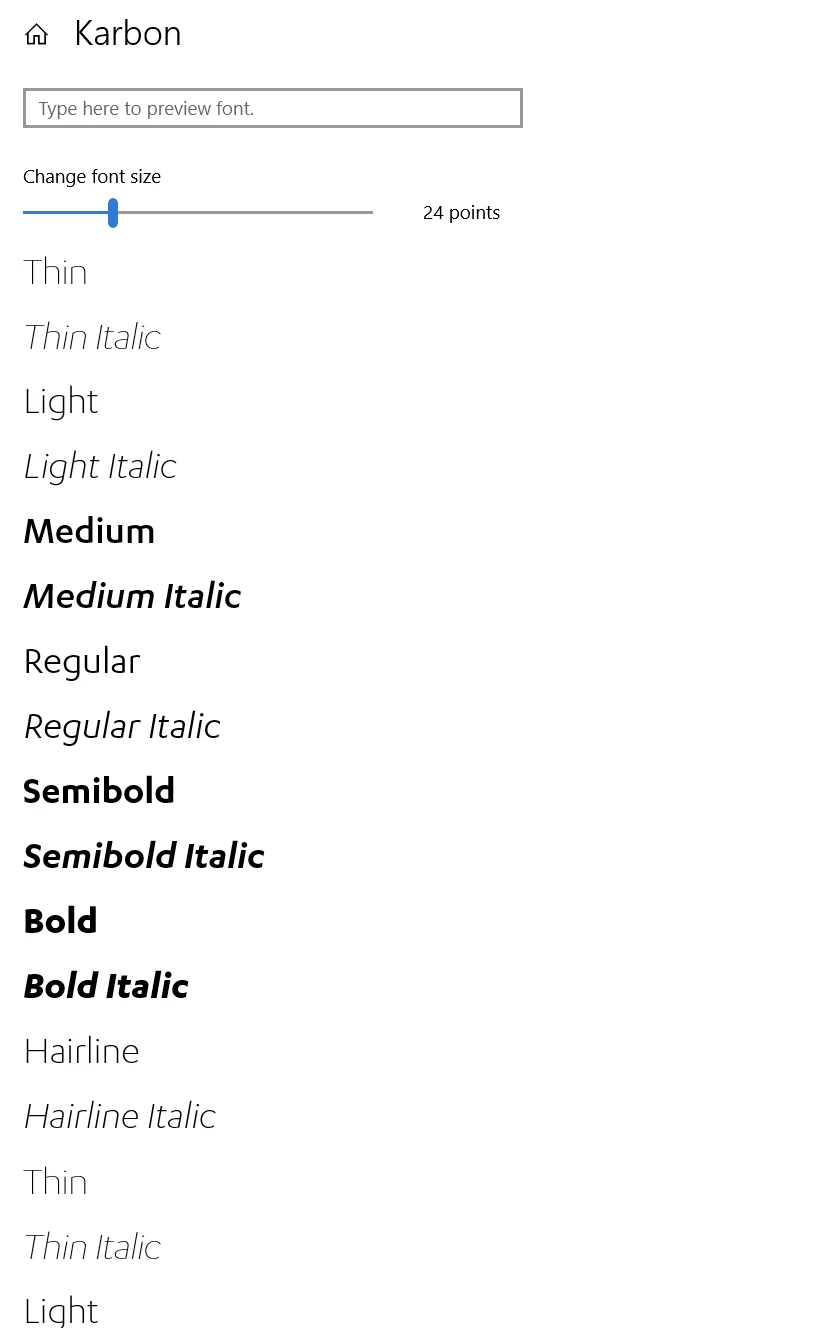
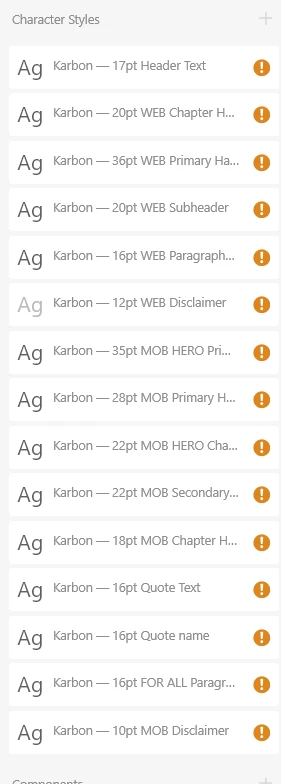
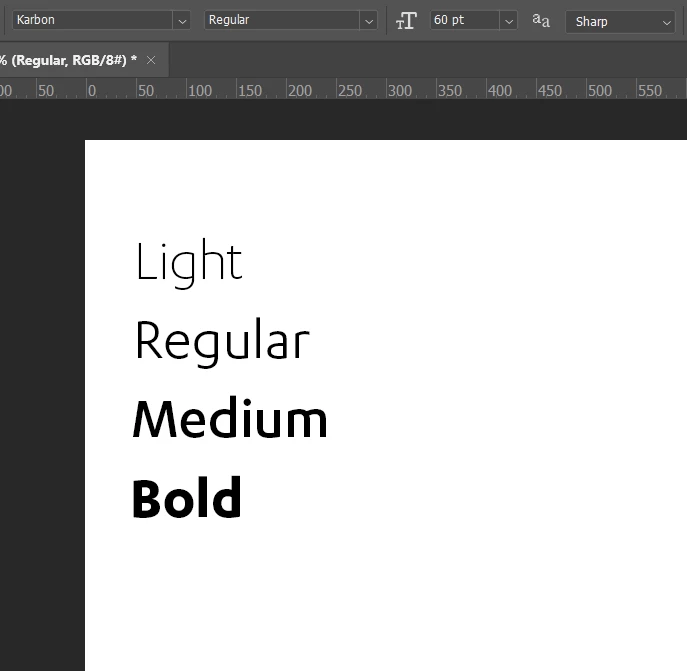
I have font Karbon installed locally and it's missing inside the XD. Although I'm working with it for a long time and that didn't happen before.

It's visible inside the font book:
And it's missing inside XD:
And I can use it in Photoshop:
 

I did try to reinstall it and the problem is still here.

This topic is closed to new replies. Start a new post to keep the conversation going.

9 replies

mwstandsfor
Inspiring
Sep 28, 2020 11:00 AM UTC

I have the same issue after updating to 33.1, a lot of my local fonts that used to work in XD isn't anymore. Weirdest is that in all other Adobe programs they all work. Always have had issues with Xd and fonts.

Translate
Serhii Hubernachuk
Inspiring
Sep 16, 2020 7:36 AM UTC

Is there anyone from this damn community who can help me? That's a critical bug, I can't work without fonts.

Translate
italosan
Community Expert
Community Expert
Sep 16, 2020 10:35 AM UTC

Thank you for sharing other useful information with us. We understand the frustration but we are doing our best to try to solve this problem. Which version of Adobe XD are you using? Have you checked if there are any updates for the Creative Cloud app?

Translate
Serhii Hubernachuk
Inspiring
Sep 18, 2020 9:55 AM UTC

I have auto-update turned on, so my XD always the latest. And I'm checking every day it.

Translate
Serhii Hubernachuk
Inspiring
Sep 15, 2020 11:03 AM UTC

I've deleted the font Family and installed it again. So now I have a problem with Regular and Medium types. But the problem still remains the same, I can't work from this machine now.

Translate
italosan
Community Expert
Community Expert
Sep 15, 2020 10:13 AM UTC

Hi, do you happen to use a font manager? Does the font work correctly on all other Adobe programs?

Translate
Serhii Hubernachuk
Inspiring
Sep 15, 2020 10:16 AM UTC

No, I don't have any font manager and the font is working fine inside Photoshop and Illustrator.

Translate
Serhii Hubernachuk
Inspiring
Sep 15, 2020 9:58 AM UTC

I've checked this file on my Laptop and it works correctly.

Translate
Serhii Hubernachuk
Inspiring
Sep 15, 2020 10:10 AM UTC

So the problem is on PC only now

Translate