
Participant
November 30, 2018
Answered

Multiple Image Sliders, Move Independently?

  • November 30, 2018
  • 1 reply
  • 2528 views

In Adobe XD -

Trying to create more than one image slider, that move to second slide with drag, but work independently, rather than together as a whole.

(reference Dropbox - Untitled.mov) Two grouped rectangles inside a mask. Found you can create a functioning slider if you proto-link the group rather than the top layer mask. Then created a new one, nothing copied, but they won't move independently.

Any ideas on how to achieve this? Thanks.
This topic has been closed for replies.
Correct answer Atul_Saini

Hi Atul_Saini,

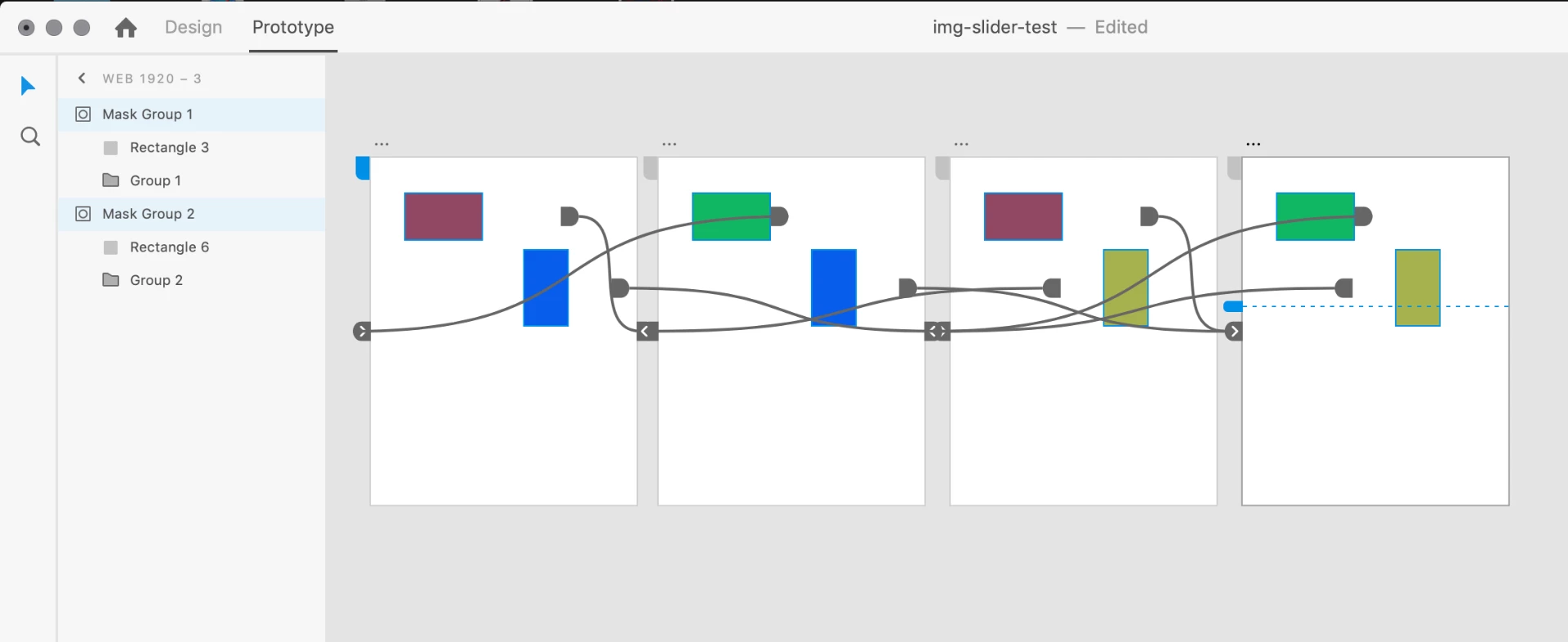
I was able to achieve the effect I was hoping for but doing as you said, plus copying the additional state of the missing slider, then repeating the process for all possible scenarios (A1 + B1, A2 + B1, A1+ B2, A2 + B2) and linking all the appropriate state. Reference:

This would get very complex if there were more than two image sliders and/or more than two images per slider, but at least it solves it at this level.

If you know of another solve, please let me know. This is definitely a feature I am sure many would use very often, as image sliders are so common.

Thanks,

Zack


I am glad that it worked for you. There is a better way to create a slider, please take a look at this Auto-Animate along with drag gesture: - Auto-animate in XD.  it would definitely help.

Please update this in case you need further assistance.

Thanks,

Atul_Saini

1 reply

Atul_Saini
Community Manager
Community Manager
December 2, 2018

Hi ztravis100,

Thanks for using Adobe XD and sharing the video, in order to make these boxes slide independently, could you please try to keep the yellow box in a different artboard than the green one and share the results.

Thanks,

Atul_Saini

Participant
December 3, 2018

Hi Atul_Saini,

I'm trying to keep both boxes on the same artboard, to mimic a website that has multiple image sliders on the same page. Is it possible to have more than one image slider on the same artboard and have them move independently? Or must they be on separate artboards to achieve this?

Thanks,

Zack

Atul_Saini
Community Manager
Community Manager
December 3, 2018

Hi Zack, Could you please try this drag gesture with the following setup and share the results?

Thanks,

Atul_Saini