
Participant
November 26, 2022
Answered

Need help figuring out how to properly scale image to rectangle
  • November 26, 2022
  • 1 reply
  • 435 views

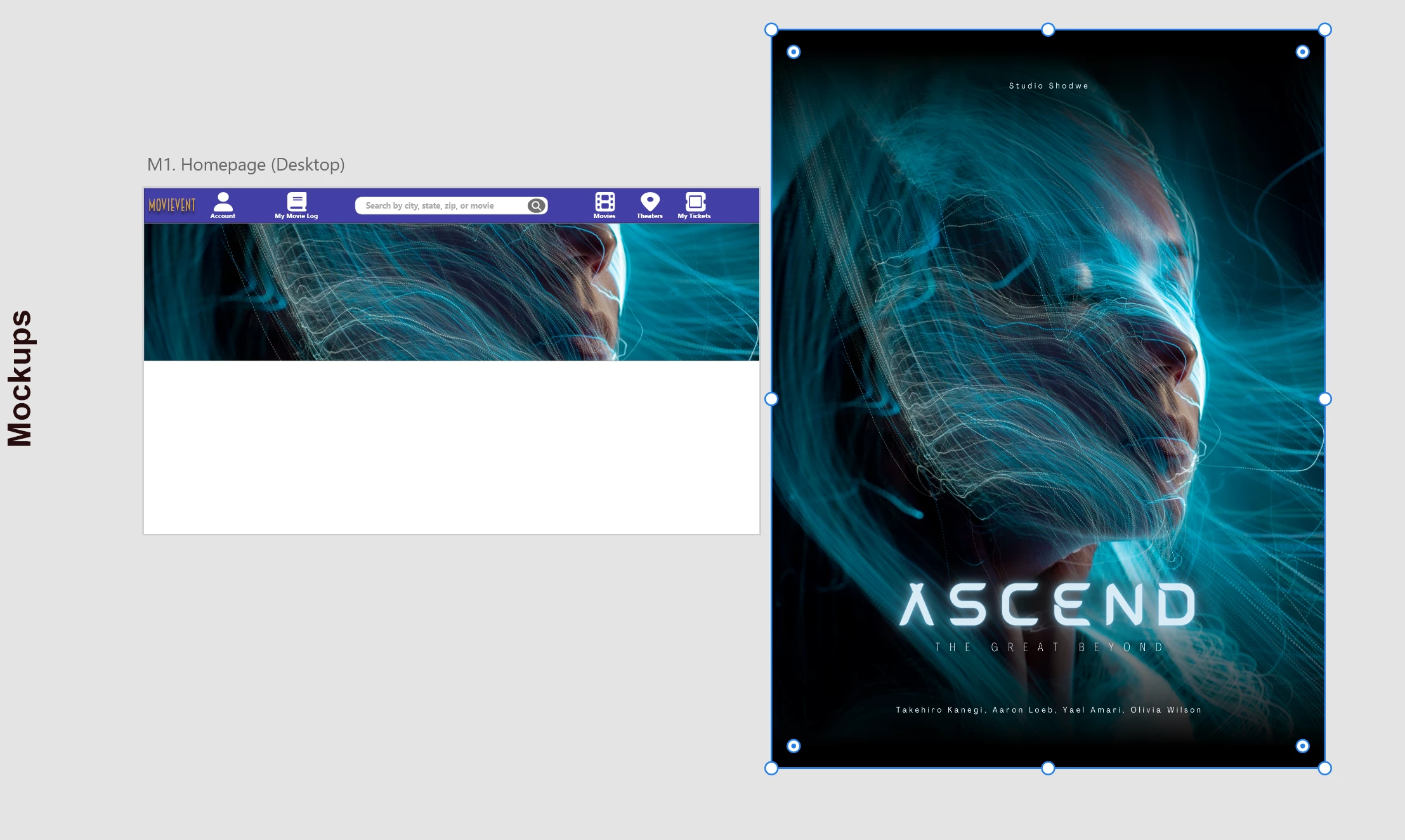
I'm new to UI/UX design, and I'm trying to figure out why the full movie poster on the right can't seem to properly, cleanly, fit into the rectangle when I try to drag and drop. I've been Googling for multiple hours, and I can't seem to find a proper answer. I assume it has something to do with aspect ratios, but when I tried adjusting the poster in Canva to a 'Landscape', it still couldn't fit inside the rectangle without some aspects being cropped or the image quality looking atrocious.


Would love for some support 🙂

This topic has been closed for replies.
Correct answer Spas K.

Hey, I'm not sure what the intended result is. Clearly, the poster is much taller than the available space in that header. You can't fit the whole poster in there. It has to be cropped. If you fit it preserving the aspect ratio, there will be white space on both sides of it and it will be pretty small.


I would put the whole poster smaller in the left, like a facebook avatar, or like it's on imdb.com for any movie, and for that header I would use the same image but blur it, so it's a fitting background, in case you need the header at all.

1 reply

Spas K.
Community Expert
Spas K.Community ExpertCorrect answer
Community Expert
November 27, 2022

Hey, I'm not sure what the intended result is. Clearly, the poster is much taller than the available space in that header. You can't fit the whole poster in there. It has to be cropped. If you fit it preserving the aspect ratio, there will be white space on both sides of it and it will be pretty small.


I would put the whole poster smaller in the left, like a facebook avatar, or like it's on imdb.com for any movie, and for that header I would use the same image but blur it, so it's a fitting background, in case you need the header at all.