


Participant
July 14, 2025
Question

Need help with prototyping

  • July 14, 2025
  • 1 reply
  • 248 views

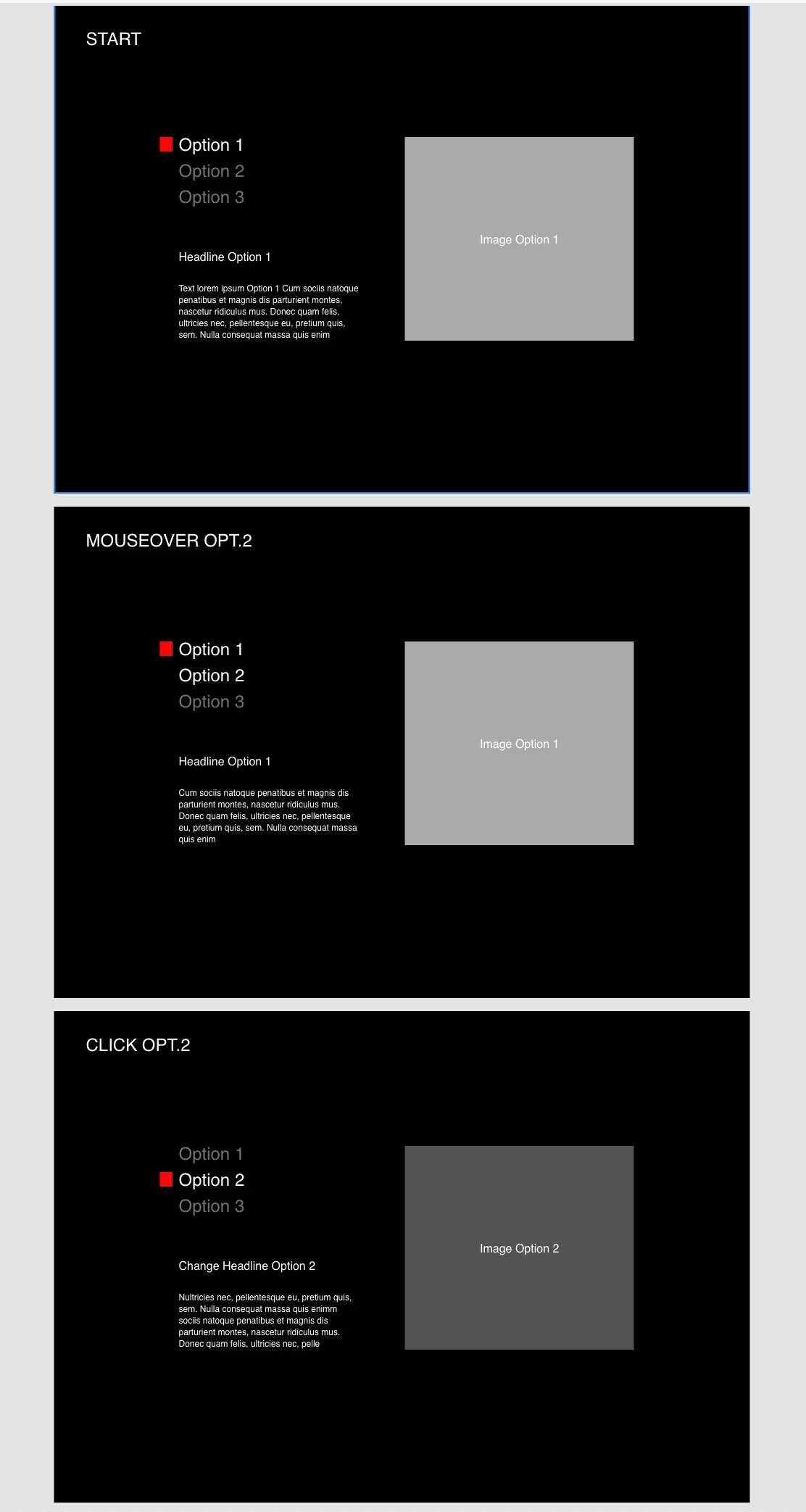
Hi! Can someone give me a quick tutorial how to make this website section clickablene / interactive in my prototype? Thanks!


First image: Start of the section (first option is visible)

Second image: mouseover effect (text white for other options)

Third image: Click on "option 2": Headline, text and image change to option 2
    1 reply

    AkinGn
    Community Expert
    Community Expert
    July 14, 2025

    Hello, you can either use the "Option 1, 2" etc as links/navigation and connect different pages using those links, or, you can convert the whole layout piece (with option buttons, image, text, basically all elements that need to be changed) into a component and switch to different conponent states, based on the click/tap interactions of "Option 1" etc links. One of my old tutorials actually demonstrates an interaction with similar logic, to give you an idea: https://youtu.be/MWr4xgvQx18?si=1ec5y6aJzX-ipeoo 


    Also, if you're a beginner on XD, I'd recommend moving to Figma, you can check beginner tutorials like: https://www.youtube.com/watch?v=7Up_WyjrV7U

    Hope this helps!

    Participant
    July 15, 2025

    Hello! Thanks a lot!!! Helped me to build everything the way I wanted ... except I still have no idea how to achieve the additional Mouseover effect for the options menu. Any idea, how to solve that?

    AkinGn
    Community Expert
    Community Expert
    July 15, 2025

    Hmm the most basic form of creating a hover effect should be like this: https://www.youtube.com/watch?v=VOZZkrSOsGg 
    In your case, since I'm guessing the links are going to be in a component, achieving a hover might be a little tricky, but also can't be sure, since it's been a long time I used XD and I don't have access to an XD app now, it had started to give an error and I removed the app, so that's why I (and other experts) suggest people to move to the closest alternative Figma. I hope this helps, if you have any further questions, feel free to share, even if I can't help, some other expert/designer might.