


Participant
January 12, 2021
Answered

Nested components

  • January 12, 2021
  • 4 replies
  • 804 views

Hey, I'm quite a beginner here. So little help would be much appreciated.

Actually I'm stuck at the part of placing a component within a component ( nested components). I will explain my problem here more by inserting few pictures below. My problem is that whenever I try to place this icon as a component in the master component it instead replaces all the components and this icon become a component itself. Whenever I try to place it inside the main component's box alongside the email text, it instead replaces it into the icon.
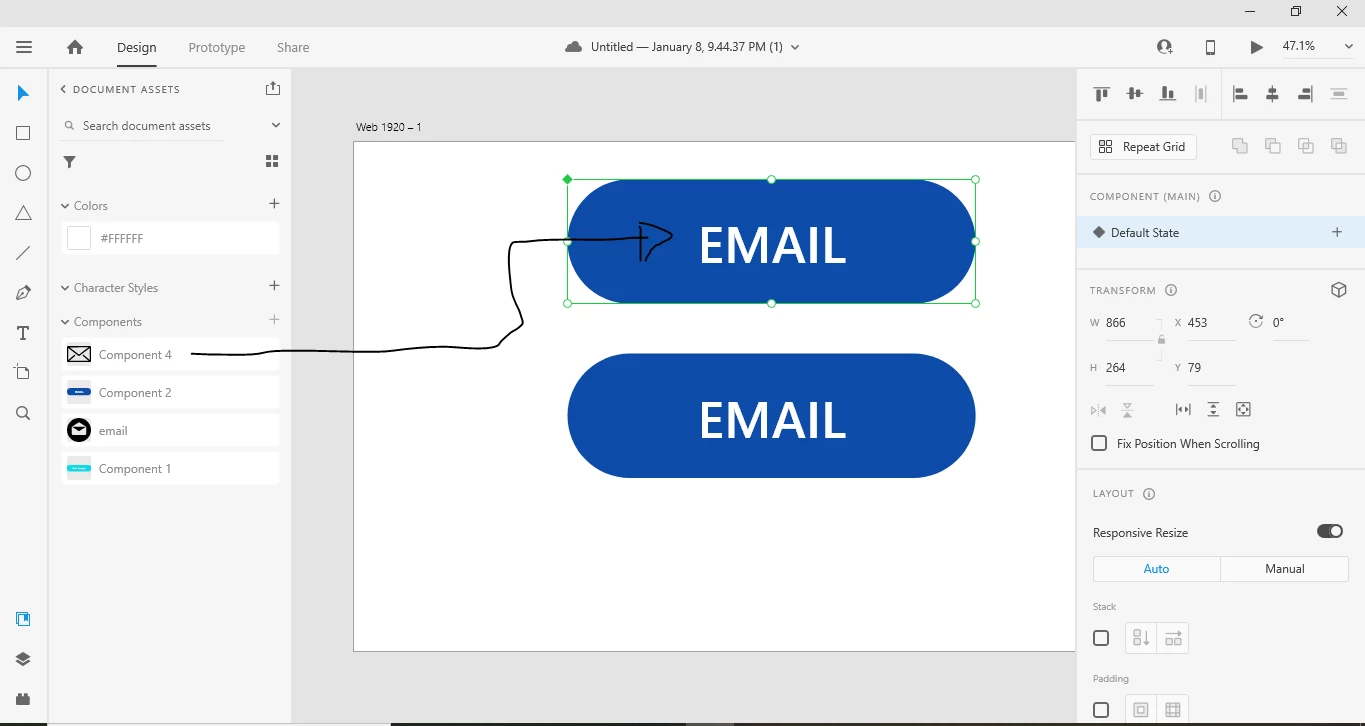
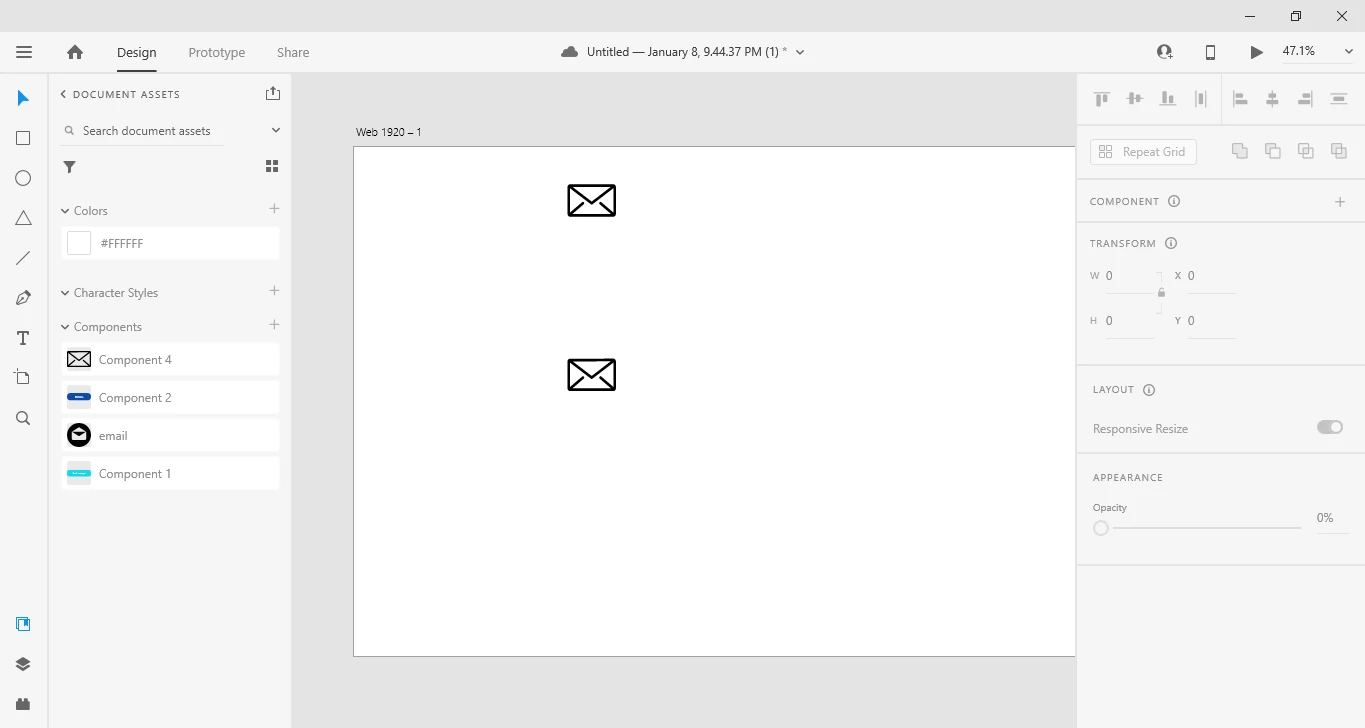
    This topic is closed to new replies. Start a new post to keep the conversation going.
    Correct answer mhiremat

    Hello Aliza5E78,

    In addition to Harshika's reply, I would like to add to this, actually your dragging and dropping a component from the document assets panel, thats why the component on canvas  replacing with the dragged one, you can try this , double click on the main component drag the componentfrom the document assets panel which u want to add to the main component..

    Hope it helps,

    Regards, 

    Ashwini M Hiremath

    4 replies

    Harshika Verma
    Community Manager
    Community Manager
    January 12, 2021

    Hi Aliza,


    Thank you for reaching out and using XD. I would suggest checking these two post and tweets which might help you: https://community.adobe.com/t5/adobe-xd/how-to-add-elements-to-an-existing-component-in-xd/td-p/10522793?page=1 , https://twitter.com/elainecchao/status/1262454503858528256?s=20 achieve what you are looking for. 


    Let me know if that helps.


    Thanks,

    Harshika

    mhirematCorrect answer
    Participating Frequently
    January 13, 2021

    Hello Aliza5E78,

    In addition to Harshika's reply, I would like to add to this, actually your dragging and dropping a component from the document assets panel, thats why the component on canvas  replacing with the dragged one, you can try this , double click on the main component drag the componentfrom the document assets panel which u want to add to the main component..

    Hope it helps,

    Regards, 

    Ashwini M Hiremath

    Aliza5E78Author
    Participant
    January 13, 2021

    Thank you so much, it helped right away!