Participant
October 2, 2020
Answered

Overlays not showing in browser

  • October 2, 2020
  • 1 reply
  • 1294 views

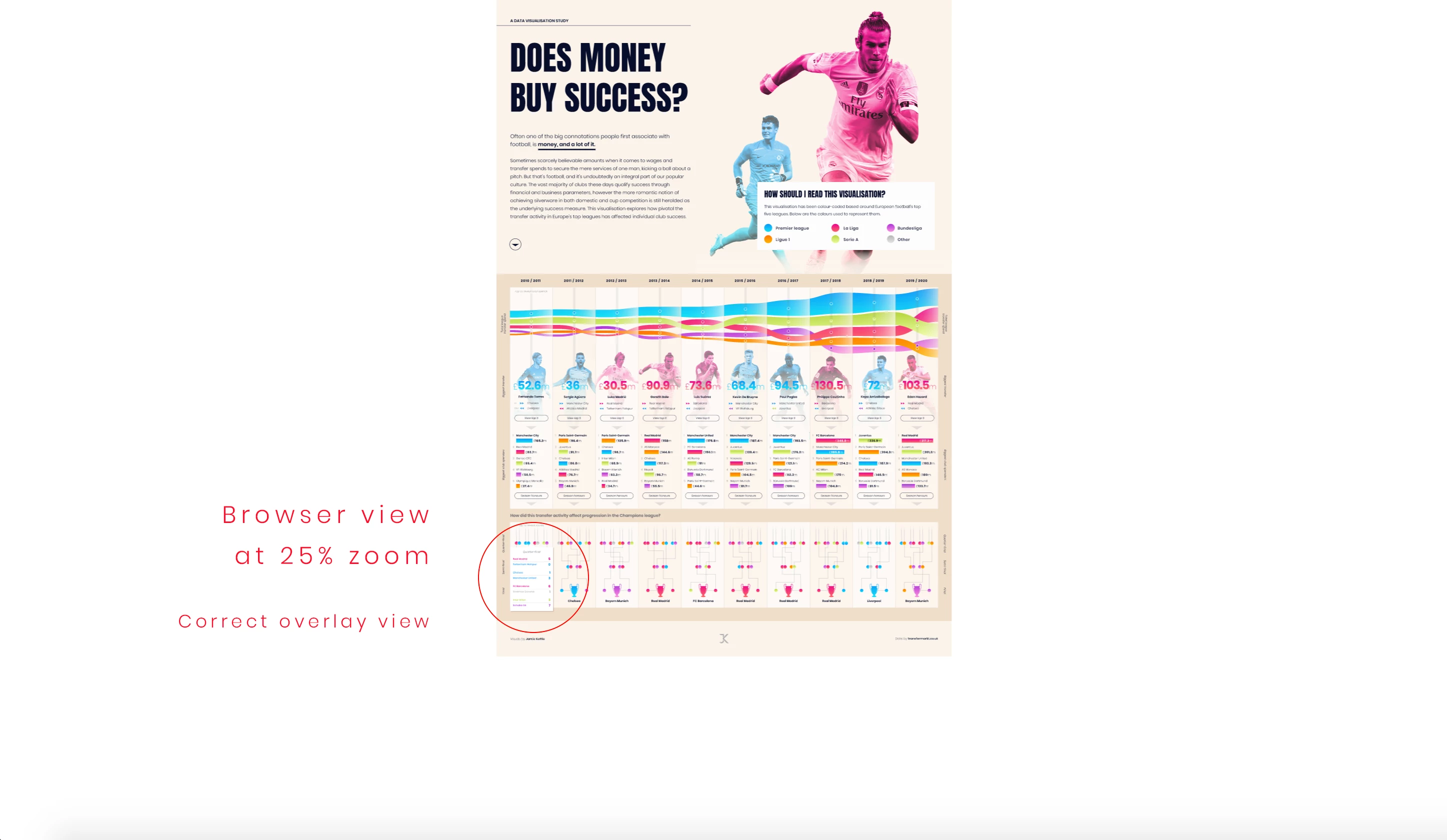
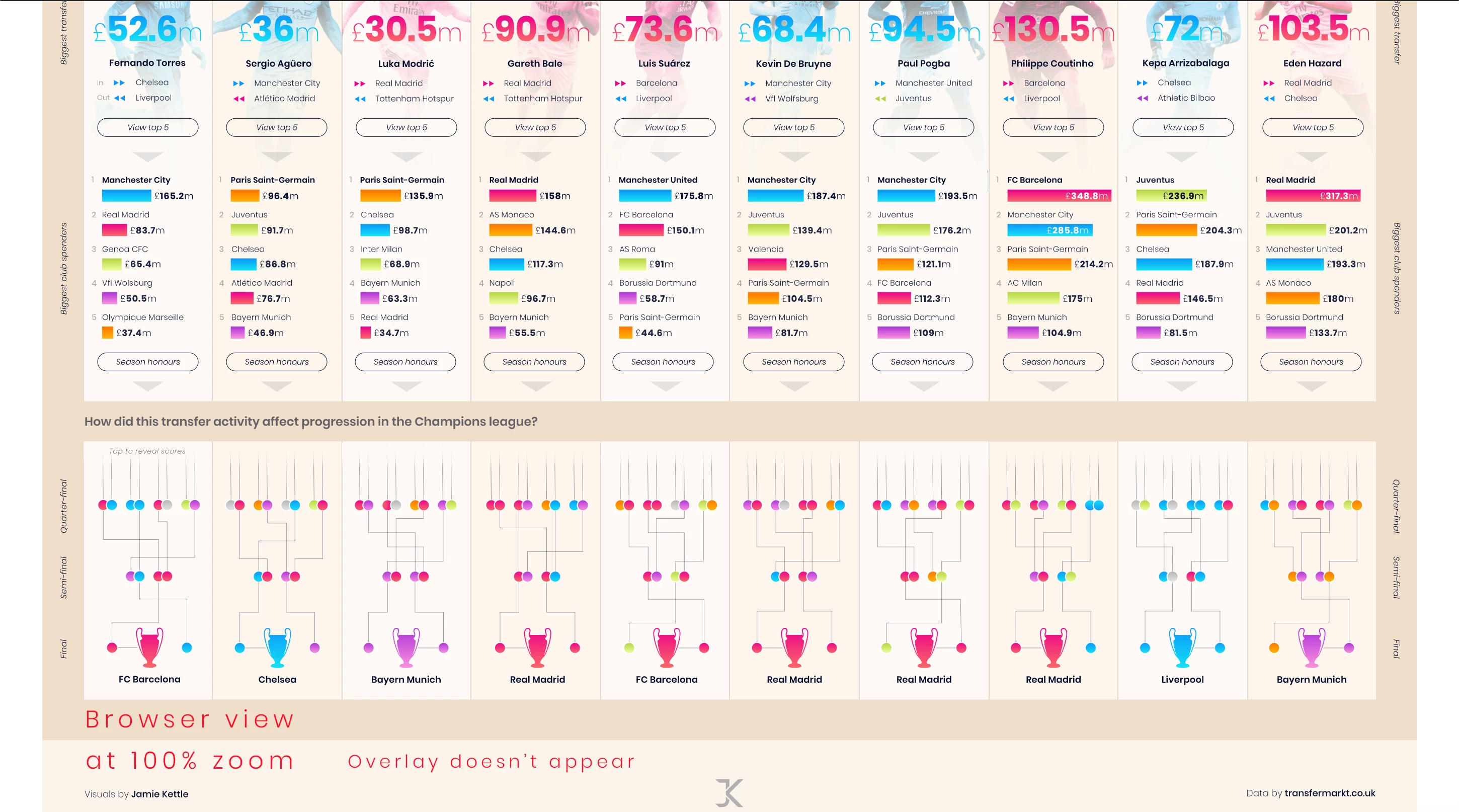
I'm trying to use the overlay feature in my design, which is functioning correctly in prototype mode, but not showing correctly in browser view.


It either, doesn't show at all, or displays but in a different position to the one I placed it in prototype mode.


I've also found that the only way the overlay functions properly is if I zoom out to 25% (see attached image). However, any closer to 100%, it just doesn't work... There's been two occassions where it's worked when I've zoomed back in, but 95% of the time it doesn't show.


There's other overlay functions I have within the document that are behaving in the same way, but I'm assuming that the cause of the problem is the same.


Hopefully someone can help? Would really appreciae it! I've attached photos to illustrate the issue I'm having.


Cheers
 

This topic has been closed for replies.
Correct answer Spas K.

Overlays are a bit weird in the way they function. They are with a fixed scroll and "freeze" the page when they appear. You can only position them above the viewport height. I assume your file's viewport height is set to the bottom of the page, as this is the only way I managed to replicate your issue.

I assume the whole issue is because initially, the overlay is below the viewport in the browser prototype, but in the document it's technically above it. It seems like a bug, because when you change the zoom level to anything, the viewport seems to "reset", and the overlay "finds" its place and starts working.


Even with that in mind, an overlay isn't the best way to do this, due to its limitations.


What you should use in that particular example is a second component state for the card, since it's going to be a part of the card and will activate in place, without a separate artboard involved. This way it's independent of scrolls, zoom levels and so on.

1 reply

Harshika Verma
Community Manager
Community Manager
October 7, 2020

Hi Jamie,


Sorry for the delay in response. Would you mind sharing the link of the design so that we can check at our end? Have you tried to open the link in any other browser? 


We will try our best to help.


Thanks,

Harshika

Participant
October 8, 2020

Hi Harshika,


No problem, sure, here is the link, https://xd.adobe.com/view/b5c7a414-cbff-4185-a29f-548f996058b7-e094/?fullscreen&hints=off


It seems to show the overlay much further down than it should, but rectifies itself when zoomed out. I don't understand why the zoom resolution of the browser is affecting this. As the overlays function perfectly in the prototype mode in XD.

Spas K.
Community Expert
Spas K.Community ExpertCorrect answer
Community Expert
October 9, 2020

Overlays are a bit weird in the way they function. They are with a fixed scroll and "freeze" the page when they appear. You can only position them above the viewport height. I assume your file's viewport height is set to the bottom of the page, as this is the only way I managed to replicate your issue.

I assume the whole issue is because initially, the overlay is below the viewport in the browser prototype, but in the document it's technically above it. It seems like a bug, because when you change the zoom level to anything, the viewport seems to "reset", and the overlay "finds" its place and starts working.


Even with that in mind, an overlay isn't the best way to do this, due to its limitations.


What you should use in that particular example is a second component state for the card, since it's going to be a part of the card and will activate in place, without a separate artboard involved. This way it's independent of scrolls, zoom levels and so on.