
Participant
July 9, 2020
Answered

Override color of nested component

  • July 9, 2020
  • 1 reply
  • 610 views

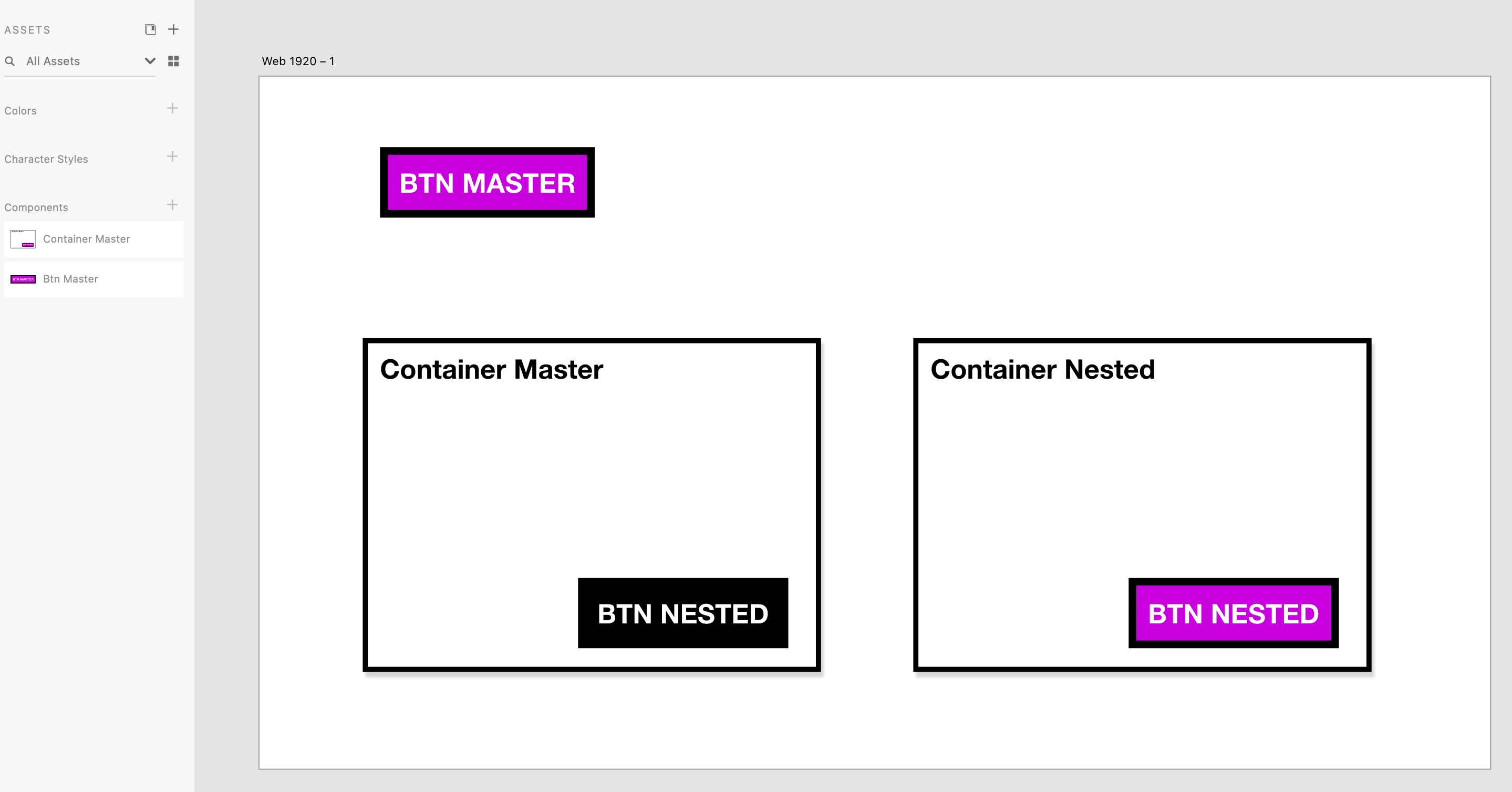
I have a logo component, for example, that is blue. It is nested in a header component. When I put this in my footer compent and change the color to grey it reverts back to blue on every new footer instance.


Is there anyway to fix this?
    This topic has been closed for replies.
    Correct answer Harshika Verma

    Yes I did check that, I can actually change text for a nested instance but not the color, see attached:


    The text overide works but the color override does not.


    Hi Dan,


    Sorry to hear you are unable to override the color of the nested component. Would you mind checking this UserVoice request here: https://adobexd.uservoice.com/forums/353007-adobe-xd-feature-requests/suggestions/19592509-nested-symbol-overrides-swap-inner-symbol-in-diff and see if this is similar to what you are looking for? If so, please submit your feedback and upvote the request to add your voice.


    Hope it helps.


    Thanks,

    Harshika

    1 reply

    Ares Hovhannesyan
    Community Expert
    Community Expert
    July 9, 2020

    Unlink that instanse from Component. Does it helps?

    DanContaAuthor
    Participant
    July 16, 2020

    I have tried this also with a button component nested in a header component - when the button text is changed it does not reflect in the nested component, what am I doing wrong here? Or maybe it is not possible to nest components in Adobe XD?