
Participant
January 16, 2023
Question

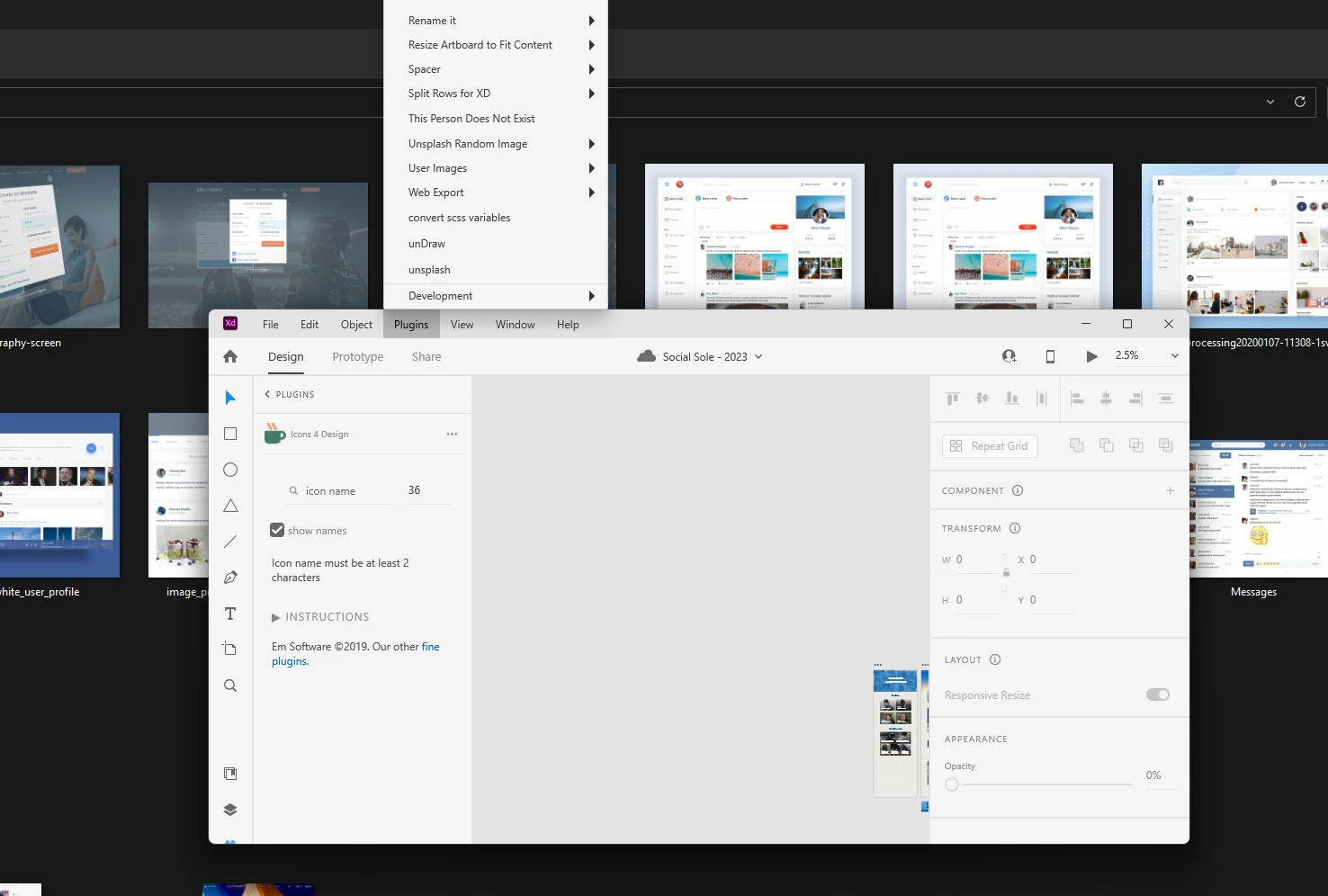
Pluggins menu is not displaying correctly in XD

  • January 16, 2023
  • 1 reply
  • 256 views

So I'm trying to access the plugins menu in XD, and for whatever reason when I hover over the plugins button, the plugins menu moves up out of the screen, instead of dropping down like a menu is supposed to do, Oddly enough only the plugins menu does this.


Any idea why this is happening?


This topic has been closed for replies.

1 reply

Myra Ferguson
Community Expert
Community Expert
January 16, 2023

I tried it on my Windows machine with the application frame not maximized, and my Plugins menu drops down. You might make sure that Adobe XD is updated.


Does it still happen if you maximize the application frame by clicking on the square in the upper right?

Participant
January 16, 2023

It was happening in both maximized, and not maximized. Although for whatever reason it now working correctly on 2 of the 3 monitors that I'm using. I have a triple monitor set-up. I don't know why it is not working correctly on the third. And XD is up to date.