
Preview prototype in mobile via link do not display components outside initial view
Hi, I had no problem working on a prototype which I tested on mobile (my cellphone) and web (clients and coworkers). Today they told me that some components were not displaying correctly (missing) in their cellphones. What I could find as a point in common is that in my cellphone the screen covers up 100% of the view, while on their case they had to scroll to see the bottom part of the prototype. In the screens that had a component that made the user scroll (list of items, for example) the navigation bar does not show. In screens that there is not a scroll applied, for example detail of an item(via Adobe XD but scrolling from the browser itself) the navigation bar actually shows.
Cellphone with scrollable list and scroll from the browser

Cellphone with scrollable list and no scroll from the browser
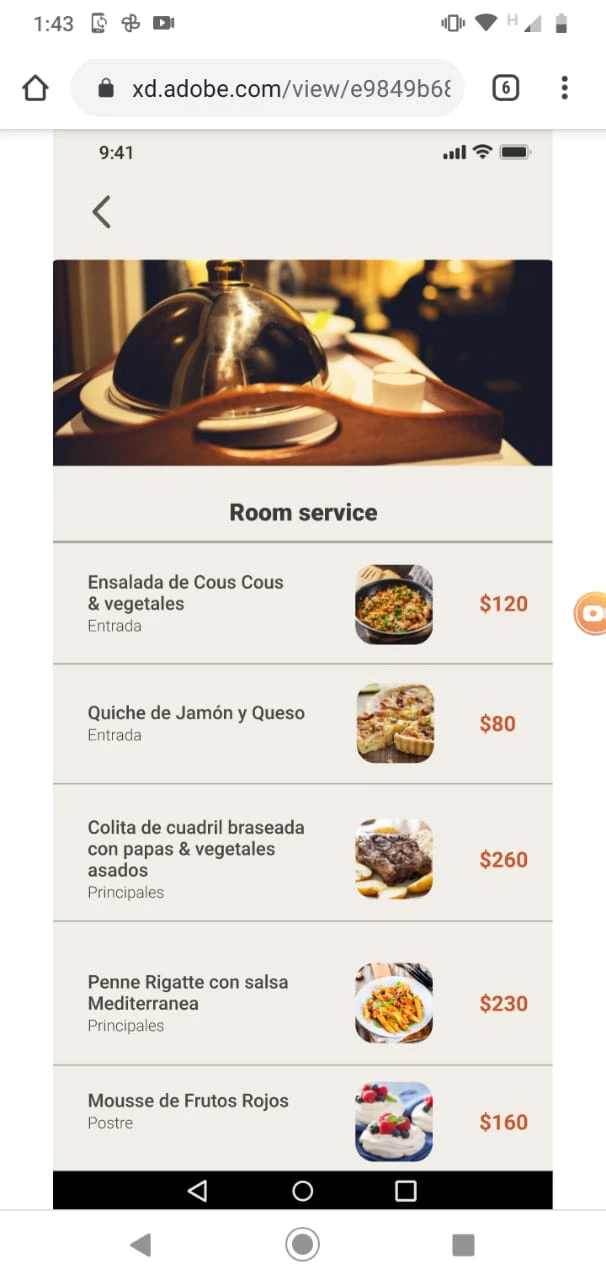
I never had this problem before, and only happens in this case. In the Adobe XD app works well, and in web too.
EDIT: Made it work, have to see the prototype in 100%-105% zoom, otherwise components dissapear


 AdChoices