
Participating Frequently
March 31, 2022
Question

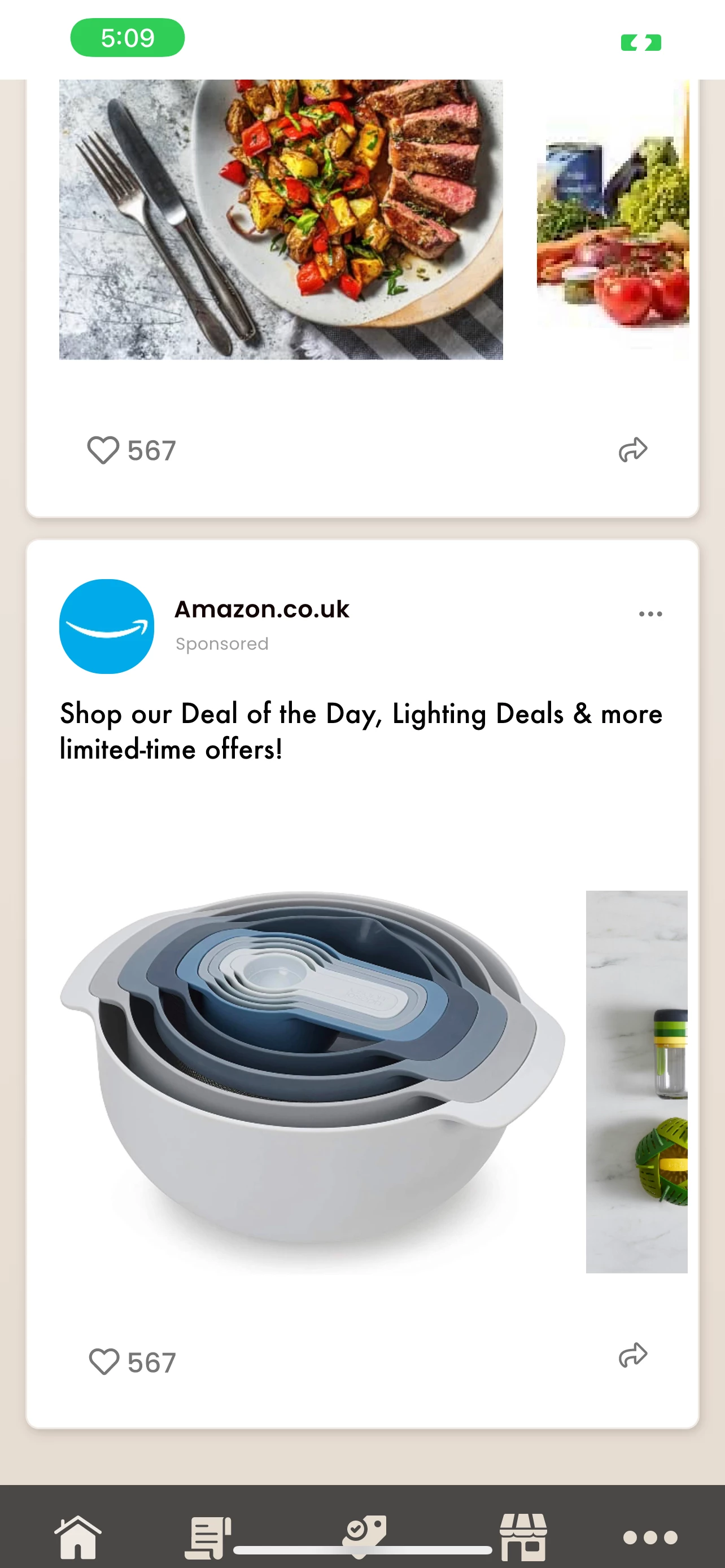
Problems rendering prototype on mobile browser

  • March 31, 2022
  • 1 reply
  • 513 views

Hi there. 

I'm trying to send my XD prototype out to the client for them to start testing. I have advised them once they open up the link in their browser they can save it to their home screen to avoid the browser options, however...

we still can not see the full screen as the status bar seems to be fixed and in the prototype, I have a fixed taskbar located at the bottom.


Because of the loss of real estate thanks to the status bar, this means we can only see the top half of the faux 'task bar'. Is there another workaround? The client intends to demonstrate this on their mobile but does not have Adobe CC.
This topic has been closed for replies.

1 reply

AkinGn
Community Expert
Community Expert
April 1, 2022

Hi @bettywacka, I think the safe area for the mobile UI design excludes that status bar as seen in the image: https://xd.adobe.com/ideas/wp-content/uploads/2019/10/Adobe-5-7.png.webp of the post https://xd.adobe.com/ideas/principles/app-design/designing-apps-iphone-x-every-ux-designer-needs-know-apples-latest-device/  I suggest updating the design minding the status bar (and notch at top, if it's necessary to be updated 😉 Hope this helps!

Participating Frequently
April 1, 2022

Thanksgood point but even if I delete the status bar (it's a component so easy to do) the design still sits within the safe areas and the task bar allows for the margin too