blancag58240463
Participant
Feb 7, 2020 5:12 AM UTC
Question

[Product issue ]Can't view mobile prototype in full screen - Chrome

Hi,

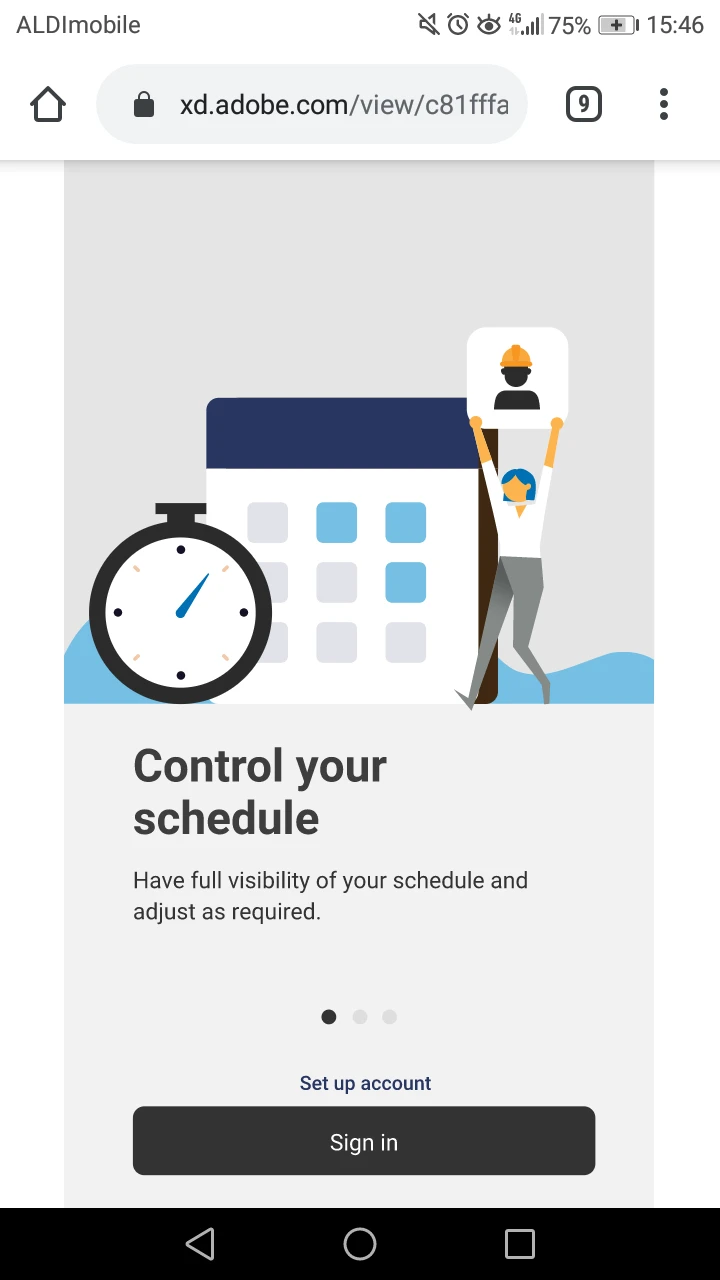
when I open my prototype link in Chrome for Android, it doesn't show in full screen, scaling down and showing white sides. 
 

This topic is closed to new replies. Start a new post to keep the conversation going.

3 replies

Atul_Saini
Legend
Feb 7, 2020 11:38 AM UTC

Hi Blancag58240463,


Thanks for sharing the screenshot. I'd like to know if you have tried to use Adobe XD mobile app to view prototypes on your mobile. (https://helpx.adobe.com/xd/help/preview-mobile.html). 


I would also like to know the current "Scrolling" setting that you have applied to your design. If it is "None", I would request you to set it to "Vertical" and see the results. 


Note: Adobe XD mobile works best to check the experience. 


Thanks,

Atul_Saini

Translate
blancag58240463
Participant
Feb 9, 2020 10:22 PM UTC

Yes, I use the mobile app but that is not possible when testing remotely. I need to send the prototype link for people to open on their phones in full screen. 
Also, the scrolling is set to vertical for all screens, and the 'open in full screen' option is ticked. 


Translate
elainecc
Participating Frequently
Feb 10, 2020 6:07 PM UTC

Hi there! Unfortunately, mobile browsers do not support the full screen option the way that desktop browsers do. This is a known system limitation of both iOS and Android. However, on Android, your clients might be able to install third party software that will force the browser to launch without its chrome, but there isn't anything we can recommend.


Hope that helps!

Translate
