
Participant
July 12, 2020
Answered

Proportional Scale with Strokes, Rounded Corners and Effects

  • July 12, 2020
  • 2 replies
  • 8469 views
Hello,
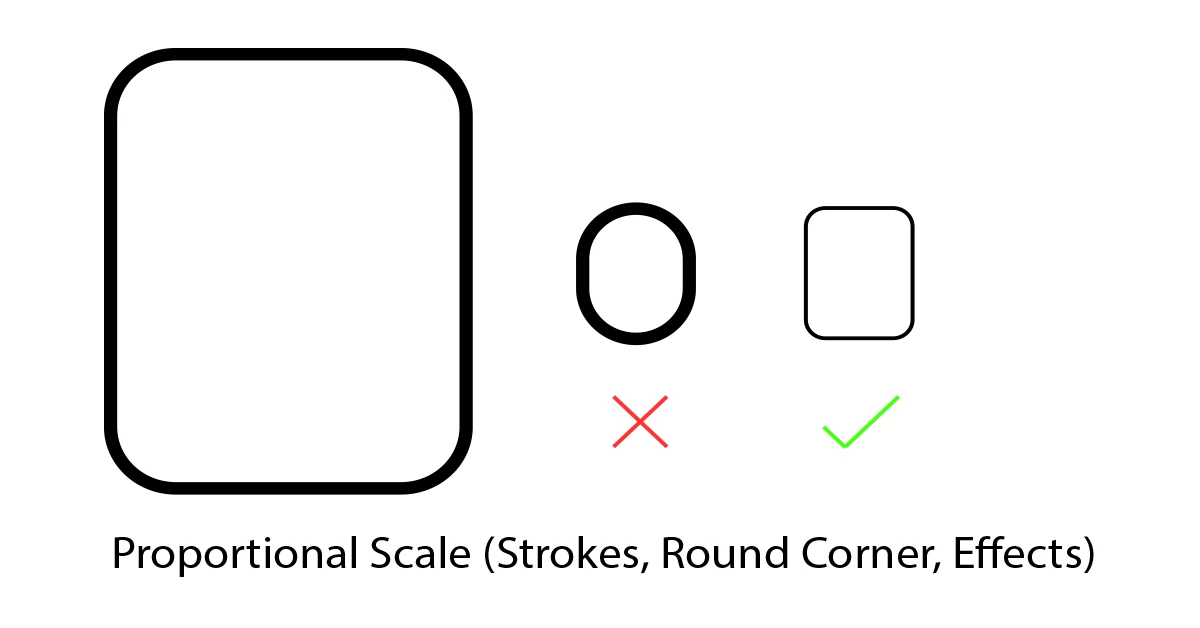
Unfortunately, it's not yet a native feature, so How do you proportionally resize your components when they have strokes, rounded corners and Effects ?
Is there a plugin, a Tips?
A big thank you 🙂


This topic has been closed for replies.
Correct answer Kenneth Kawamoto

If you convert the rectangle to path the corner radius become un-editable and scales proportionally. The border weight stays the same though so you need to change that manually...


[Edit] Since XD 41 you can outline stroke - this will make the outline scales proportionally.

2 replies

Participant
July 6, 2021

Thats just bad especially if you have logo that has border around each time you resize it you need to adjust border criminal 😄

Kenneth KawamotoCommunity ExpertCorrect answer
Community Expert
July 13, 2020

If you convert the rectangle to path the corner radius become un-editable and scales proportionally. The border weight stays the same though so you need to change that manually...


[Edit] Since XD 41 you can outline stroke - this will make the outline scales proportionally.

Participant
March 18, 2022

This is not a sufficient solution, it’s a workaround.