
ctxgelo
Participant
March 23, 2020
Answered

[Prototype]-Element that has "Fix position when scrolling" applied to it disappears in preview mode.

  • March 23, 2020
  • 2 replies
  • 2378 views

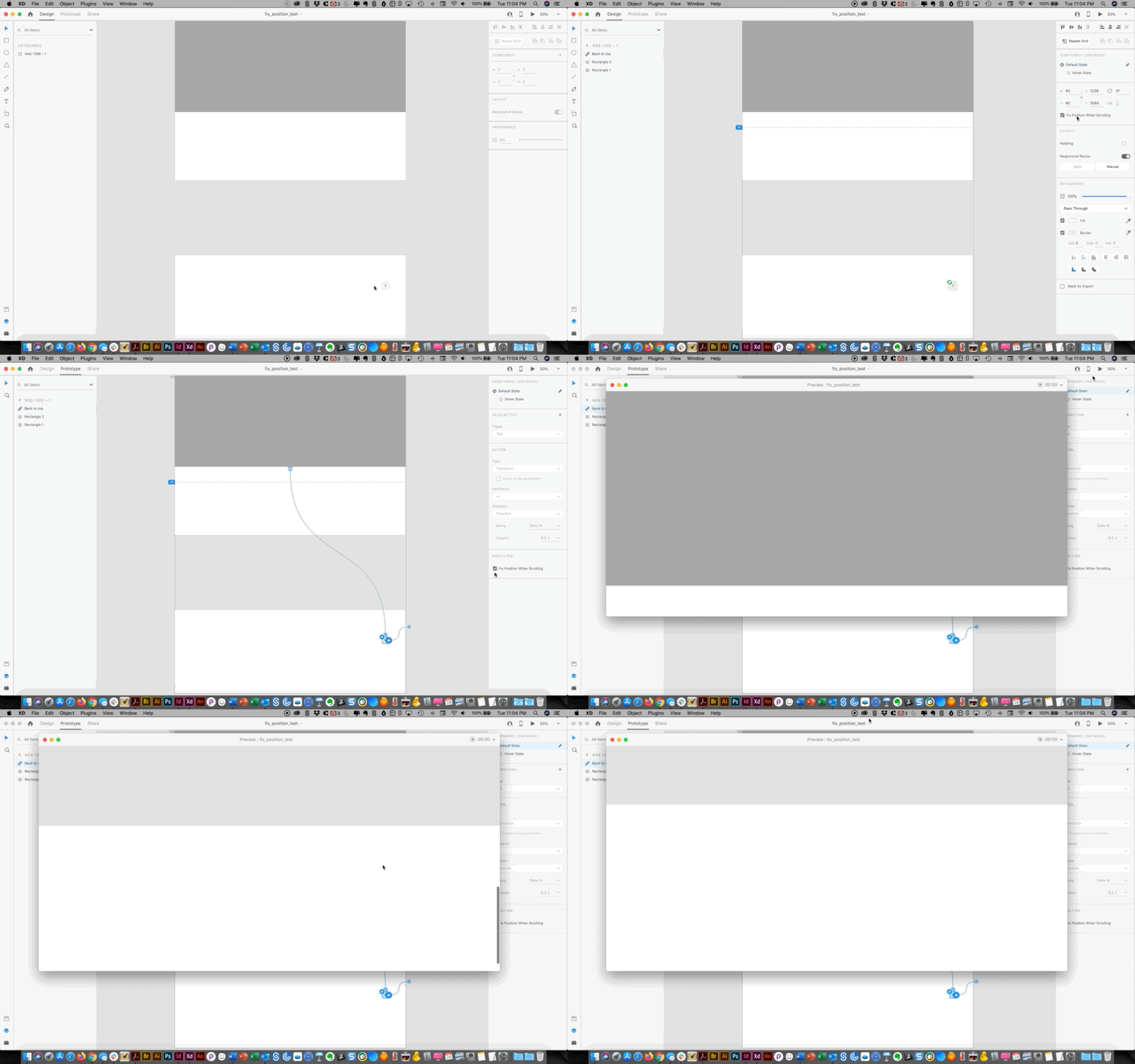
I created a back to top arrow that I placed towards the bottom of the page. When I select that arrow and click on "Fix position when scrolling", and then I preview it, the arrow disappears from the page all together. This must be a bug. I read in another post from an Adobe certified user that the element needs to be within the viewport of the page in order for it to be seen. I tried that and it worked. However, the problem is, the back to top arrow is all the way down towards the bottom of the page, so I would have to increase my viewport to close to the bottom of the page, which is not what I want. I want my viewport to only show the hero area. Is there a fix for this???


<The Title was renamed by moderator>
This topic has been closed for replies.
Correct answer Peter Villevoye

Hi. Here is a gif of my issue, the element disappears in Preview mode. Hopefully you have a solution for this. Thank you.


Angelo


The element is already positioned far BELOW the viewport (I can see the dotted blue line in your GIF above it). So this way it will always start and stay out of view, as you have noticed.


Maybe you'd like it to move up wih the screen, until it gets into view, and then stay there. This behavior can't be created within one artboard, but you could use a sequence of 2 or 3 artboards and Auto-animations, to mimick this behavior.


As the saying goes:

You can't have your cake (fixed outside of the viewport) and eat it (inside the viewport).

2 replies

Participant
January 6, 2021

Hello! Im trying to do that right now for my Webshop Prototype in School.
It should start move up below this blue line and then stop while scolling below the header. OR it should Popup from above as soon as im scrolling past the blueline.
I want to use it for items in a webshop. Is there a specific tutorial for that ? Sadly I dont know what you mean or how to do that "but you could use a sequence of 2 or 3 artboards and Auto-animations"

Thanks a lot!

HARSHIKA_VERMA
Community Manager
Community Manager
March 23, 2020

Hi there,


Thank you for reaching out. If I heard you right, it looks like this is the functionaity you are looking for: https://adobexd.uservoice.com/forums/353007-adobe-xd-feature-requests/suggestions/15038256-dynamic-scrolling-viewport-height-based-on-screen? If so, please submit your feedback and upvote the request to add your voice.


Hope it helps.


Thanks,

Harshika

ctxgelo
ctxgeloAuthor
Participant
March 23, 2020

 Hello. My issue is in Preview mode the element that I want fixed can not be seen, it just dusappears. I have a video i recorded to show you the issue but I don't know of a way to upload that .mov file.

HARSHIKA_VERMA
Community Manager
Community Manager
March 25, 2020

You can upload the file to a shared location such as Creative Cloud app or Dropbox and share the link with us here. We'll try our best to help.


Thanks,

Harshika