Participant
June 2, 2020
Answered

Prototype : How to assign a gamepad key (e.g. Right key) and do nothing i.e. remain in same Artboard

  • June 2, 2020
  • 1 reply
  • 364 views

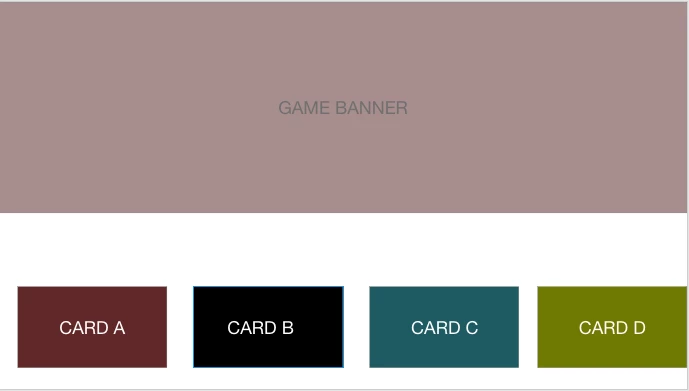
I am working on a game design, where I am on the first rail and I am navigating between the cards using the right navigation (gamepad in prototype). When I hit the last card i.e Card D (as seen in the image) using right navigation. I want to give the user experience that user has hit the dead end when he tries to right navigate on card D. however, in xd prototype, when I do right navigation on the last card, it jumps to next artboard (even if it is not connected). How can I avoid this?

 

    This topic has been closed for replies.
    Correct answer Rishabh_Tiwari

    Hi there,


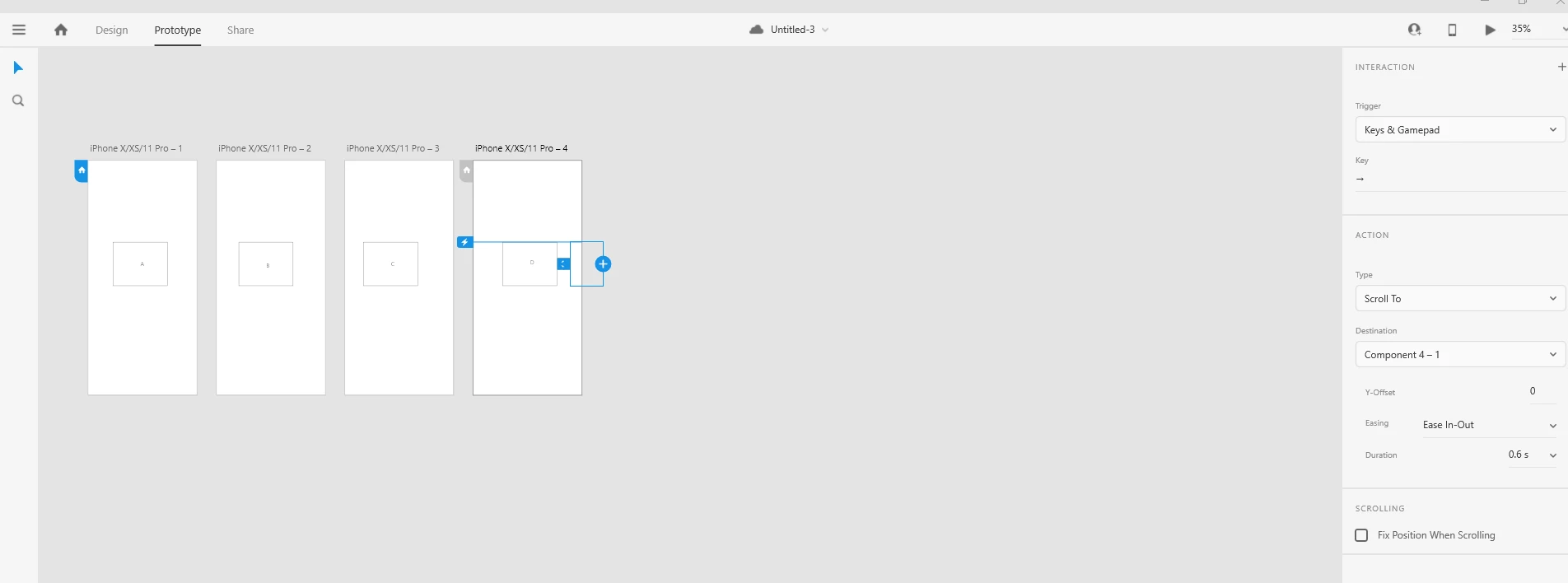
    Thanks for reaching out. In order to achieve this, you can follow a workaround, you can add an additional object like a rectangle on the last artboard and you can change the opacity to 0. Then in Prototype mode, you can wire up the last artboard object with that additional rectangle with 0 opacity, and then if you will preview the artboard will navigate from first to last, and then it will stop at last. For more information, you can refer to the screenshot and a sample prototype link:


    Prototype link: https://xd.adobe.com/view/c6bcede0-27f6-4525-74b7-ef17e899e326-b08d/


    Let us know if this helps, or if you need any further assistance.


    Regards

    Rishabh

    1 reply

    Rishabh_Tiwari
    Rishabh_TiwariCorrect answer
    Legend
    June 2, 2020

    Hi there,


    Thanks for reaching out. In order to achieve this, you can follow a workaround, you can add an additional object like a rectangle on the last artboard and you can change the opacity to 0. Then in Prototype mode, you can wire up the last artboard object with that additional rectangle with 0 opacity, and then if you will preview the artboard will navigate from first to last, and then it will stop at last. For more information, you can refer to the screenshot and a sample prototype link:


    Prototype link: https://xd.adobe.com/view/c6bcede0-27f6-4525-74b7-ef17e899e326-b08d/


    Let us know if this helps, or if you need any further assistance.


    Regards

    Rishabh