
Prototyping, Components, and Multiple States - Linking between two components' states
First of all, thank you for building an absolutely awesome tool. I use it exclusively for all my digital wireframing and mock-up work.
I'm trying to implement a fully interactive select input field from Material Design. When tapping the select, a dropdown with possible values are shown. Selecting a value collapses the dropdown and updates the value in the input field.
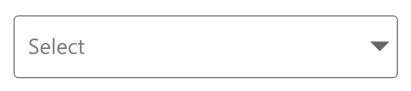
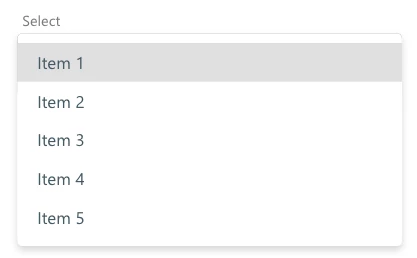
I have created two components:
- A parent "select" component.
- A child "list item" component for each element of the dropdown list.
I have succesfully managed to:
- Add multiple states for each possible value of the input field.
- Add a tap-interaction to open the dropdown when tapping the input field.
- Add a hovered-state to each list item in the dropdown.
- Add a selected-state to each list item in the dropdown.
However, it doesn't seem to be possible to do the following:
- Add a tap-interaction to each list item in the dropdown that would transition the parent component's state to update the input field value.
Feature Request: Make interactions on child components able to transition parent components' states.
If this were to be possible, it would greatly increase the possible depth and complexity of interactive prototypes built with XD.
Anyone able to achieve what I described above or have any ideas of how I might do so? Thanks!
Best,
Stefan
 AdChoices