
Participant
October 12, 2018
Answered

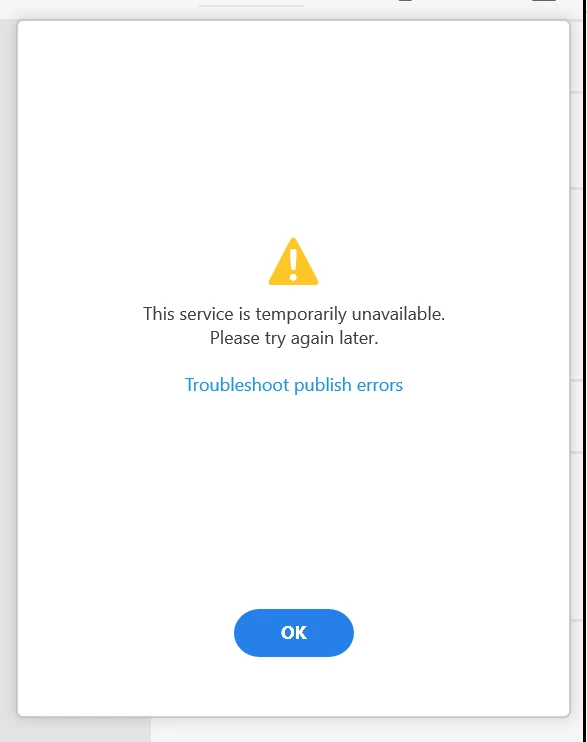
Publish Prototype - This service is temporarily unavailable.
  • October 12, 2018
  • 1 reply
  • 270 views

Windows 10 (1809 Build 17763.55)

Titan Xp (Driver 416.34)

Adobe XD (12.0.12.10)

Creative Cloud Sync (4.0.1.60)

You name a troubleshooting method, I've tried it.

1. Reinstall app

2. Reboot

3. Signout and rename OOBE to OOBE_old
4. Make sure there's no update, new terms, etc. to do.

5. Disable firewall, vpn, etc.

6. Try on another network

7. etc.

I've tried every troubleshooting solution listed about this issue. Nothing works. The ONLY thing that does work is to send my .xd files to my macbook and upload from there instead. This is a serious pain, I have an expensive production PC that I use daily. I need this feature to work on Windows.

Please help!

This topic has been closed for replies.
Correct answer Preran

Thank you for taking care of the initial troubleshooting, and am sorry that none of these helped you.

I suggest getting in touch with our tech support team directly Contact Customer Care​ for further investigation. Do let them know of the steps that you have performed already.

Thanks,

Preran

1 reply

Preran
PreranCorrect answer
Legend
October 12, 2018

Thank you for taking care of the initial troubleshooting, and am sorry that none of these helped you.

I suggest getting in touch with our tech support team directly Contact Customer Care​ for further investigation. Do let them know of the steps that you have performed already.

Thanks,

Preran