jc_xiaobao
Participant
Feb 28, 2018 5:36 PM UTC
Answered

Published Prototype Doesn't Fit-to-Screen (in Browser) in Full Screen Mode

I uploaded a prototype of mine and it doesn't fit the browser screen (Chrome, from two different Windows computers) when maximized in full screen mode. I have several other projects that work fine in full screen mode. This project was my latest one and I uploaded it in December of 2017, whereas the other projects were uploaded in October 2017 and before that. I tried reuploading to no avail. Help? Please see the attached images. Link here: Pioneer Scientific
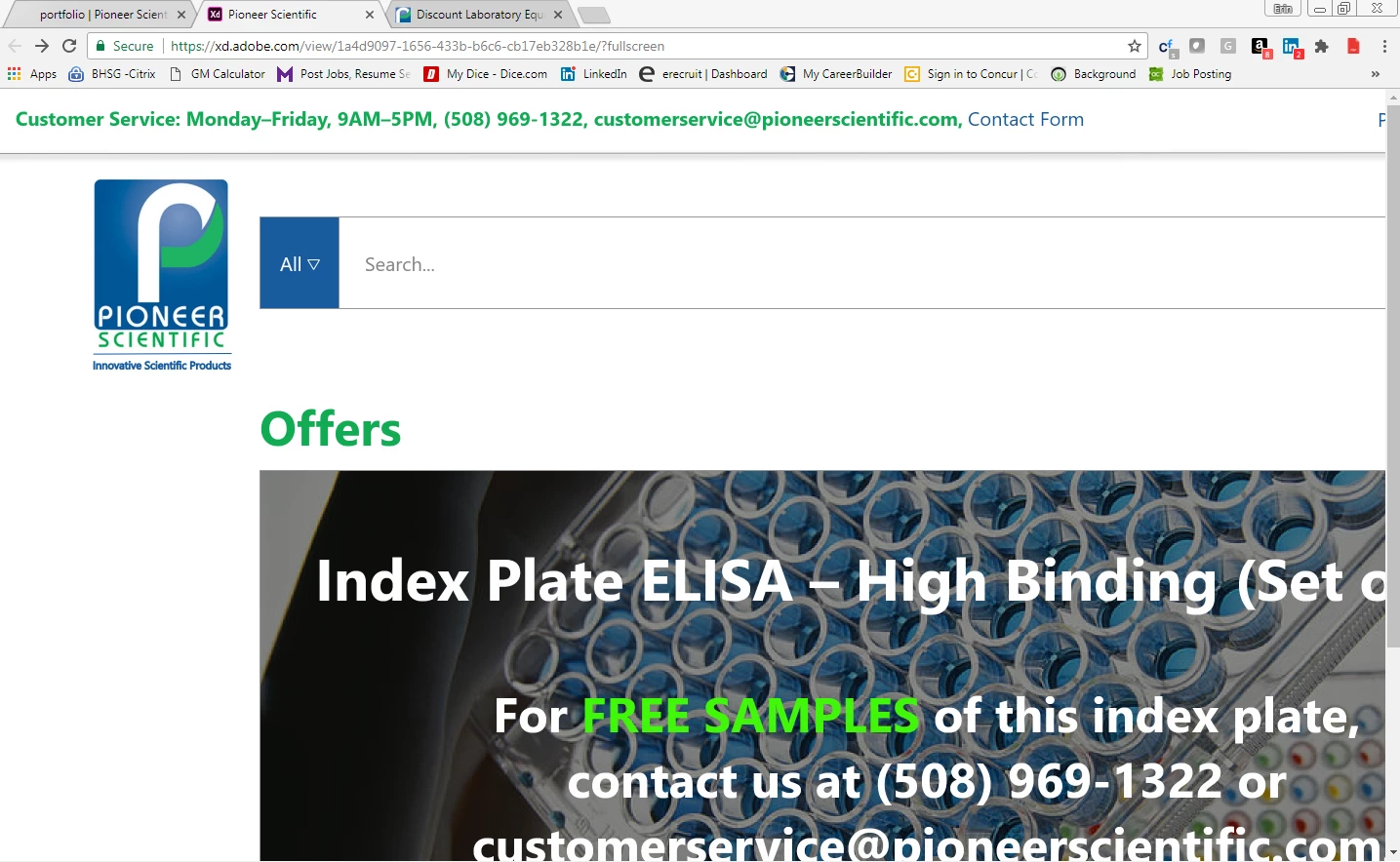

This topic is closed to new replies. Start a new post to keep the conversation going.
Preran
PreranCorrect answer
Legend
Mar 1, 2018 9:56 PM UTC

I checked with the team. They investigated your post, and I am sharing their response here.

This is working as expected. Basically artboards are published at 100% and the browser window size dictates what should appear.

This change was made ~2 months ago.

Workaround solutions:

1) Resize window to show all contents.

2) To have artboards scale to fit current browser window manually append the following to the prototype URL “?featureset=fullscreenScaleToFit&fullscreen”

So the URL would be as follows: https://xd.adobe.com/view/7da72e5c-13ed-4d20-8201-e2926bbff15c/?featureset=fullscreenScaleToFit&fullscreen

Let us know if this helps.

Thanks,

Preran

21 replies

Participating Frequently
Sep 7, 2018 6:54 PM UTC

This is happening to me too. Full screen should fit to the bounds of the screen so there's no extra scrollbars. It's as if the whole thing is zoomed in. Makes it really unusable - and the only other option is super zoomed out.

Translate
Participating Frequently
Jul 6, 2018 6:13 PM UTC

My prototype does not preview properly in any browser. Safari it's warped, and cannot scroll to top of page. Chrome is similar, the page is zoomed in and cannot scroll to top. This was not an issue until I updated XD today!

Translate
Participating Frequently
Jul 6, 2018 6:17 PM UTC

Also XD is telling me to upgrade to publish more than one link (I pay for CC every month) gah!

Translate
marcelal31773244
Participant
Jun 29, 2018 6:30 PM UTC

Yes, I see, in Safari looks fine but in Chrome not.

Thank you.

Translate
Atul_Saini
Legend
Jun 29, 2018 6:46 PM UTC

Thanks for confirming the details, please vote for this request and stay tuned for further updates.

Translate
Preran
Legend
Mar 1, 2018 5:55 PM UTC

I am unable to reproduce your issue in both the browser, and in the full screen mode. I am on Chrome (Windows 10).

Full Screen

Translate
jc_xiaobao
Participant
Mar 1, 2018 7:18 PM UTC

Hi Preran,

Perhaps I should clarify. My prototype is specifically set to open in Full Screen mode when opened in a browser through this link: https://xd.adobe.com/view/7da72e5c-13ed-4d20-8201-e2926bbff15c/?fullscreen.

Two separate people using two separate computers have now told me that the prototype isn't sized correctly when they open my link (as shown in my previous post), resulting in the horizontal and vertical scroll bars. Do you have any suggestions as to what might be the cause of this? Thanks.

Translate
Preran
PreranCorrect answer
Legend
Mar 1, 2018 9:56 PM UTC

I checked with the team. They investigated your post, and I am sharing their response here.

This is working as expected. Basically artboards are published at 100% and the browser window size dictates what should appear.

This change was made ~2 months ago.

Workaround solutions:

1) Resize window to show all contents.

2) To have artboards scale to fit current browser window manually append the following to the prototype URL “?featureset=fullscreenScaleToFit&fullscreen”

So the URL would be as follows: https://xd.adobe.com/view/7da72e5c-13ed-4d20-8201-e2926bbff15c/?featureset=fullscreenScaleToFit&fullscreen

Let us know if this helps.

Thanks,

Preran

Translate