
Participant
June 7, 2021
Answered

publishing xd prototype design view bug

  • June 7, 2021
  • 2 replies
  • 1102 views

Hello everyone!


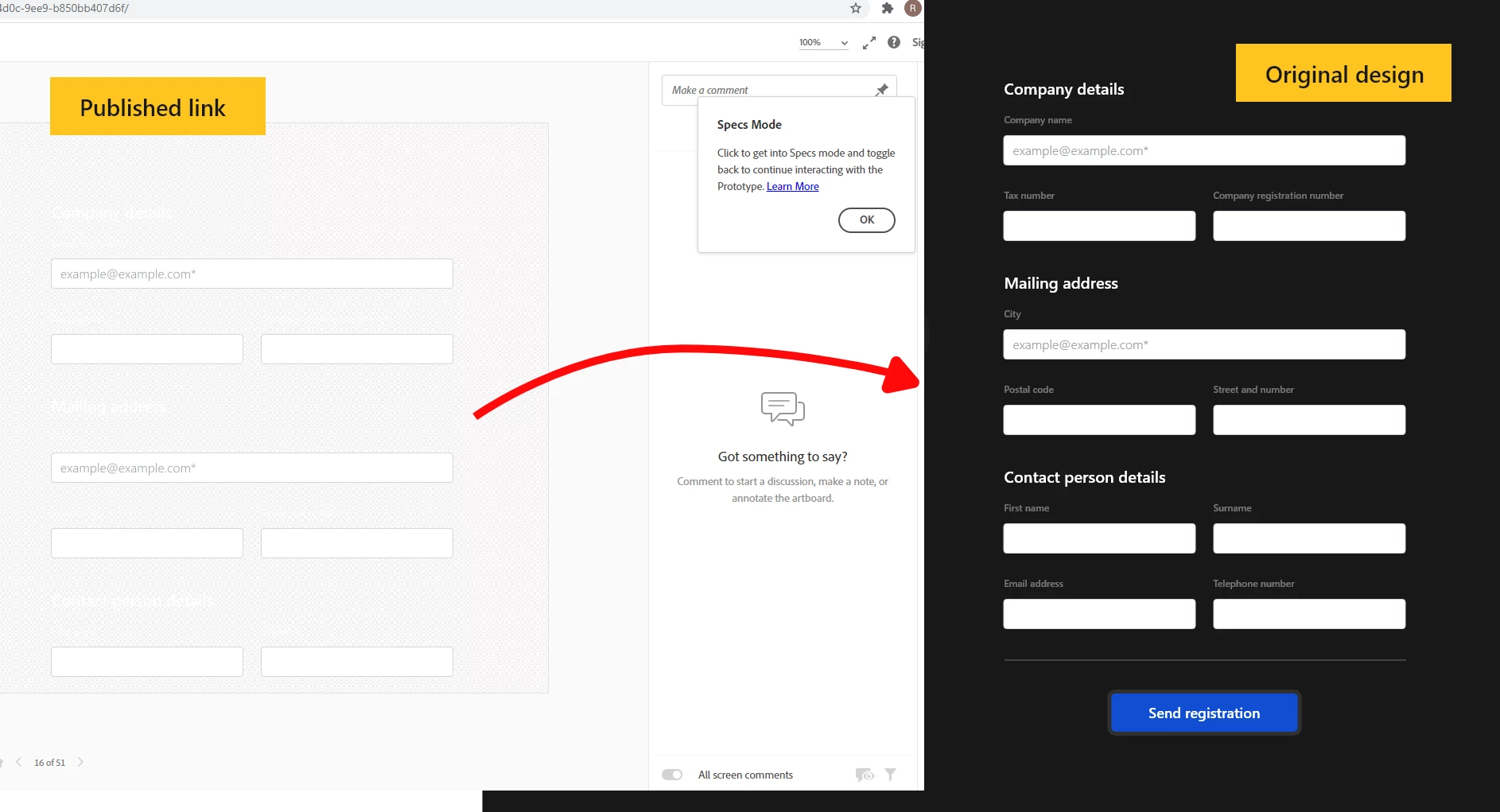
I've recently started struggling with a problem in XD: when I publish my work to share with my team, my published design doesn't appear correctly: the dark elements of my design turn white with a grain effect. I'm attaching an image. What could be the problem? Is it a bug? It's quite annoying because I can't present such a design for the client 😞


Thanks in advance!
 

    This topic has been closed for replies.
    Correct answer Chris W. Griffith

    Odds are it is an issue with whatever version of Chrome. I would double check it in another browser if you can. Also, turn your 'background' into a component, so if you need to change it, you can do so easier.

    2 replies

    Ares Hovhannesyan
    Community Expert
    Community Expert
    June 7, 2021

    Is this form is created by scratch or you use third party plugin? What happened if you create simple shape with the white fill  and publish it? Dose it transfer to black? Did you get the same rusalt in different browsers?

    CRTM5F8EAuthor
    Participant
    June 8, 2021

    Hello Ares,


    The design itself is created from scratch, I didn't use any plugins. I tried it with different browsers and it didn't fix the problem. My last attempt was to create a component from the shape, and now the problem is solved! 🙂


    Thanks a lot for your help!

    Chris W. Griffith
    Community Expert
    Community Expert
    June 7, 2021

    What browser and OS is your team viewing the prototype on? How are you setting the background color in your design? 

    CRTM5F8EAuthor
    Participant
    June 7, 2021

    Hello Chris!


    We use Windows, and we usually view the link in Google Chrome.

    I set the background with a 100% colour, no opacity, no gradient, and no shadow. I just put a normal full-colour rectangle in the background.

    Chris W. Griffith
    Community Expert
    Chris W. GriffithCommunity ExpertCorrect answer
    Community Expert
    June 7, 2021

    Odds are it is an issue with whatever version of Chrome. I would double check it in another browser if you can. Also, turn your 'background' into a component, so if you need to change it, you can do so easier.