
Known Participant
October 6, 2021
Question

Responsive resize not working as expected

  • October 6, 2021
  • 1 reply
  • 353 views

I'm trying to vertically center a few elements (see image), the constraints I've set seem correct but they don't accomplish the task. Can anyone point out where I've gone wrong?
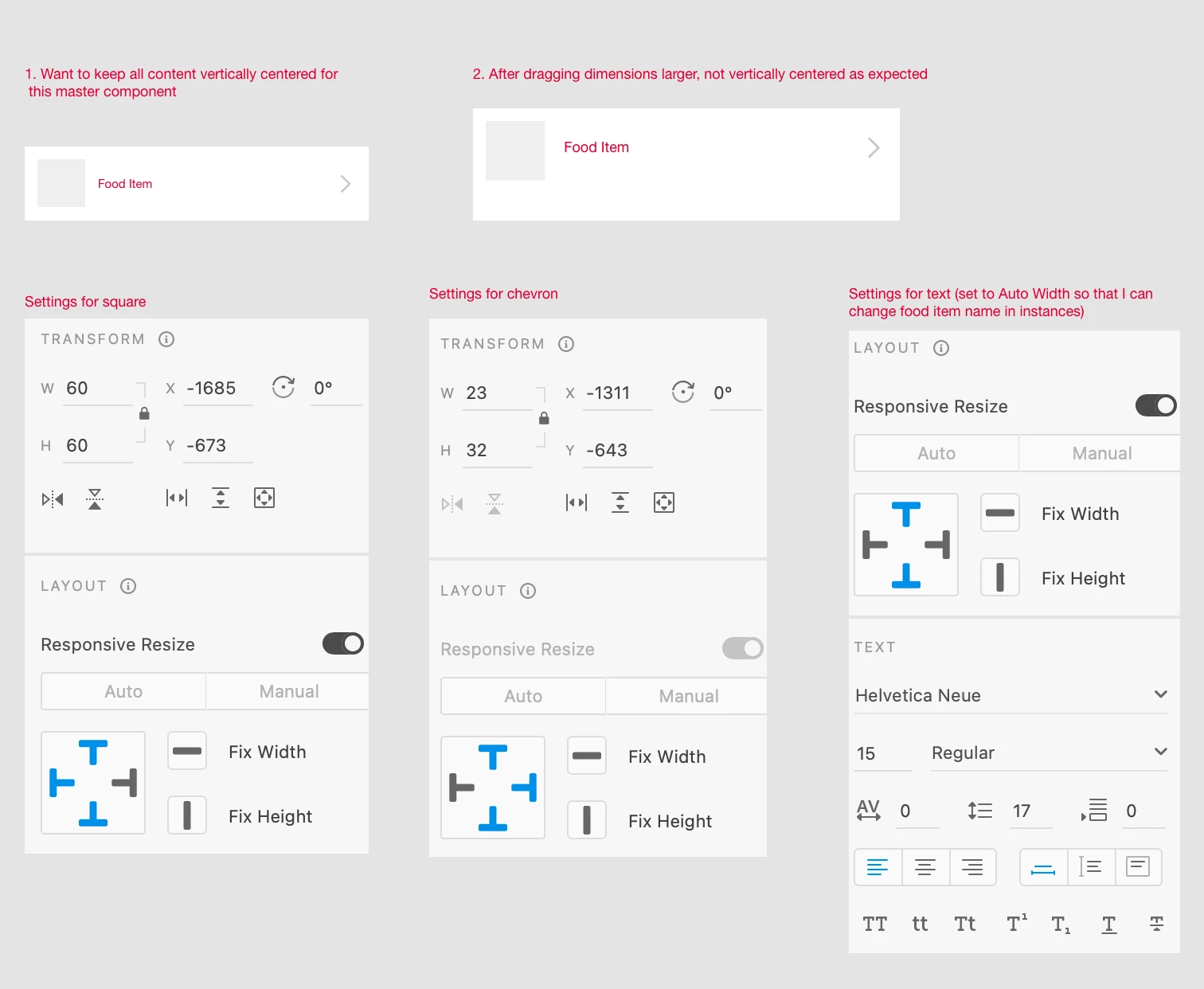


Also, does anyone know why the chevron's Responsive Resize toggle is grayed out? And why the Auto/Manual switch is grayed out for the chevron and square? Thanks!

    This topic has been closed for replies.

    1 reply

    Spas K.
    Community Expert
    Community Expert
    October 6, 2021

    Can you post a screenshot showing the layers panel, with groups expanded, so we can see how layers are grouped together and what each layer is exactly? Do you want the square and the text to grow in size, or do you just want them to be vertically aligned?


    If you want just the alignment, remove the top & bottom constraints. If you use both (on the same axis), the element will be resized, as it will try to keep the top and bottom spacing between the element and the group's bounding box. That's what the constraints are for. If you leave just one (per axis), it will keep the spacing on that side, and won't resize, as the spacing on the opposite side is "auto".

    Known Participant
    October 6, 2021

    Sure, here is the screenshot.


    I would like for the square to remain fixed-ratio as the component grows larger, so that when I make this component larger for some future instances the square grows larger, stays vertically centered, and pushes the Food Item text to the right as it enlarges. I would also like for the chevron to stay fixed-size and right-aligned, and for the text and chevron to stay vertically centered.