Participant
December 18, 2020
Answered

Scale prototype to fit entire artboard on screen

  • December 18, 2020
  • 1 reply
  • 895 views

Hi! Relatively new designer here. I want to share my prototype which is designed at 1366x768. The link to the prototype shows the artboard within a 768x768 square (fits the width of the artboard) instead of expanding so that the whole art board is visible without scrolling down.


Is there a way to set zoom constraints so that a viewer can see the entire artboard when they open the link? 


Thanks!

    This topic has been closed for replies.
    Correct answer Rishabh_Tiwari

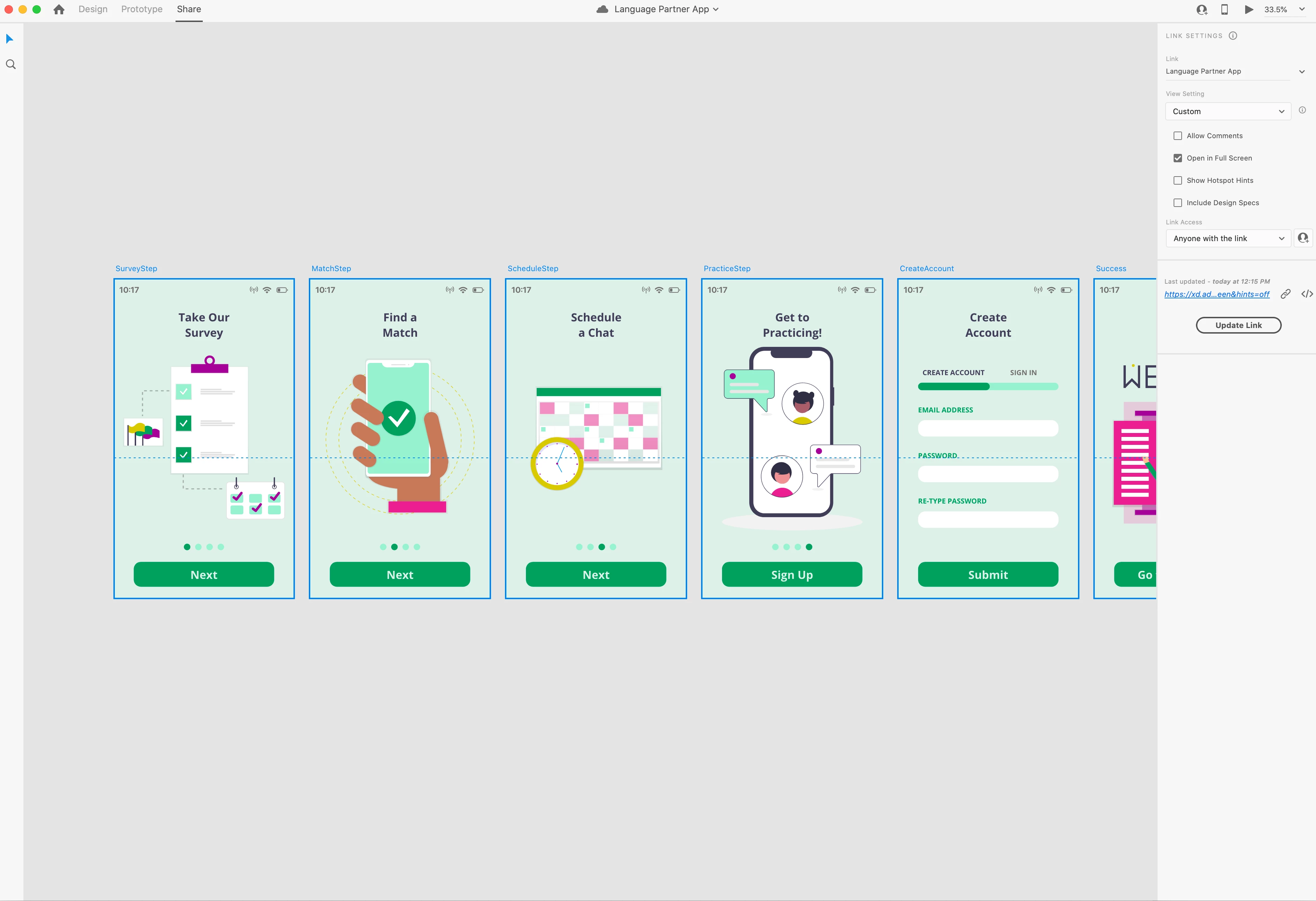
    Does this help?


    Thanks for sharing the screenshot, Mariela. So the reason it is scrolling because you have set a viewport(the blue dotted line in the middle of the artboard) that makes the artboard scrollable so anything below the viewport will lead the artboard to scroll. For more information on the viewport and scrollable artboard, please refer to this article: (https://helpx.adobe.com/uk/xd/user-guide.html/uk/xd/help/get-started-with-artboards-in-XD.ug.html

    1 reply

    Rishabh_Tiwari
    Legend
    December 18, 2020

    Hi there,


    Thanks for reaching out. Unde the view settings you can opt for Open in Full Screen and try opening the prototype in full screen and let us know if that helps or if you need any further assistance.


    Regards

    Rishabh

    Participant
    December 18, 2020

    Hmmm, it doesn't seem to change the square window the artboard sits in


    Rishabh_Tiwari
    Legend
    December 18, 2020

    Could you please share a screenshot of how the prototype looks in the design mode?