

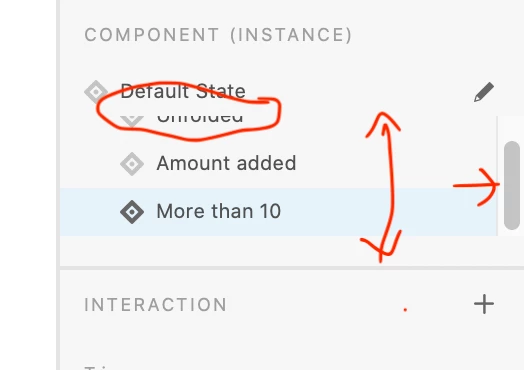
Scrolling windows is too small in component panel in XD.
Simply I've lost one client, time, money and health with the suming amounts of bugs and insane unusability of XD user interface. Realy... I'm tired, very tired.
Just built an "atomic" approach of buttons, dropdowns, etc... invested weeks learning the anti-intuitive way to make states work, with hours and hours googling for hacks to overcome XD bad design and bugs... yes, even the "group" a component in itself to be accessed from a sibling component's state.
All that, with promises to my client to deliver a "near" reality experience, ended just moments before the live presentation, when made my final testings: broken structures, random resizing, text changes, movements in position of internal components...etc, etc.
For short, the so hyped and over promoted "States" don's stand a simple linkage from an external assets/component/whatever library. Even worst... breaks when we try to overide any of their components (something basic that works like a clock in other design apps out there)
And last... these ridicously unresizable or undockable tabs... forcing to jump back and forth to compare and edit states and their components in layers (yes... each time you click for another state, the component tree closes, needing to manually search again the element you need to edit).
Simply see the screen shot... the insane small panel with only 2'5 states visibles at time... needing to scroll constantly in search of the hidden states.
<The Title was renamed by moderator>


 AdChoices