
SF Symbols won't appear in prototypes
So, first of all, I'm new to Adobe XD, I've always used Figma. The thing is I'm doing this iPhone app prototype and I'm using SF fonts. SF font by itself works fine, both in desktop and in the prototype. The problem is when using SF Symbols, wich I believe is some sort of new font/program Apple released recently (not sure tho). So this font doesn't appear in fonts lists in any program, not even Apple one's like Pages or Keynote. For using these symbols you have to go to this program called SF Symbols, look for the one you need, copy it and paste it as text in the program you're working, Adobe XD in this case.
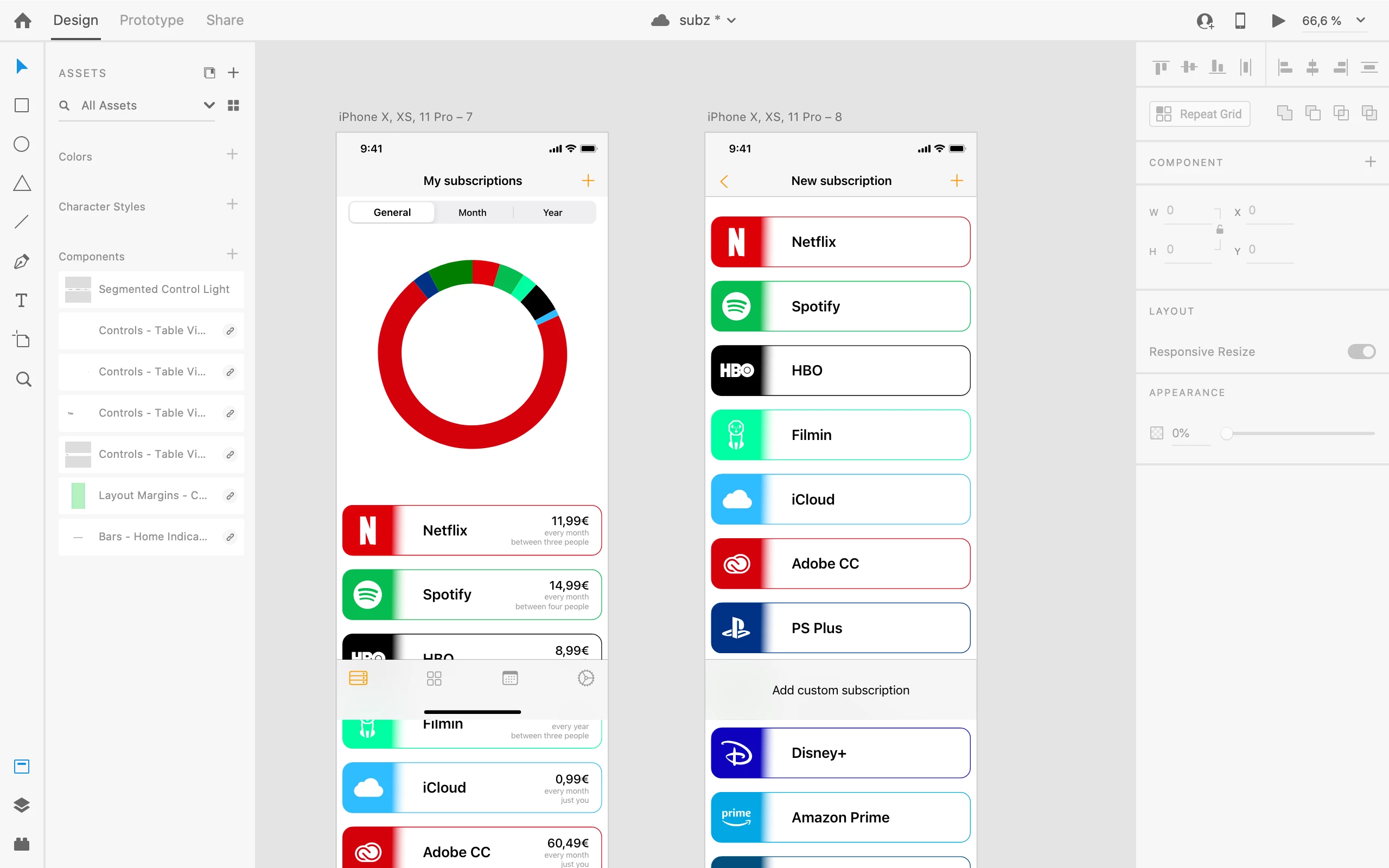
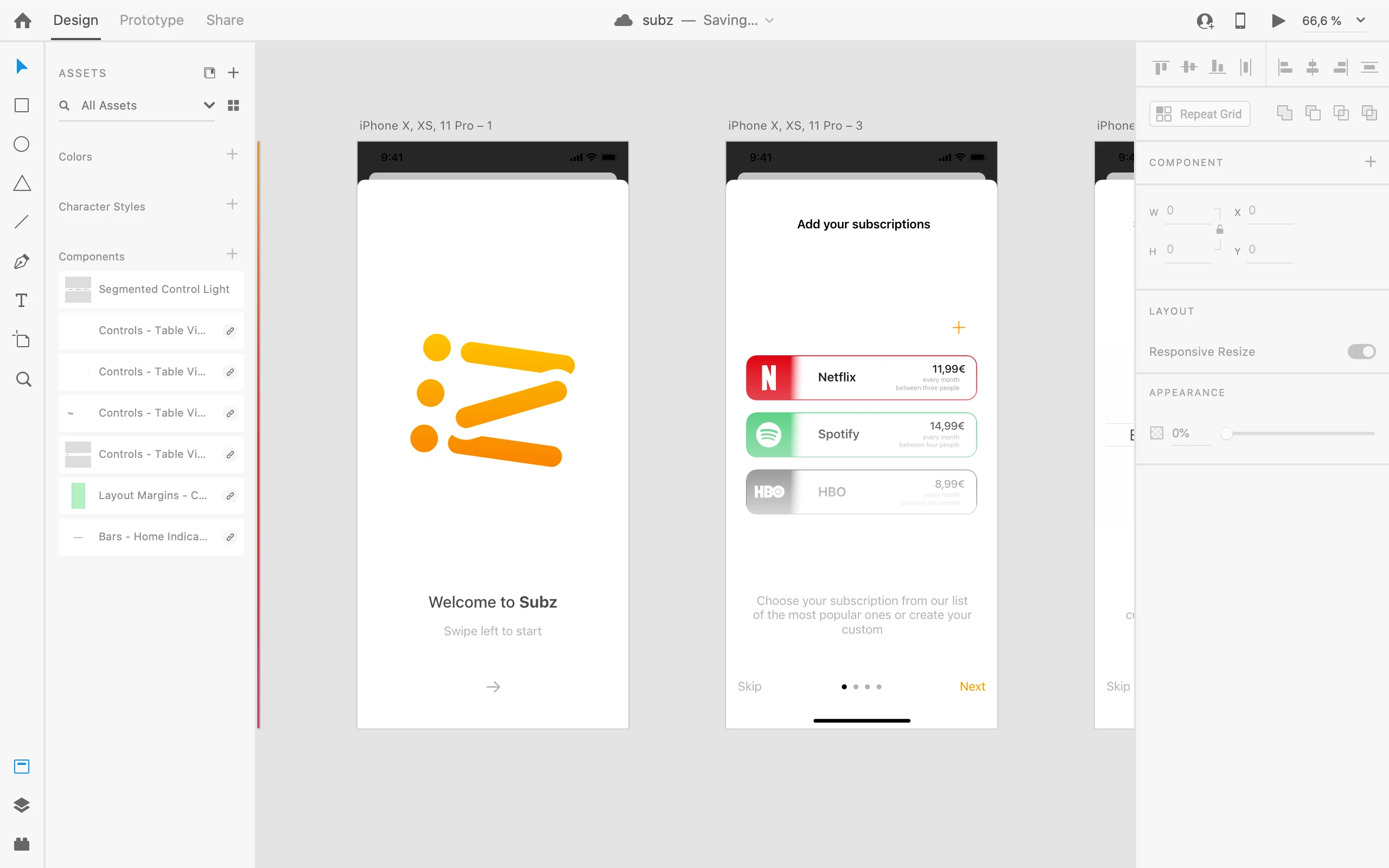
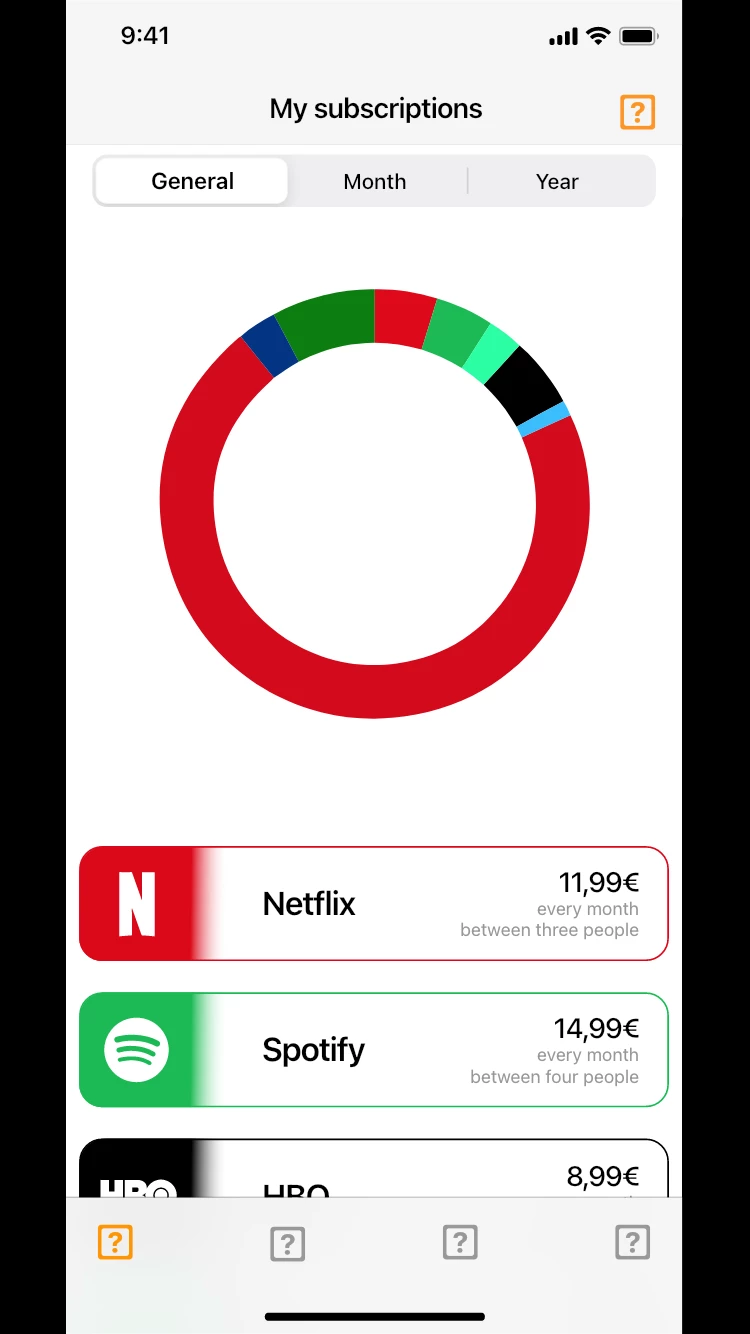
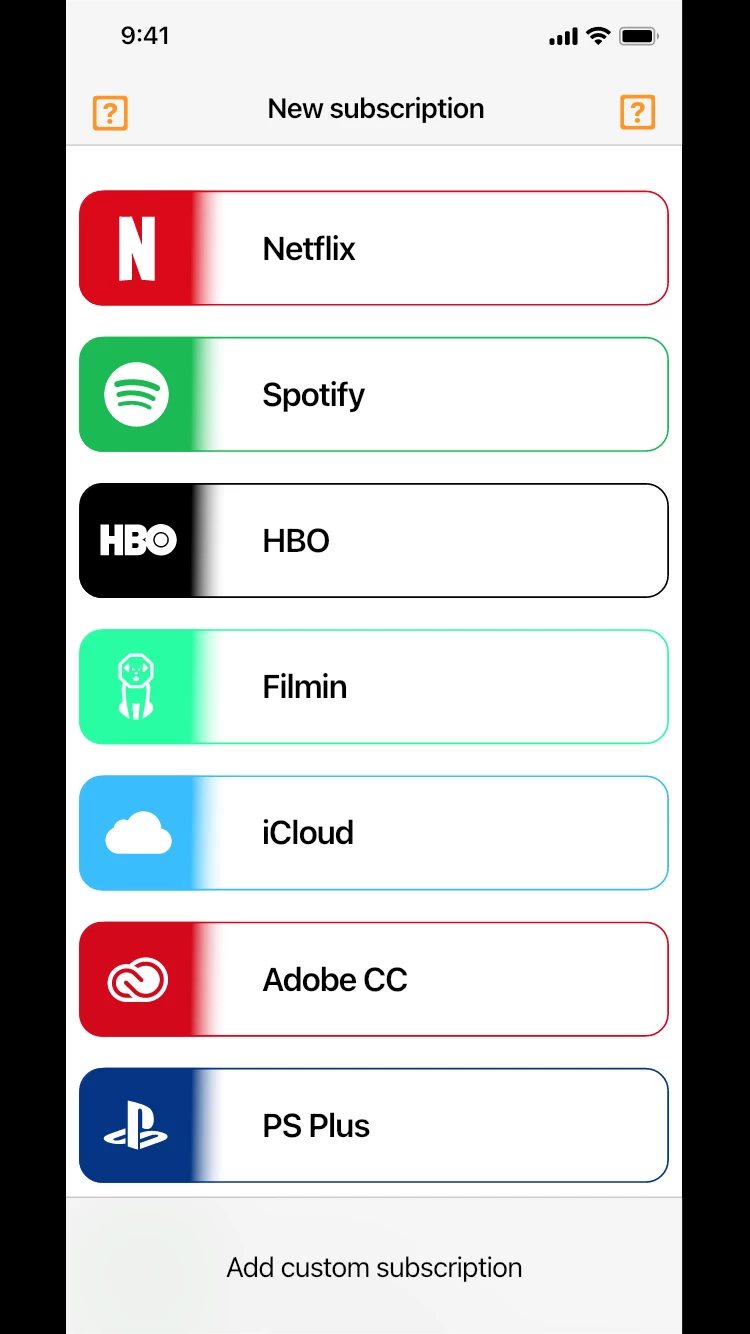
Now, the problem is XD seems to recognize the symbols when working in the desktop program but when testing the prototype on my phone there are [?] errors where symbols should be. For testing it I used Adobe XD app and select the project from the cloud, don't know if there's another way. I attached some screenshots where you can see what I'm talking about.




 AdChoices