Participant
December 23, 2019
Answered

share button

  • December 23, 2019
  • 3 replies
  • 4178 views

My blue share button on all my Adobe XD documents is missing. I've updated the app. How do I get it back?

This topic has been closed for replies.
Correct answer rajasekharr40993937

Hi Lia684,


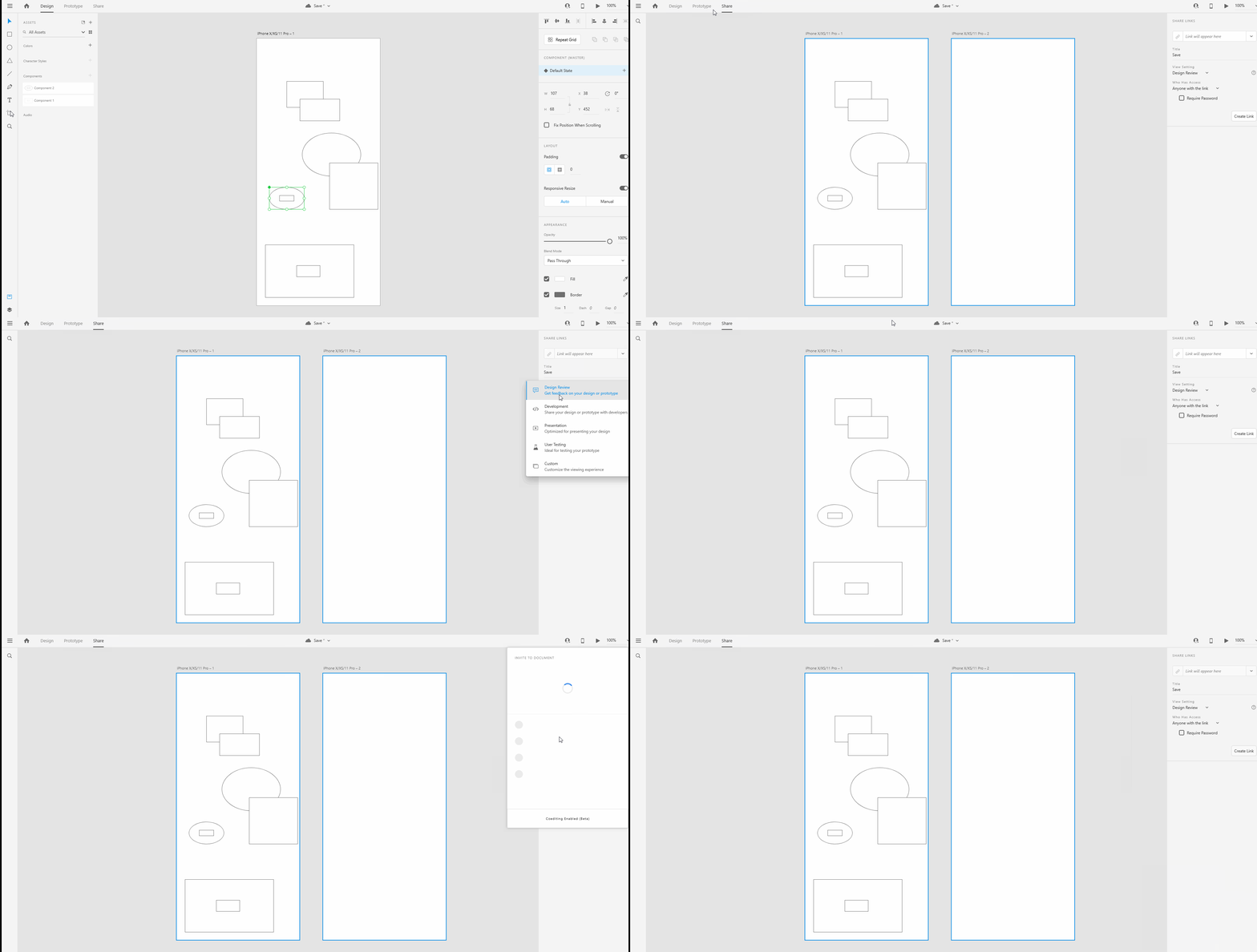
Thanks for writing us, the new share mode has been changed for better experience. You can now use the share tab option which located at top header next to prototype tab to share.your design And in order to invite to document click on presence icon present at right corner of the header and go ahead and share the document with other through email.

Please refer the this link for more info :  https://helpx.adobe.com/in/xd/help/share-designs-prototypes.html

You can also refer the attached gif.

Hope this will helpful, if not please revert back. Happy to help you!!

Regards,

Rajasekhar reddy.

3 replies

Participant
January 9, 2021

Yeah but how do you embed frame to code? Are you supposed to use a differnt program if you want to acheive this instead of using Adobe XD? all the videos I see say to do it through the share button, but there is no share button anymore!

italosan
Community Expert
Community Expert
December 23, 2019

I confirm what has been said by rreddy. The sharing mode has been moved to the top, in order to improve the user experience and have everything in the right place

Peter Villevoye
Community Expert
Community Expert
December 24, 2019

It's so funny, to see how Adobe (like many other developers) tried to get rid of the good old menu commands bar. And eventually, after some detours and flawed ideas, they're returning to a bunch of key buttons in the top left area, spawning menus, drop down options, and other kinds of lists and panels, to facilitate certain features.

Menu commands weren't so bad... 😉

rajasekharr40993937Correct answer
Adobe Employee
December 23, 2019

Hi Lia684,


Thanks for writing us, the new share mode has been changed for better experience. You can now use the share tab option which located at top header next to prototype tab to share.your design And in order to invite to document click on presence icon present at right corner of the header and go ahead and share the document with other through email.

Please refer the this link for more info :  https://helpx.adobe.com/in/xd/help/share-designs-prototypes.html

You can also refer the attached gif.

Hope this will helpful, if not please revert back. Happy to help you!!

Regards,

Rajasekhar reddy.