
Inspiring
February 5, 2020
Answered

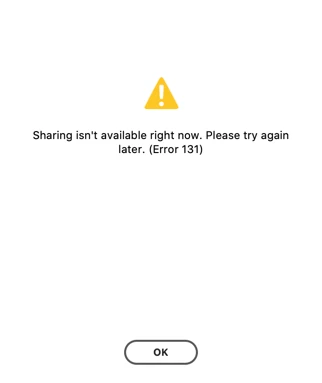
Share error in XD: Share isn't available right now. Please try again later, Error 131.

  • February 5, 2020
  • 4 replies
  • 5565 views

Hi - I just wanted to check to see if it is me or if the Adobe XD Cloud file sharing is currently down? I'm attaching a screenshot of the error message. Is anyone else seeing this?


Thank You


Chris
 

<The Title was renamed by moderator>

This topic has been closed for replies.
Correct answer chrisronan

Hi Sjaani


Thank you for getting back to me. It seems like the problem is now resolved. Possibly the network was down but after a few hours it seems to be working again. Thank you for sending me the Adobe System Status Page - I will bookmark that for future reference.


Thank you again!


Chris

4 replies

Participant
May 20, 2020

My share links aren't working and when I try to update a link I get a Error 55:63 code. Wehn I try to create a new link I  get a Error 44:63 code.

Participating Frequently
May 20, 2020

I am experiencing the same issues & errors.

HARSHIKA_VERMA
Community Manager
Community Manager
May 20, 2020

Hi there,


We are sorry for the trouble. We have an ongoing discussion happening here: https://community.adobe.com/t5/adobe-xd/unable-to-view-the-xd-links/td-p/11147578?page=1 Please join the discussion


We are sorry for the inconvenience.


Thanks,

Harshika

Participant
May 10, 2020

Hello ,I have the same problem now but erorr 130
How to solve it? !

kyle.jorve
Inspiring
May 20, 2020

I'm getting the same thing. "Sharing isn't available right now. Please try again later. (Error 130)" is the message I get. Adobe, any ideas when this will be resolved? Trying to collaborate with my coworkers right now.

Participant
May 9, 2020

I have now same problem 

Sjaani
Community Expert
Community Expert
February 5, 2020

Sharing appears to be working for me. Did you try again later?
When things aren't working and the message suggests it's beyond your system as that message would to me it's often helpful to look at the Adobe System Status Page to see if a known issue or maintenance might be causing your problem.

chrisronanAuthorCorrect answer
Inspiring
February 6, 2020

Hi Sjaani


Thank you for getting back to me. It seems like the problem is now resolved. Possibly the network was down but after a few hours it seems to be working again. Thank you for sending me the Adobe System Status Page - I will bookmark that for future reference.


Thank you again!


Chris