
Inspiring
November 18, 2019
Question

Share functionality not coming up when you click on Share

  • November 18, 2019
  • 5 replies
  • 356 views

Hi There,


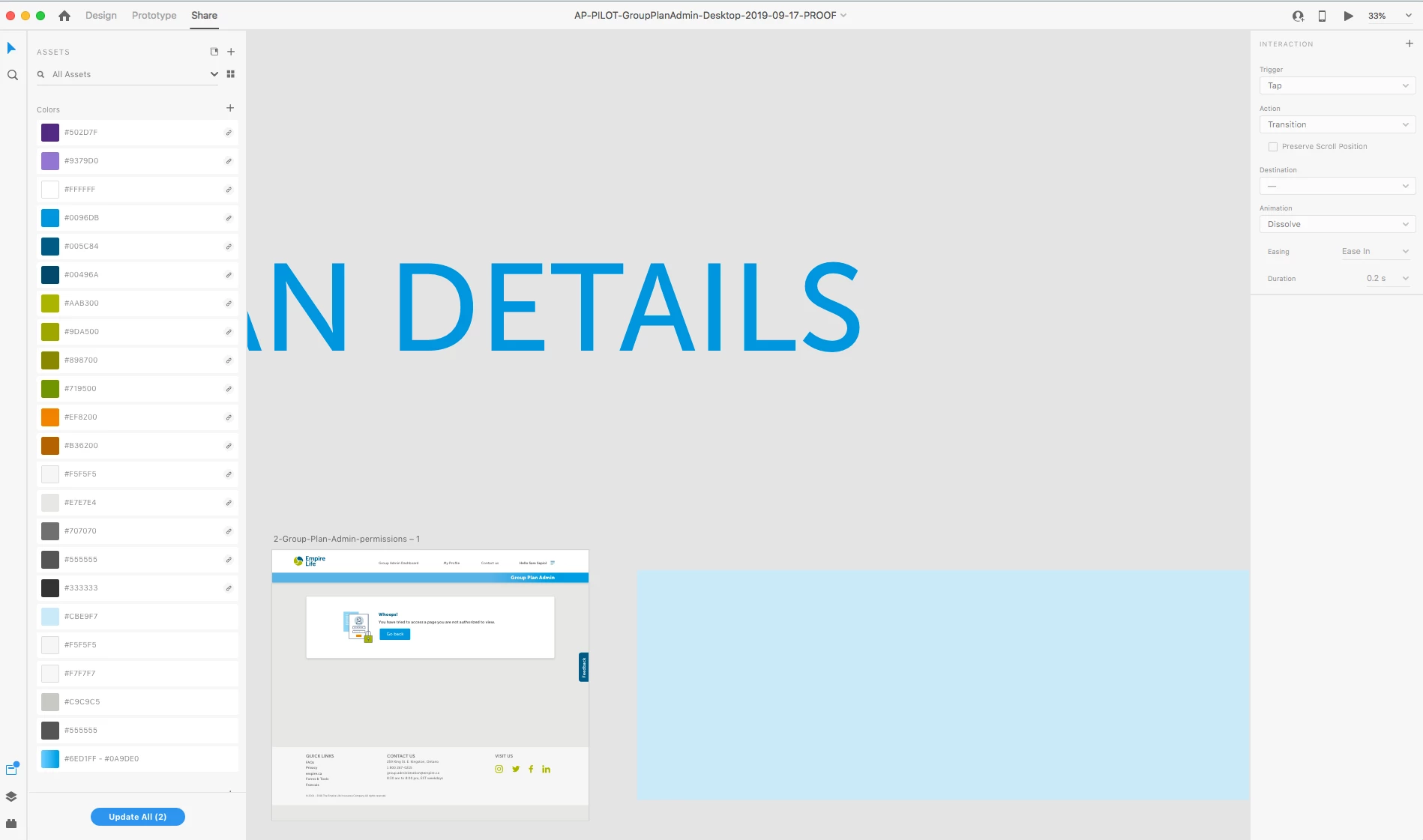
There seems to be an issue in that when you click on Share - the right hand panel for the share options does not always show - it seems to get stuck on the previous panel. Shutting down and restarting XD seems to clear it but it's not behaving as it should... 
This topic has been closed for replies.

5 replies

Preran
Legend
December 11, 2019

My colleague offered another solution:

This issue occurs when the interaction in question has source as a component but has no valid destination.
Resolution: To set a valid destination or remove the interaction (wireframe)

Preran
Legend
December 10, 2019

Hi all,

We are aware of this issue where a specific component leads to the Share tab being disabled. This issue has been fixed internally and will be available in the next update. Meanwhile, the only solution I know of is to delete components one by one to check for the the one that is causing this issue.


Thanks,

Preran

ycw30757760
Participant
December 12, 2019

Hi Preran,


Thanks for the reply. Great that it's a known issue and a fix is on the way. Will search and delete components that causes it for now.


Ace,

acebaiguen
Participant
December 10, 2019

Got the same issue 

ronnel-istox
Participant
November 19, 2019

I'm having the same issue! i have multiple projects now that i cant update and share.

mincarpenter
Participant
November 18, 2019

I'm also running into this issue. Except for me restarting XD does not solve the problem. I am currently unable to share any of my prototypes!