Participant
October 14, 2020
Question

Share link for developer - components doesn't show up

  • October 14, 2020
  • 1 reply
  • 790 views

Hi, I'm using the lastest version of Adobe XD (33.1.12) and I have this problem:


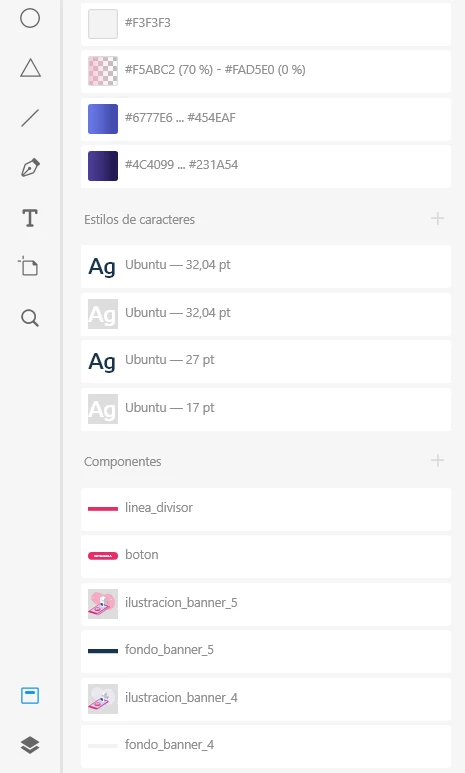
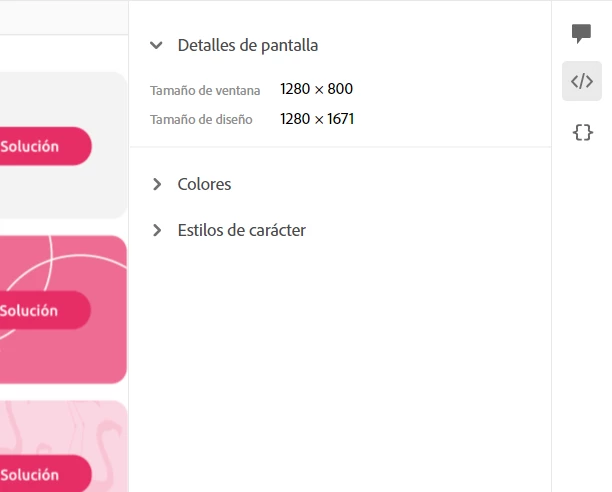
When I share a development link (so others have access to components / colors / fonts), the colors and fonts show up but the component section doesn't, I made the symbols and they are on my XD pannel but don't show up on the link and the developer can'r download them.


¿Is there a way to fix this?


Left image: share link
Right image: component pannel adobe XD
 

This topic has been closed for replies.

1 reply

HARSHIKA_VERMA
Community Manager
Community Manager
October 14, 2020

Hi there,


Thank you for reaching out and sorry to hear you are unable to see the component in the shared link. Would you mind confirming if you've marked the assets and components for export before sharing the link? Please see the attached screenshot below and check how many asstes are shown at your end for download.


We will try our best to help.


Thanks,

Harshika

Participant
October 14, 2020

Hi Harshika,


The feature is blocked, I can't select the box


Participant
December 29, 2022

You need to right-click each asset and select Mark for Export. This will unblock the Downloadable Assets box; however, despite this, I'm still unable to see the components in the sharing link for developers. Any other suggestions from the Adobe team?