
Inspiring
August 4, 2020
Answered

Share link for developers – with layout grid enable borders of elements are not displayed

  • August 4, 2020
  • 2 replies
  • 485 views

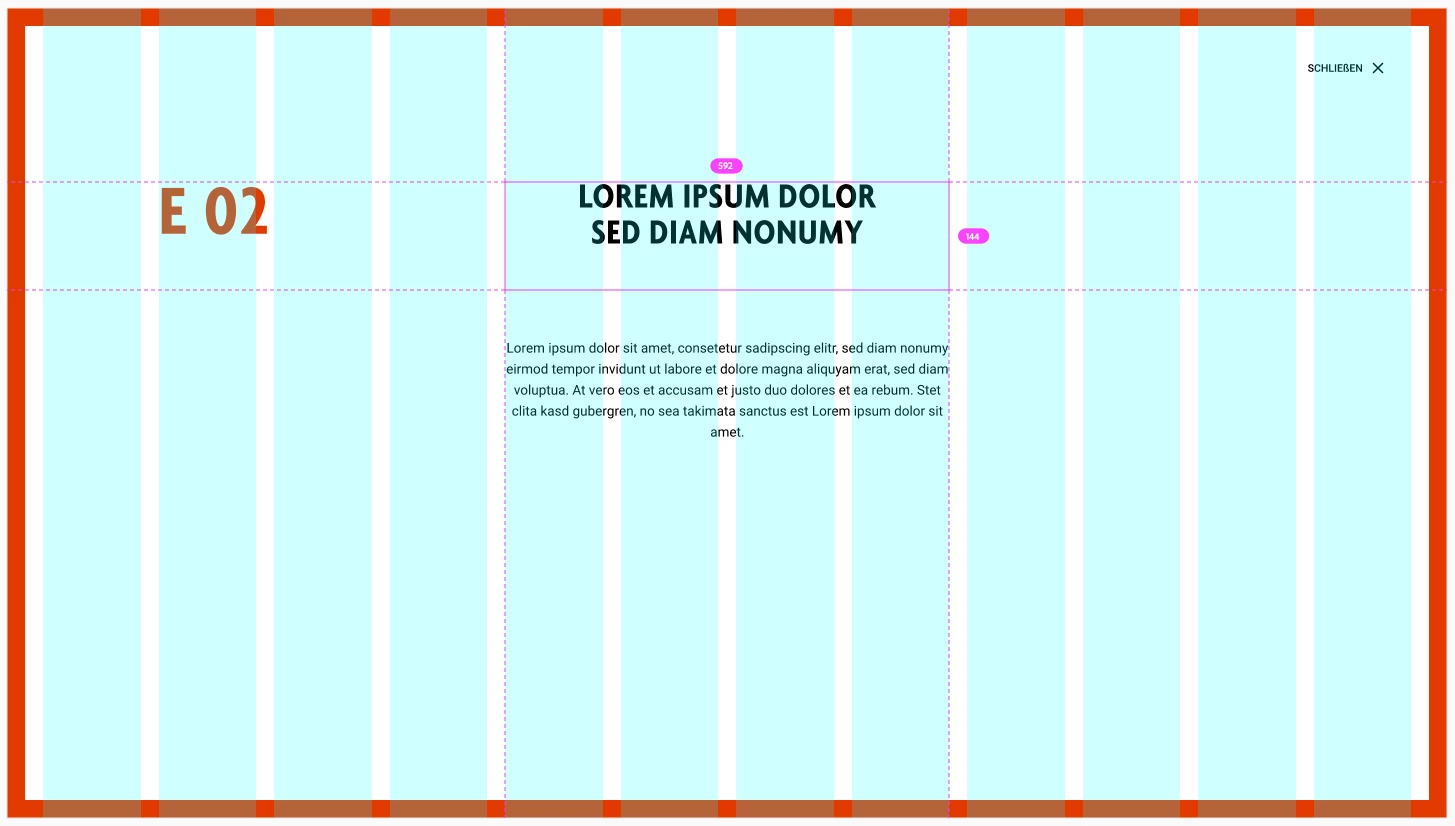
If i share a link for developers and hover over elements (for example area text) a border is displayed. If i click on this element more specs appears...


But if i have the layout grid enabled all this informations are not displayed anymore. And it is not possible to recognize the allignment of elements to the grid in many cases.


Why isn't this possible anymore? I remember a time this worked.
 

    This topic has been closed for replies.
    Correct answer Rishabh_Tiwari

    Sorry for the delay in response, Kai. I am afraid, as of now, this is working as expected however I understand there is always a scope of improvement in such workflows so I'll recommend you posting a new UserVoice request here: https://adobexd.uservoice.com/forums/353007-adobe-xd-feature-requests

    2 replies

    Rishabh_Tiwari
    Legend
    August 4, 2020

    Hi there,


    Thanks for reaching out and sharing the feedback. I am afraid, this behaviour is expected. Having said that, I agree there is always a scope of improvement in such workflows, so, I will share your feedback with the Engineering team and you can do that too by upvoting this request: https://adobexd.uservoice.com/forums/353007-adobe-xd-feature-requests/suggestions/37329913-layout-grid-show-borders-in-the-design-specs-lik


    As of now, we do have an option to toggle the layout grid in the shared link. I'd recommend turning off the layout grid if required in such scenarios.


    Feel free to reach out if you have any other questions or issues in the future.


    Regards

    Rishabh

    hallokaiAuthor
    Inspiring
    August 5, 2020

    Hi Rishabh,


    thanks for your reply. But the postet link to the request doesn't adsress my needs. To be a bit more specific to my concern i attached additional a Video and Screenshot.


    1_actual-behavior.mp4: the current behavior if i inspect elements with disabled layout grid and if i enable the layout grid (it's not possible anymore to inspect elements with enabled grid. Turning off the grid does not really help because i think it is more handy to see element borders with the grid together).


    View Video 
    https://shared-assets.adobe.com/link/8e9ac136-8b23-49df-48fe-e26485cc4ea7

    2_Expected-behavior.jpg: The behavior to inspect elements with disabled layout grid should be the same like enabled layout grid.


    I'm looking forward and hope this has brought some clarity.

    Best regards,
    Kai


    Rishabh_Tiwari
    Rishabh_TiwariCorrect answer
    Legend
    August 17, 2020

    Sorry for the delay in response, Kai. I am afraid, as of now, this is working as expected however I understand there is always a scope of improvement in such workflows so I'll recommend you posting a new UserVoice request here: https://adobexd.uservoice.com/forums/353007-adobe-xd-feature-requests

    Community Manager
    August 4, 2020

    Hi There,

    Thank you for writing us, I am checking with the team whether this is a bug or as designed.

    Will update you soon.


    Thanks,

    Vertika Gupta

    Adobe XD