Participant
July 28, 2021
Question

Share Links for Mobile Formatted Designs Not Loading

  • July 28, 2021
  • 2 replies
  • 549 views

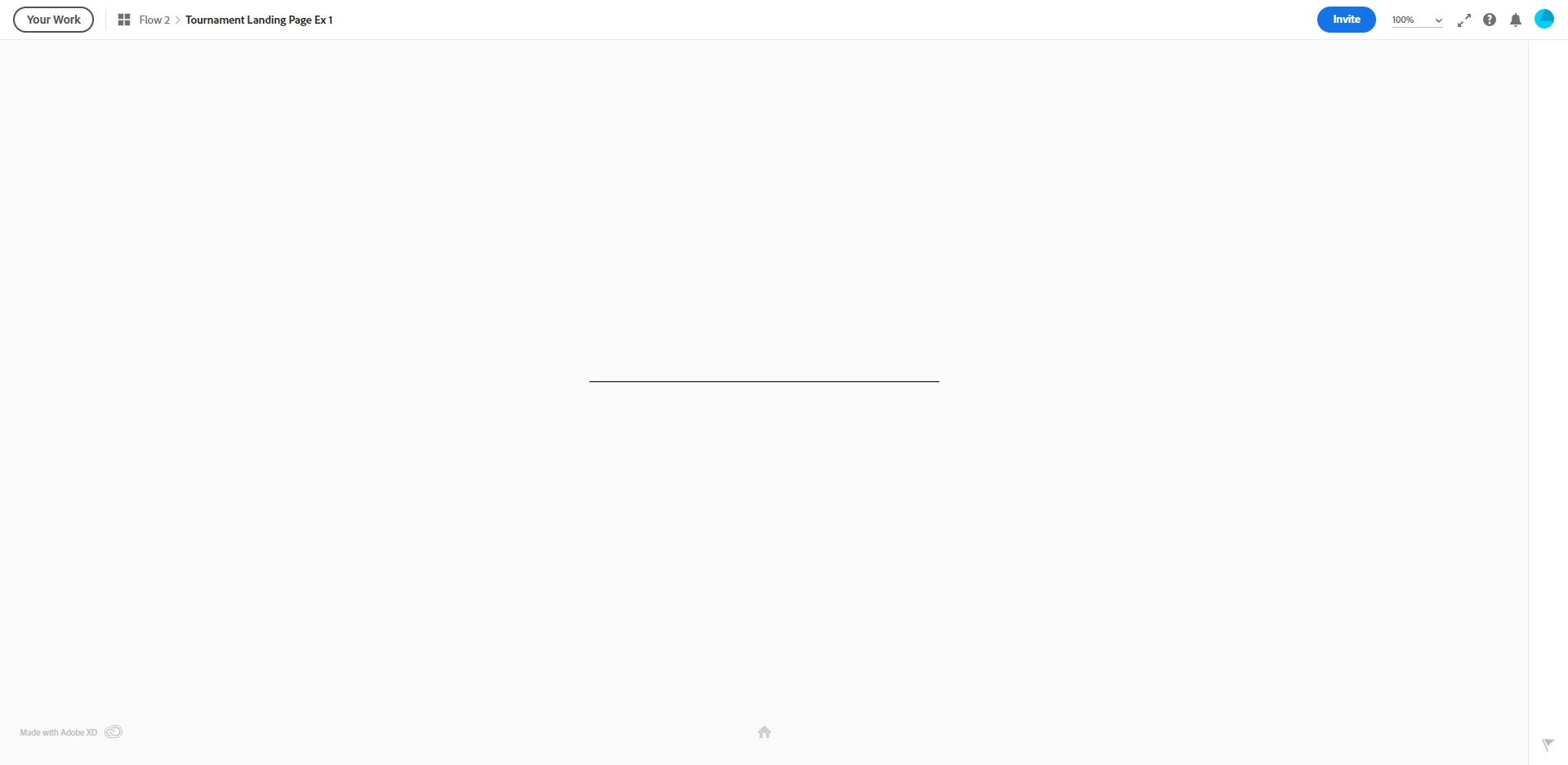
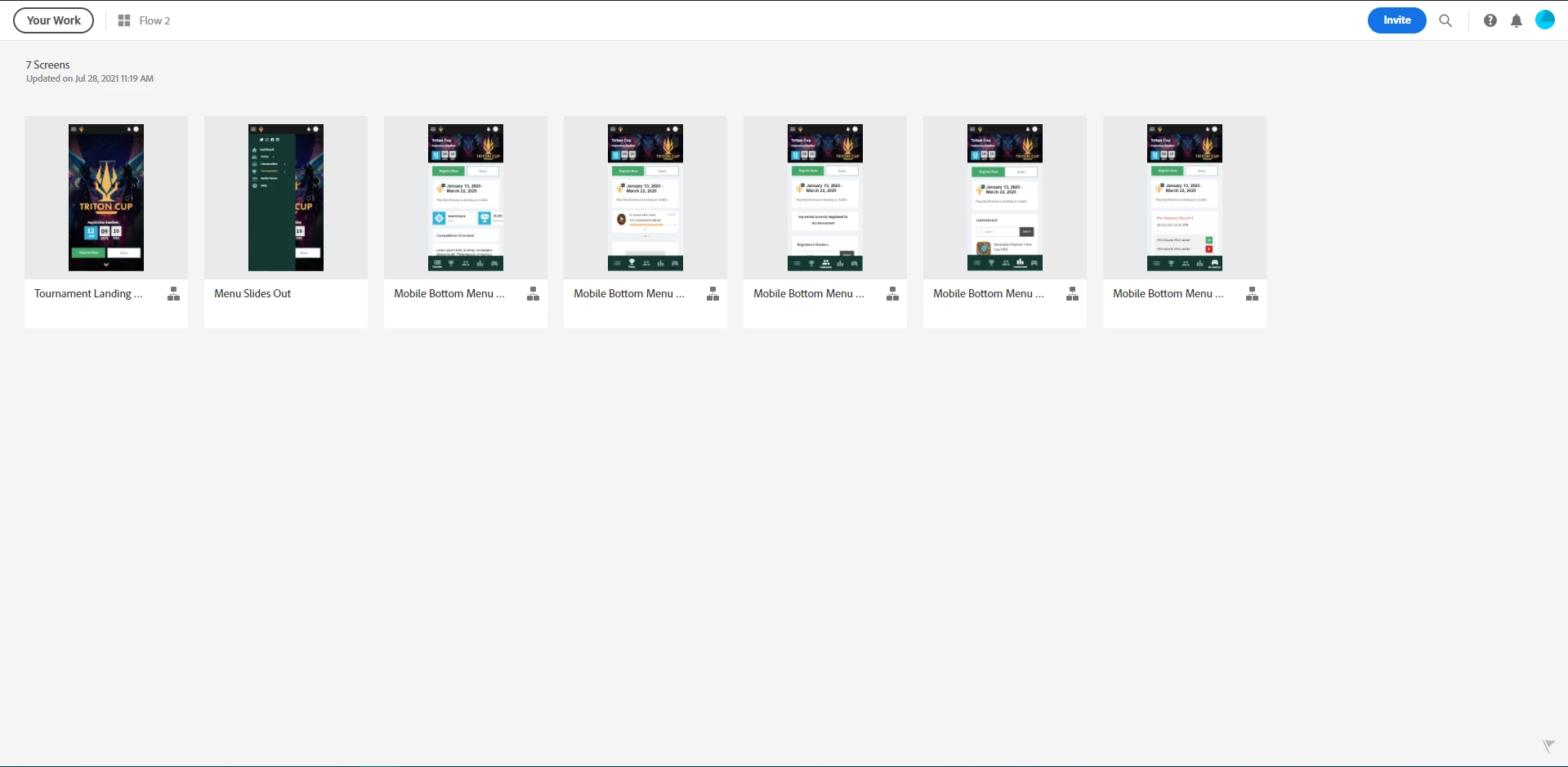
When trying to load a mobile formatted share link, it just infinitely loads with no error and no progress ever made. It also does not show the number of screens at the bottom, and the home button is not interactable either. However, when I go into grid view, I can clearly see that content is there. 


Also, when trying to load Desktop formatted links, it works just fine. 


Images included.
 

    This topic has been closed for replies.

    2 replies

    Adobe Employee
    August 5, 2021

    Hello Leonie,


    We are able to see the issue with the link https://xd.adobe.com/view/ce5e5f6f-b9f3-4d8f-9e07-c6109fe4f9c8-9b0d/?hints=off. Based on our initial analysis the issue seems to be due to incorrectly setting the value of the Viewport Height to 1. Viewport height property specified in the property inspector decides how the artboard is shown in Preview and Web browser. If the viewport height is not the same as the artboard height, only the portion of artboard specified by Viewport Height is shown vertically and rest of the content will be visible only on scroll. In your case since the viewport height is 1, you can only see 1px line rendered on web. The same experience can be observed in the Desktop preview.


    So, I would suggest you to play with the Viewport Height property and Preview in the Desktop Preview and then Create/Update the shared link when you are satisfied with the results. Please let us know if you have any questions.


    Thanks

    Surya


    Community Manager
    July 29, 2021

    Hi There,


    Thanks for reaching out and sorry to hear about the trouble. I'd request if you can share a few more details like:


    1. The version of Adobe XD.
    2. Is this happening with a specific file or with multiple files?
    3. Have you tried loading the link in any other browser?
    4. Are you connected to a private network or managed work network? If connected to a managed network please try switching to a different network?
    5. Will it be possible for you to share the link so that we can test it on our end?


    We're here to help, just need more information.


    Thanks,

    Chethan

    Participant
    July 30, 2021

    https://xd.adobe.com/view/2608a507-dac4-4762-85bb-2eaa935577fe-735b/


    Here is the link. This problem has been occurring for months with ALL of my files throughout different offices, locations, computers, and networks. It also occurs for other people when I send them the links. It happens at home on my personal computer and at work.


    My XD version is 42.0.22.11

    Participant
    July 30, 2021

    Sorry that was the wrong link, it's actually this one: https://xd.adobe.com/view/ce5e5f6f-b9f3-4d8f-9e07-c6109fe4f9c8-9b0d/?hints=off