
Participating Frequently
January 1, 2020
Answered

Share- Prototype preview shows a white line while previewing in XD.

  • January 1, 2020
  • 2 replies
  • 3983 views

Respected Sir,

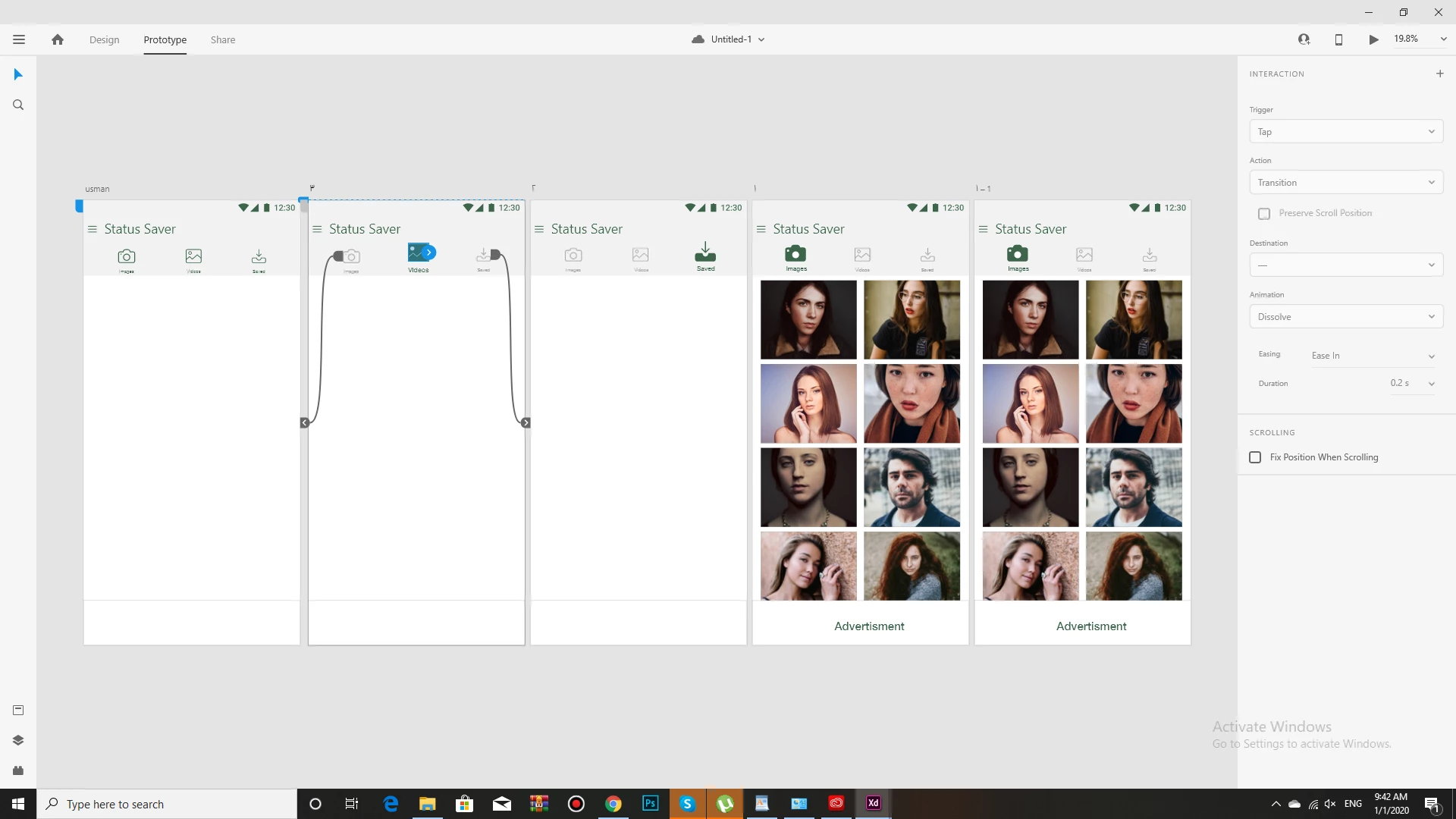
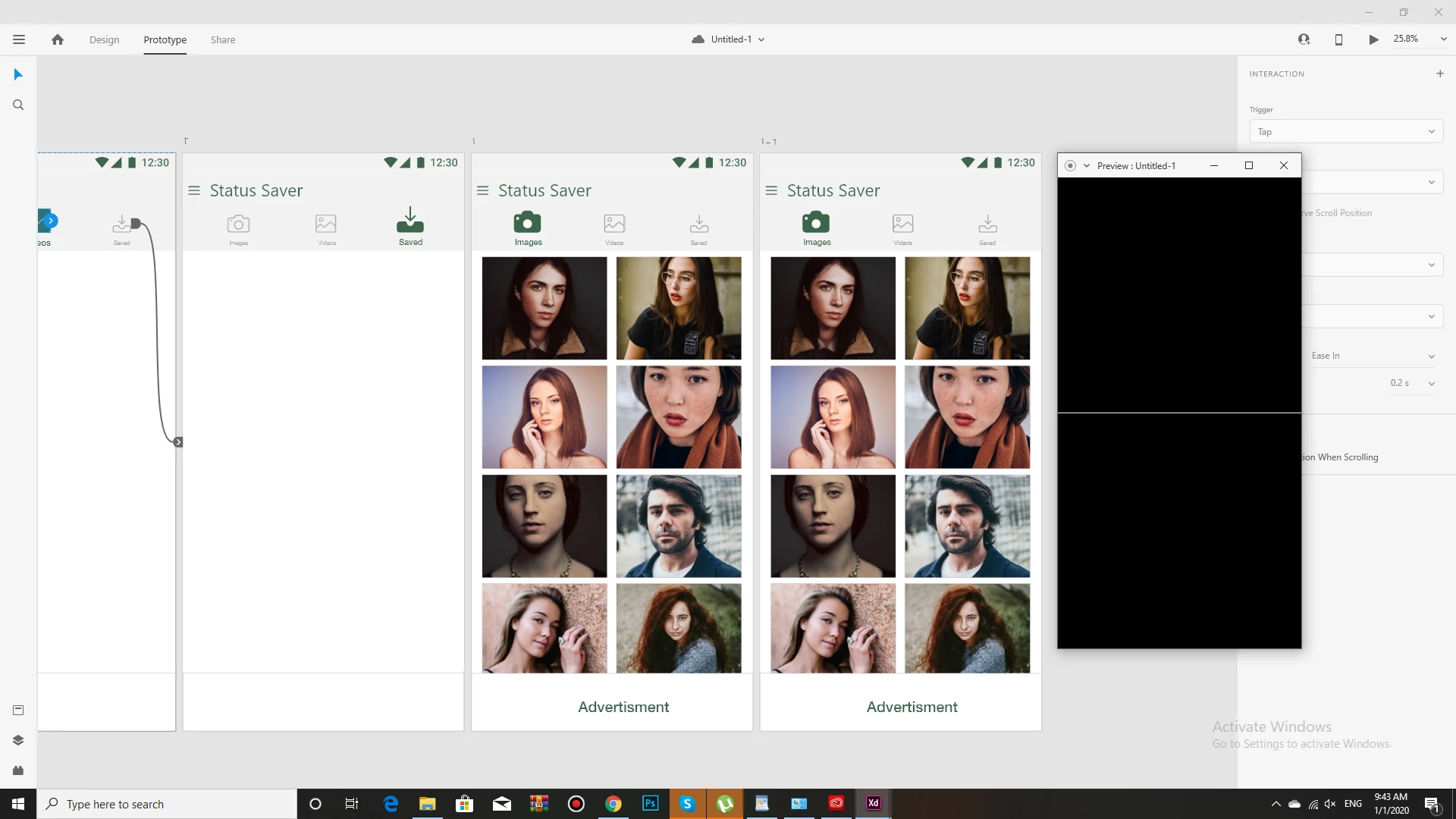
i am facing some problem in prototype.when i click on play button for preview prototype. after clicking prototype viewer show me just a white line  on screen you can see in screenshots.Reall screens of artboard are not display.plz help me to slove this problem. I am facing the trouble from 2 days.

Thanks.
 

<The Title was renamed by moderator>

This topic has been closed for replies.
Correct answer Vishu_Aggarwal

As per your screenshot, there is an issue with the value of Vertical Scrolling which I guess is set to value of 1 by mistake. Just change the value of Vertical Scrolling of 2nd Artboard (Status Saver) and try again.


Note: Vertical Scrolling setting is available in Design Tab 

2 replies

Vishu_Aggarwal
Vishu_AggarwalCorrect answer
Participating Frequently
January 3, 2020

As per your screenshot, there is an issue with the value of Vertical Scrolling which I guess is set to value of 1 by mistake. Just change the value of Vertical Scrolling of 2nd Artboard (Status Saver) and try again.


Note: Vertical Scrolling setting is available in Design Tab 

Vishu AggarwalAdobe Certified Instructor, Professional and Expert
Participating Frequently
January 3, 2020
Thanks.
it was main reason. i follow your suggestion. now ,my prototype is
working.your suggestion is very helpful.
HARSHIKA_VERMA
Community Manager
Community Manager
January 3, 2020

We are glad to hear you are back on track, Muhammad. Please feel free to reach out to us for any issues related to XD. We would be happy to help.


Thank you Vishu Aggarwal for your expert response on this post. It really helped me understand the exact cause of the issue. We really appreciate your presence on our XD Community.


Thanks,

Harshika

HARSHIKA_VERMA
Community Manager
Community Manager
January 1, 2020

Hi Muhammad, 


Thank you for reaching out & sorry to hear you are having trouble using Adobe XD. Did you try to move the design from the left & right arrow keys? We would also request you to please copy the design from Prototype mode into a new document & then try to preview it. 


Let us know if that helps.


Thanks,

Harshika

Participating Frequently
January 3, 2020
thanks Mr Harshika. you suggestion was helpful for me. now my prototype is
working after follow your method.