
Participant
January 9, 2020
Answered

[Share]-Unable to see the generated XD link in the browser.

  • January 9, 2020
  • 2 replies
  • 3228 views

Trying to generate a link to a website prototype for a client. It generates a link; https://xd.adobe.com/view/58789031-9764-41b0-7a02-9e620df1309e-2e49/


but the link generated doesn't load and error page appears after reloading twice. 


First load this appears along the top of the browser; 
"This webpage was reloaded because a problem occured."
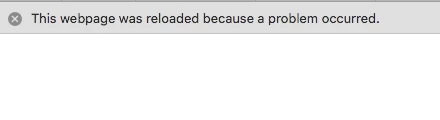
Second load this page appears;

"A problem repeatedly occured with "link"
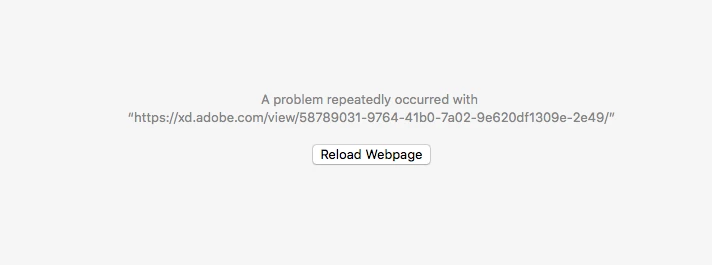
 

How do I fix it ?


Help me please ! Thank you millions 


<The Title was renamed by moderator>

This topic has been closed for replies.
Correct answer HARSHIKA_VERMA

Hi Adam,


We are sorry to hear you are unable to load the prototype link in the browser & thank you for sharing the link of the prototype. I have tried to open the link at my end on chrome on windows10 machine & it worked fine.


Would you mind trying the steps mentioned in this article: https://helpx.adobe.com/in/xd/kb/issue-view-web-prototypes.html? If that doesn't help, try to open the link in any other machine.


Let us know if that helps.


Thanks,

Harshika

2 replies

Participant
December 22, 2020

Hi, I too am having the same issue...my published XD link appears blank in Chrome or Firefox. It doesn’t show any error but its just a blank screen.(link: https://xd.adobe.com/view/847ef583-0538-4af8-b82b-9b1702d41fb1-d12d/?fullscreen)

 I even tried these steps for the same : https://helpx.adobe.com/in/xd/kb/issue-view-web-prototypes.html it still doesn't seem to work. I'm using Windows 10 with the updated versions of XD and Chrome. When I switched my device to another PC, the link was working just fine. Any ideas on how I can view it on my PC? 

Also, I cant open any Adobe pages in general with Chrome (for example I tried changing my account name but this page also appears blank : https://account.adobe.com/profile) It would be great if this can be solved for my PC!!

Thanks a ton!

Participant
March 21, 2022

We have the same issue ONLY on iPhones, on Android or Windows the same link work well. We need the support immediatelly because now we have research with users, based on XD mockups!

HARSHIKA_VERMA
Community Manager
HARSHIKA_VERMACommunity ManagerCorrect answer
Community Manager
January 9, 2020

Hi Adam,


We are sorry to hear you are unable to load the prototype link in the browser & thank you for sharing the link of the prototype. I have tried to open the link at my end on chrome on windows10 machine & it worked fine.


Would you mind trying the steps mentioned in this article: https://helpx.adobe.com/in/xd/kb/issue-view-web-prototypes.html? If that doesn't help, try to open the link in any other machine.


Let us know if that helps.


Thanks,

Harshika

Participant
January 10, 2020

Tried it on a Windows PC and it works as well! 


Safari won't open it but Chrome does on my mac . 


Amazing thank you for your help! 


HARSHIKA_VERMA
Community Manager
Community Manager
January 10, 2020

Glad to hear you are back on track. Please feel free to reach out to us in the future for any query related to Adobe XD. We would be happy to help.


Thanks,

Harshika