



Question
Share your files in 6 simple steps.
Hi Everyone,
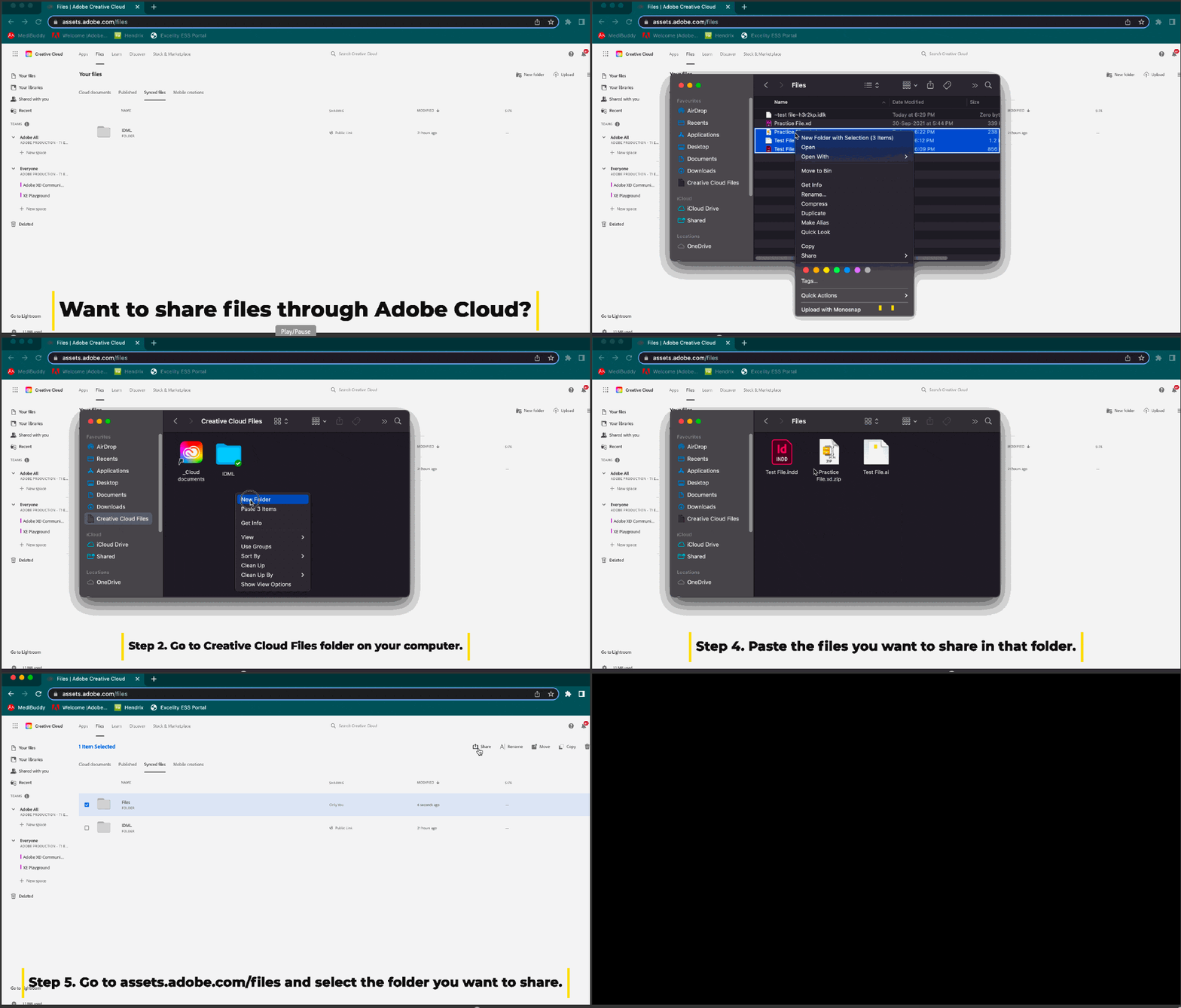
You can use Creative Cloud to share your files with others in 6 simple steps:
- Copy the files you want to share.
- Go to Creative Cloud Files folder on your computer.
- Create a folder.
- Paste the files you want to share in that folder.
- Go to assets.adobe.com/files and select the folder you want to share.
- Click Get Link.
- Copy & share the link. For more information, see this article.
Note: To share an XD file, there is an additional step and you’ll need to compress the file and then add it to the folder.
Let us know if this information was useful to you, and if you need more assistance.
Regards
Rishabh
 AdChoices