Resuelto
Slide in animate
Hi friends! How can we do a slide in animate between 2 different artboards?


Hi friends! How can we do a slide in animate between 2 different artboards?
You can achieve it with a helper/transition artboard inbetween, and there are a few tricks to getting it to work right. Here's an example, and here's the .xd file, so you can see the way I've set it up.
Basically you can only add time transitions between artboards, and you want to instantly switch to the second page, but delay the image. Unfortunately you can't choose what gets delayed and what doesn't, so it's either all instant or all after a second or so.
To get around this we add an artboard that is identical to the second one inbetween. So you instantly switch from the first artboard to the second, and then you add your image outside of the viewport. Then on the final artboard, you move your image inside, and switch to it using a time trigger with 0s delay and auto-animate from the second artboard.
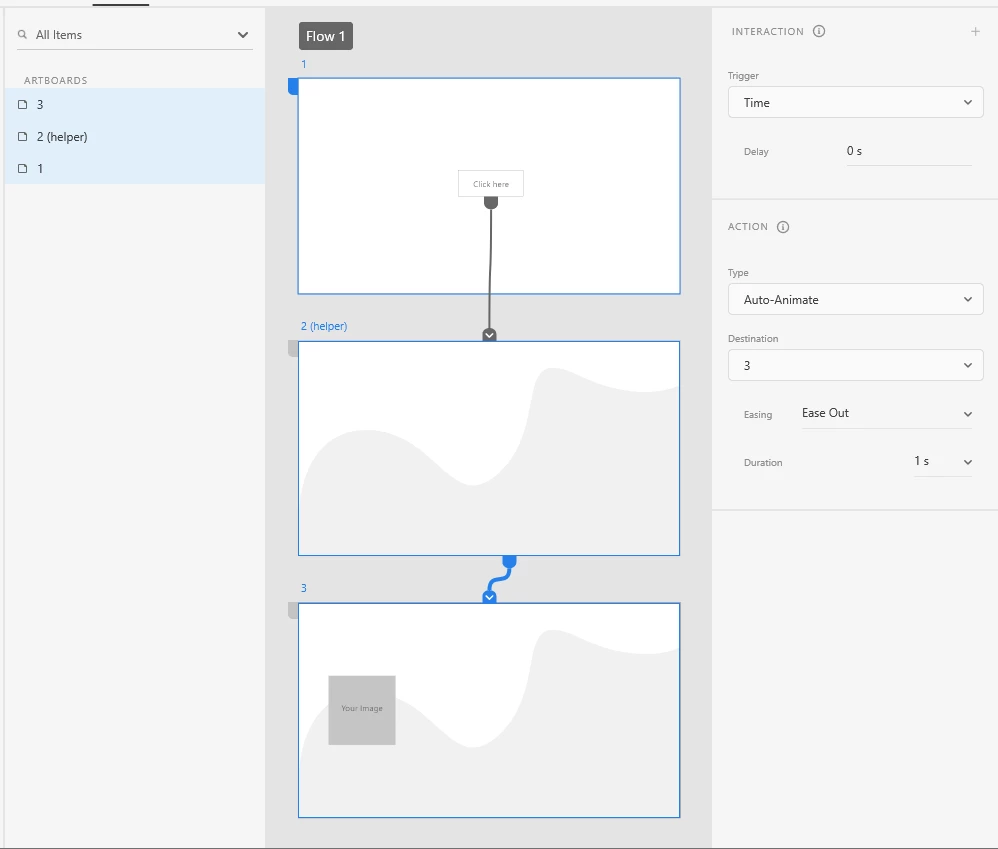
You will have to group the image with some element on the artboard when you are moving it outside, otherwise it goes to the pasteboard.
Enter your E-mail address. We'll send you an e-mail with instructions to reset your password.


 AdChoices