
Soft grid and developer mode
Hello,
I'm a big fan of the Anthony Collurafici's soft grid concept when working with a design tool (https://medium.com/sketch-app-sources/8-point-soft-grids-in-sketch-e8f1d5ca2cd4#.8d1socyrq).
This gives something like the following image within XD:
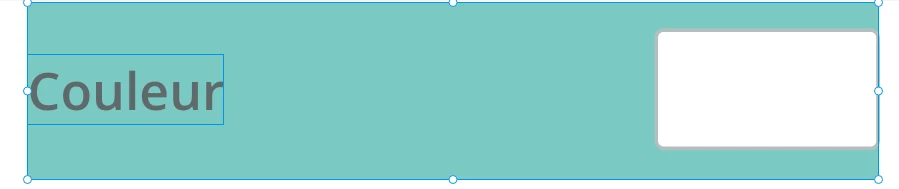
This component has a 48px height, the text and color picker buttons are stuck to the left and right edges and vertically centered in the component zone.
The way I work in XD is exactly the same as described in the above linked article. I design "components" (which are NOT necesseraly XD components) within zones of different sizes, and this way I can gather them on artboards with predictable vertical rythm, a bit like a Tetris.
So I end of having some layers for each components to handle those zones. I use to name them "_guides", and when I want to export something, I make them invisible.
Even if this workflow helps me a lot, it has some flaws:
1. Having to show or not all of the "_guides" layers is a pain as soon as my design gets heavy.
2. For developers, the best would to being able to see the arboards with and without the zoning.
Because without, they'll get a good understading about the final design look. But in such a case, the developer mode feature is unable to illustrate the zoning. So they get wrong values for sizes, margins, paddings, etc.
With the zoning visible, developers gets the right information, but don't get an idea about the final design.
So, I'm very curious about how you guys are handling this process. Feel free to share, give advices, etc.
Thanks.


 AdChoices