



Intuitx
Participant
July 21, 2021
Question

Space above the first line of text

  • July 21, 2021
  • 1 reply
  • 2018 views

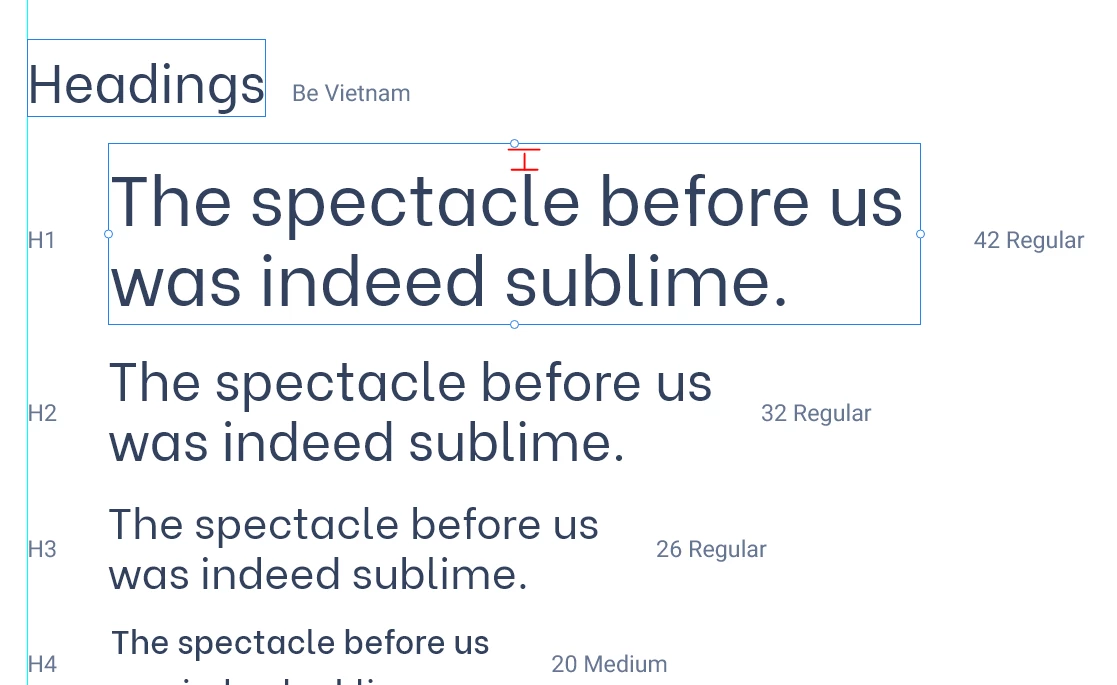
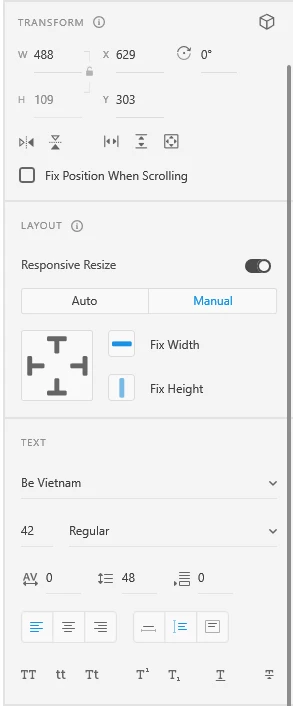
For some reason, this font has a large amount of space above the first line of text and I can't find a way to adjust this. It's not the line spacing or paragraph spacing. Does anyone know how to reduce this space?
 

This topic has been closed for replies.

1 reply

Dan Rodney
Community Expert
Community Expert
July 21, 2021

That's an odd thing with that font, not Adobe XD. If you select the text in Google Fonts (where I saw that font) the same extra amount of space appears. So it has something to do with the way the type designer built that font.

— Adobe Certified Expert & Instructor at Noble Desktop | Web Developer, Designer, InDesign Scriptor
Known Participant
August 4, 2021

Actually, I just arrived for the same reason, and the font I'm using — Gill Sans Nova — has a *massive* amount of space above it in XD. However, when I use it as a webfont on the website, there is not that much space there. So... I feel like something else must be going on. 

Known Participant
August 4, 2021

Actually, the image previews as separate screenshots are near useless in this forum. Here's them next to eachother at the same zoom in PS as one screenshot... Web preview is in Webflow, BTW. And, it shows exactly the same on the live website. OK... HOLD THAT... it *highlights* the same in Safari... yet, it doesn't calculate those extra dimensions when defining the space in Webflow... but, things still align exactly as they preview IN Webflow. 


So... webfonts are just screwey until someday things are magically solved? 🤔 🤔😓


Yea for the internets!