



FrancoBits
Legend
September 17, 2020
Question

[Stacks] Only in design mode?

  • September 17, 2020
  • 1 reply
  • 347 views

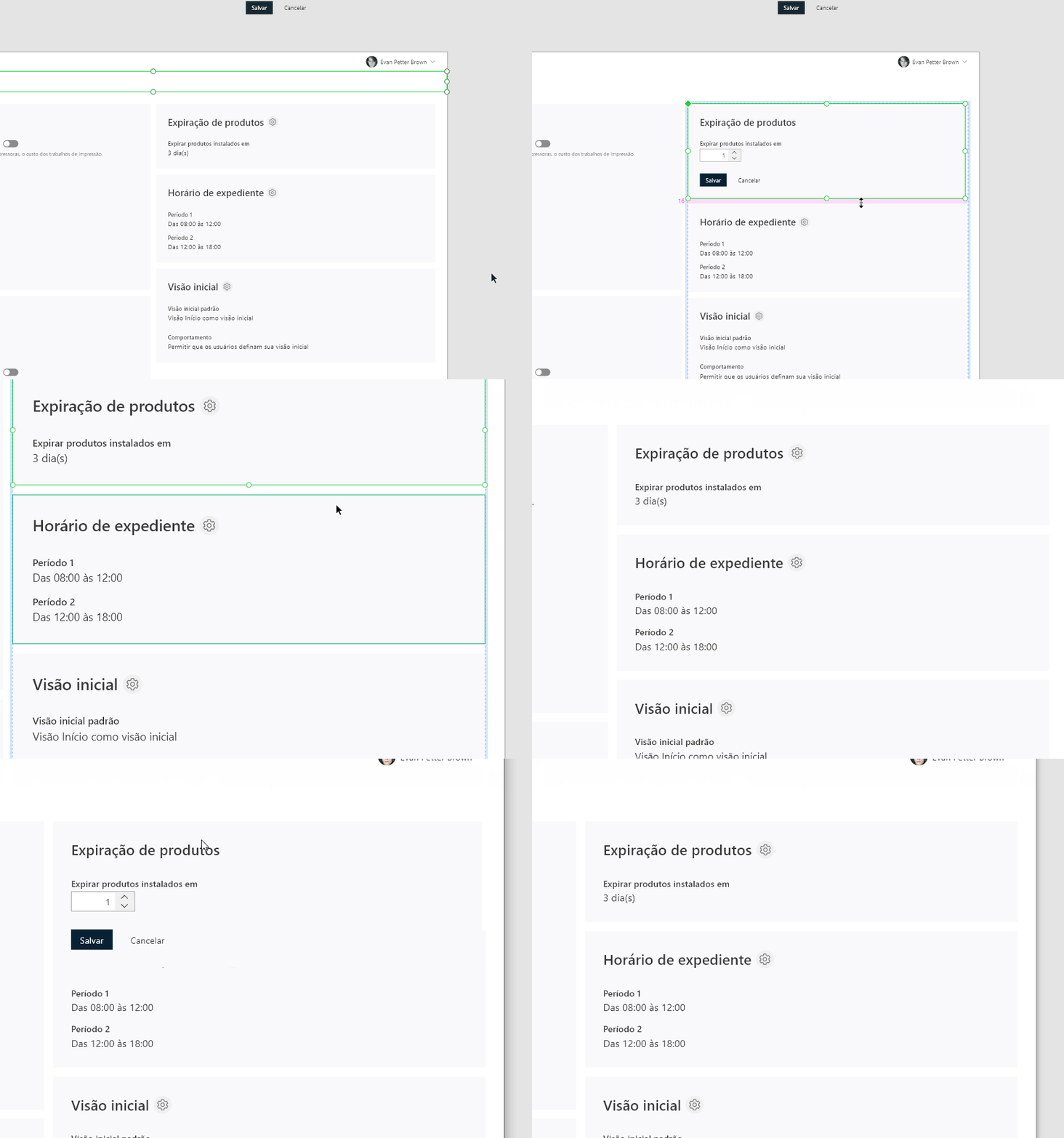
I'm designing a screen with elements with dynamic height. Depending on its' states, the size can be taller or smaller.


I arranged these elements one under the other, grouped and checked the stacks feature. In design mode, when I select one element's state with taller height, all other components go down due to stack feature.


I noticed that while previewing this screen, changing components' state isn't changing others position, like the stack feature doesn't work. My question is; the stack feature works in design mode only?


How could I achieve the desired effect?
 

This topic has been closed for replies.

1 reply

Rishabh_Tiwari
Legend
September 23, 2020

Hi Franco,


We're so sorry for the delay in response. There are certain limitations with stacks which are listed below:


  1. If you hover an element with a hover state that grows in size, the background does not resize to fit the new state, and elements in the stack are not pushed away.
  2. Components cannot act as a background for padding and stacks. Instead, create one component that contains both the content and the background.
  3. You cannot:
    • Convert special groups into masks or Boolean groups into stacks.
    • Resize stacks in the stack direction.
    • Select a stack element and elements outside of the stack.

For more information, please refer to this similar discussion: https://helpx.adobe.com/xd/user-guide.html/xd/help/create-dynamic-designs-with-stacks.ug.html


Regards

Rishabh