
Participant
November 14, 2019
Answered

SVG file to XD, scaling distorts the rectangle tool with smooth corners

  • November 14, 2019
  • 2 replies
  • 2059 views

Hey!

Have an issue where the rectangle tool with smooth corners distorts when I scale it in adobe XD. Have tested it, and seems like it only has that issue if the rectangle is perfectly straight. If I rotate it just slightly, it suddenly workes as intended. Is this a bug?

Process: I select all of the objects and hit F8 to get the Symbol options. In there, I hit the "Enable guides for 9-slice scaling" and click OK. I then go to Export as.. and save it as SVG. Please look at the picture for better understanding of the issue:
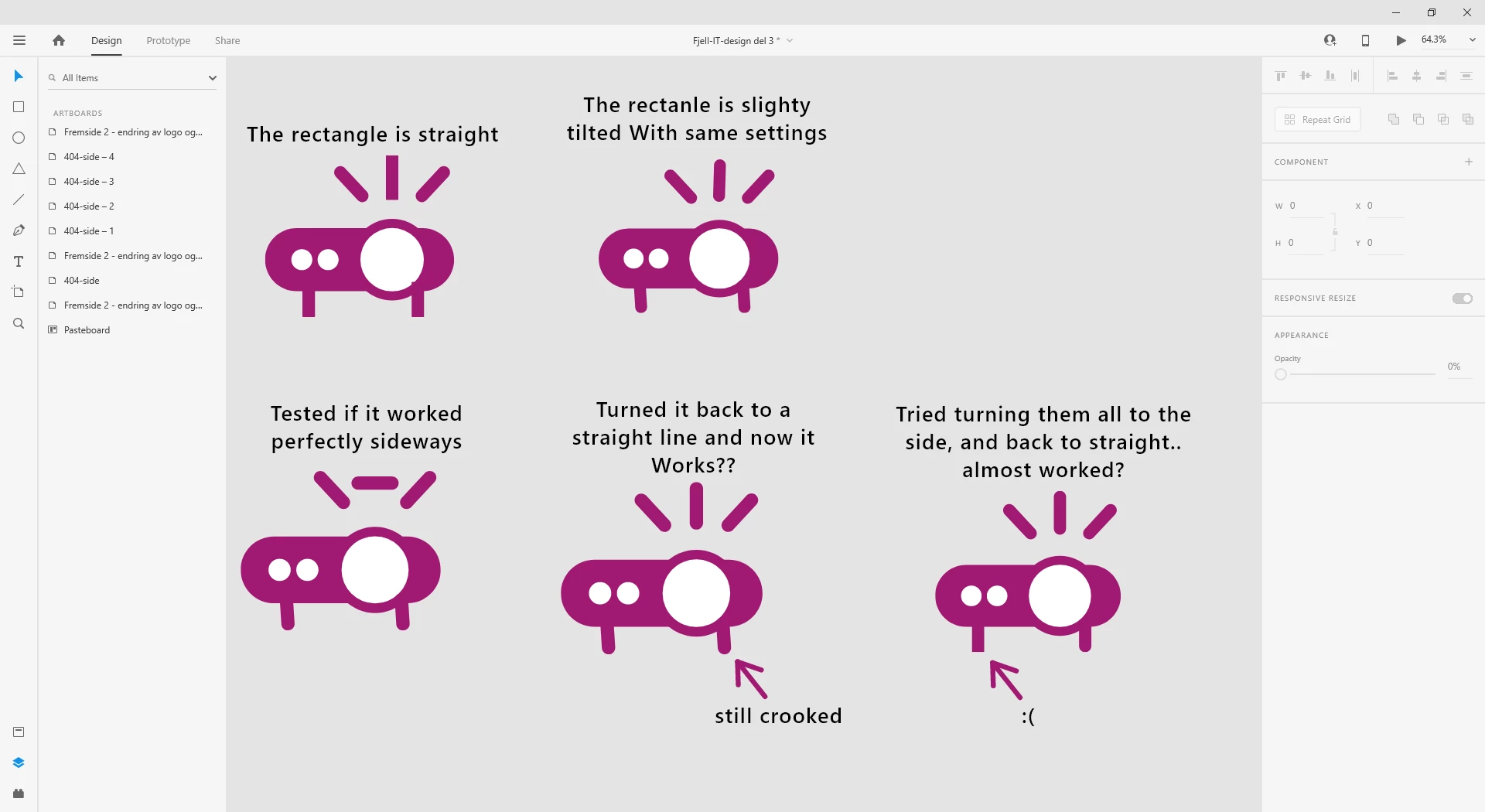
Is there some other settings to use that always works? I also tried googling how to save the icon to a SVG file, but when imported to XD it would be 1 file, instead of now where it creates a folder. I would like it to not import the folder with the objects, but rather it be one file (like it would appear if you downloaded a icon from frontawesome)

This topic has been closed for replies.
Correct answer Randy Edmunds 2

Sorry that you are having problems with Scaling. As stated earlier, you can fix this permanently by turning off Responsive Resizing for Path nodes. Or you can hold down the Shift key when Scaling to temporarily disable Responsive Resize.


Hope this helps,

Randy


2 replies

Known Participant
December 20, 2021

I get the same issue, some SVG files just don't rescale properly even if responsive resize is disabled.
Especially, SVG's consisting partly of lines with stroke and partly of solid shapes basically need to be edited manually in Adobe XD before they resize properly.

This is just horrible workflow behavior. I don't know why they had to make this more difficult than it needs to be. I don't mind additional features, like allowing me to edit SVG files within XD. But please for the love of god, if I can't easily rescale my icons because of it, I don't want it!

If the basics don't work, it's just very frustrating to work with.

Randy Edmunds 2
Adobe Employee
Randy Edmunds 2Correct answer
Adobe Employee
December 22, 2021

Sorry that you are having problems with Scaling. As stated earlier, you can fix this permanently by turning off Responsive Resizing for Path nodes. Or you can hold down the Shift key when Scaling to temporarily disable Responsive Resize.


Hope this helps,

Randy


Matthew5C26
Known Participant
July 6, 2022

Turning off Responsive Resizing resolved the same issue I was having with an SVG comprised of outlined text. Thanks for that!

Joely10623436
Community Expert
Community Expert
March 9, 2020

It looks like you have «Responsive Resizing» enabled in the properties panel…
Can you please SELECT the objects, to show us, how it was build (vectors/points).