



StefanB.83
Known Participant
September 15, 2022
Question

Testing Mobile Prototypes - FULL SCREEN PREVIEW!!!

  • September 15, 2022
  • 1 reply
  • 1560 views

Hi,
I'm a Product Designer that works remotely, and I create Mobile App Prototypes that I need to test with random users and have them approved by the management team. Yet, Adobe XD is not offering an option for me to test my work on users's mobile devices withouth having those Testers be an Adobe Paid Subscription and added to my work - which is impossible to achive. 

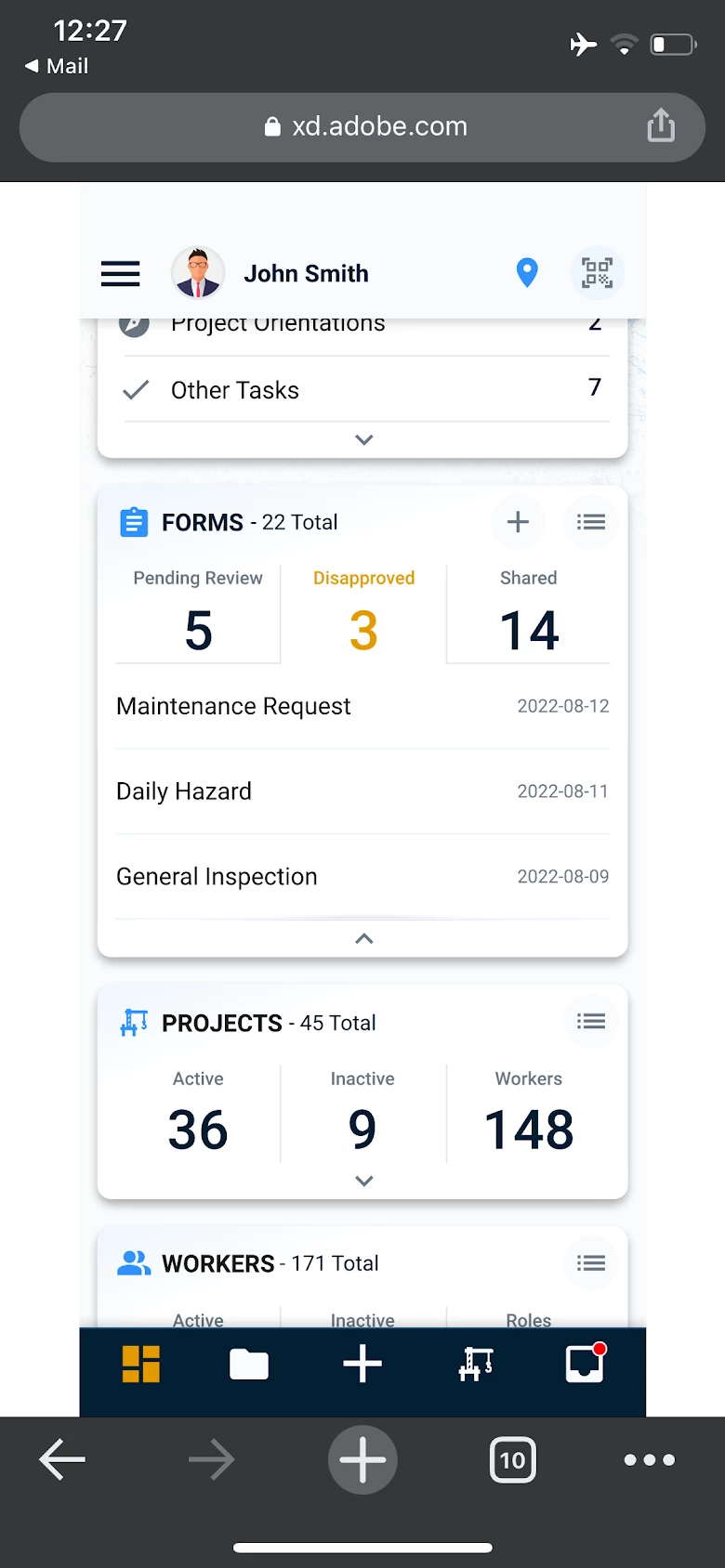
I need to share the prototype links with the users for their testing and feedback - but users receive a link that open on a page with all the browser navigation bars and NOT IN FULL SCREEN as a Mobile App should be - they just can't test it!

How do you expect me to be able to Test my work or event get it approved by the manangement team withou having them to view the prototype on their own phones in Full Screen??  

Because this is not a solution:
    This topic has been closed for replies.

    1 reply

    HARSHIKA_VERMA
    Community Manager
    Community Manager
    September 15, 2022

    Hi @StefanB.83,


    Thank you for reaching out, and sorry for the trouble. If I heard you right, you're experiencing a similar functionality mentioned here: https://adobexd.uservoice.com/forums/353007-adobe-xd-feature-requests/suggestions/13399041-full-screen-web-prototype-view-on-mobile-browser. 

    Please try the suggestion and let us know if that helps. 


    Thanks,

    Harshika

    StefanB.83
    Known Participant
    September 16, 2022

    Hello, @HARSHIKA_VERMA,
    Thanks for getting back to me here. As you can see in my above screenshot the browser bottom navigation bar and top address bar are visible at all the time. Scrolling up and down will not make the browser navigation bars dissapear.

    Again, the mobile preview link should open a browser page that check for the Adobe XD app in the phone. If Adobe XD is installed then open the prototype in XD in full screen without asking for a user account. I can ask my testers to install the Adobe XD mobile app - just to preview the prototypes. If the XD app is not installed in the phone then open in browser and hide all the navigation bars (top and bottom) so the prototype can stretch to Full Screen - as a Mobile App is supposed to look like!

    That's all we need for proper testing. And please help us with this feature. I don't want to move to Figma or other design platforms, just because Adobe can't load a mobile prototype in full screen!


    Regards,
    Stefan

    HARSHIKA_VERMA
    Community Manager
    Community Manager
    September 16, 2022

    Thank you for elaborating on your request. We will make sure to share your feedback with the team to make improvements in the future. Meanwhile, you can post a new uservoice request and share the link with us here for tracking purposes.


    Thanks,

    Harshika