Participant
January 28, 2020
Question

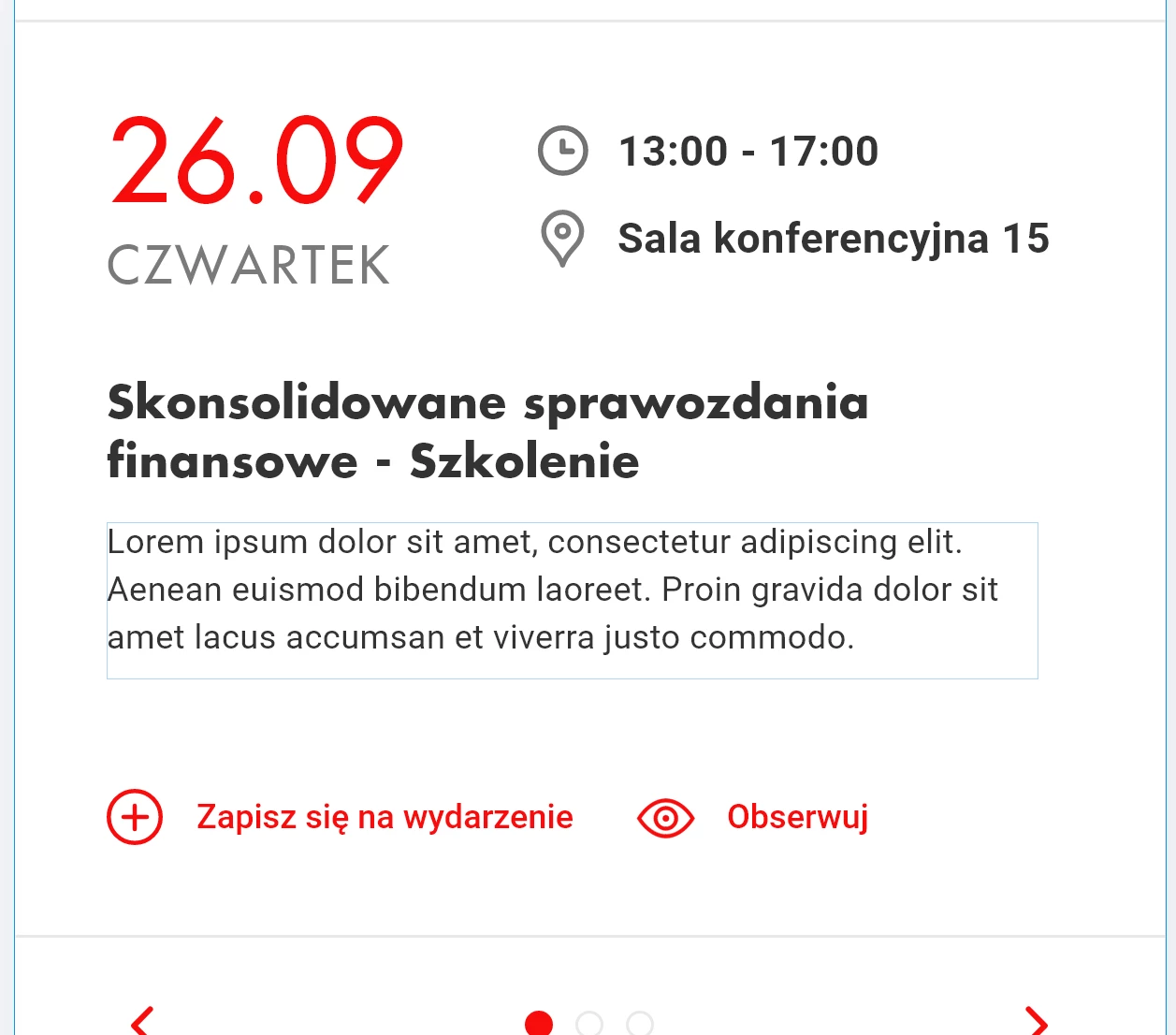
[Text]-Fonts are getting distorted when zoom at 100% in XD.

  • January 28, 2020
  • 3 replies
  • 778 views

Adobe XD seems to distort some fonts when displaying them at 100%. However when I zoom into the design font starts to look normal. This only happens with some fonts, in this particular case FuturaPL. The font is also distorted on exported PNGs, or JPEGs. When used in Photoshop or Illustrator, this very same font is displayed correctly, so I guess the font file is not damaged in anyway. 


<The Title was renamed by moderator>

3 replies

Participant
July 16, 2025

Came to this old thread to see if there was any solve. It seems to be happening for me but only with fonts that I've purchased outside of adobe or google fonts. The fonts appear skewed/disproportionate (longer and thinner)  on XD and as expected in illustrator, indesign, and photoshop

Known Participant
October 5, 2020

I can confirm this issue. In my Case it happens with the Google Font "Rounded Mplus 1c" at 18px size, only when the canvas is at 100%. Im working on the latest Adobe XD version on Win10.

HARSHIKA_VERMA
Community Manager
Community Manager
January 28, 2020

Hi there,


We are sorry to hear you are having trouble displaying fonts at 100%. We would like to know a few more details like-


  • What is the OS and XD version of your machine?
  • Is it happening with all the files or with this specific file?
  • How did you exported as a web or desktop?
  • Would you mind sharing a short video of the workflow for better understanding?


We will try our best to help.


Thanks,

Harshika