Participant
Aug 19, 2021 11:47 PM UTC
Answered

Text kerning problem in Persian language

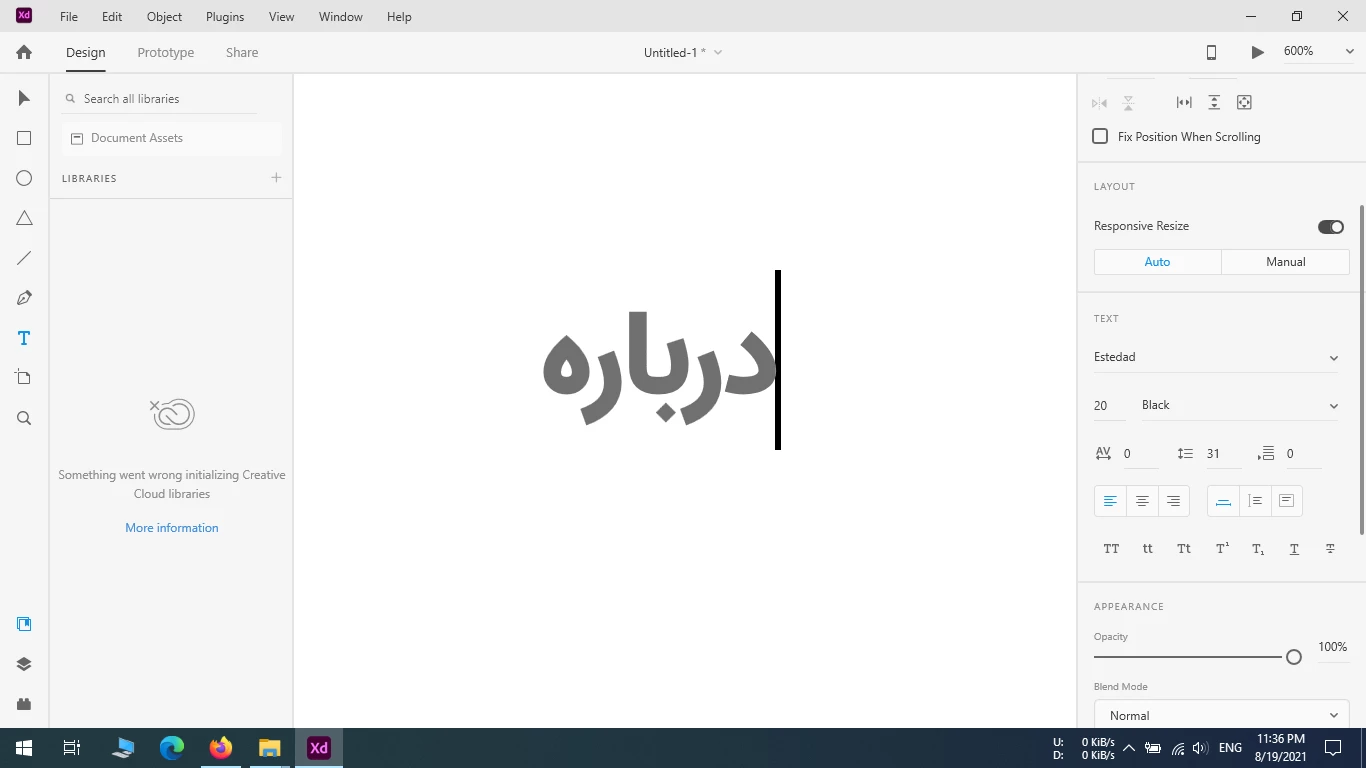
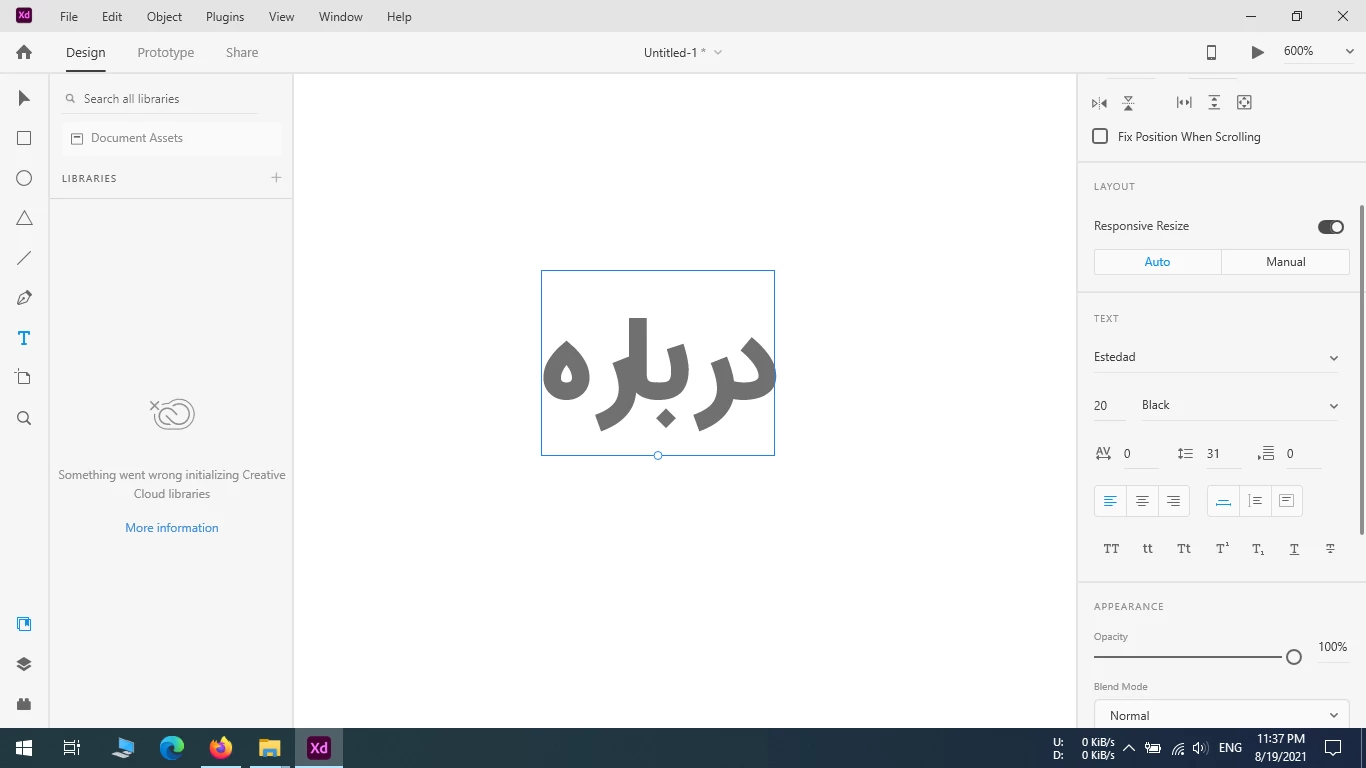
Hi. I have a problem typing Persian in Adobe XD. When using Text tool, The space between the letters is displayed correctly while typing, but as soon as I get out of typing mode and actually when the text is committed and applied, the space between the letters of the text I entered becomes irregular. How can this problem be solved?

You can view the problem in the screenshots.
 

This topic is closed to new replies. Start a new post to keep the conversation going.
Rishabh_Tiwari
Rishabh_TiwariCorrect answer
Legend
Aug 20, 2021 11:18 AM UTC

Hi there,


Sorry to hear about the trouble. Adobe XD doesn't support RTL languages. We have received a similar request on our Uservoice page. I will pass on your feedback to the Engineering team and you can do that too by sharing your comments and upvoting this request: https://adobexd.uservoice.com/forums/353007/suggestions/12962217


This is the best way of communicating with the Engineering and Product Management teams regarding issues and suggestions so they can be implemented in future releases. 


Regards

Rishabh

1 reply

Rishabh_Tiwari
Rishabh_TiwariCorrect answer
Legend
Aug 20, 2021 11:18 AM UTC

Hi there,


Sorry to hear about the trouble. Adobe XD doesn't support RTL languages. We have received a similar request on our Uservoice page. I will pass on your feedback to the Engineering team and you can do that too by sharing your comments and upvoting this request: https://adobexd.uservoice.com/forums/353007/suggestions/12962217


This is the best way of communicating with the Engineering and Product Management teams regarding issues and suggestions so they can be implemented in future releases. 


Regards

Rishabh

Translate