Participant
March 19, 2020
Answered

[TEXT]- Some fonts won't let me change font weight

  • March 19, 2020
  • 5 replies
  • 9091 views

Lately I'm unable to change the font weight in some fonts like Roboto, I checked and the font is active with all it's styles in Adobe Fonts but XD only let me use the Regular version and the selector for font weight is grayed out.


I'm using Windows 10


{Renamed By MOD}

    Correct answer HARSHIKA_VERMA

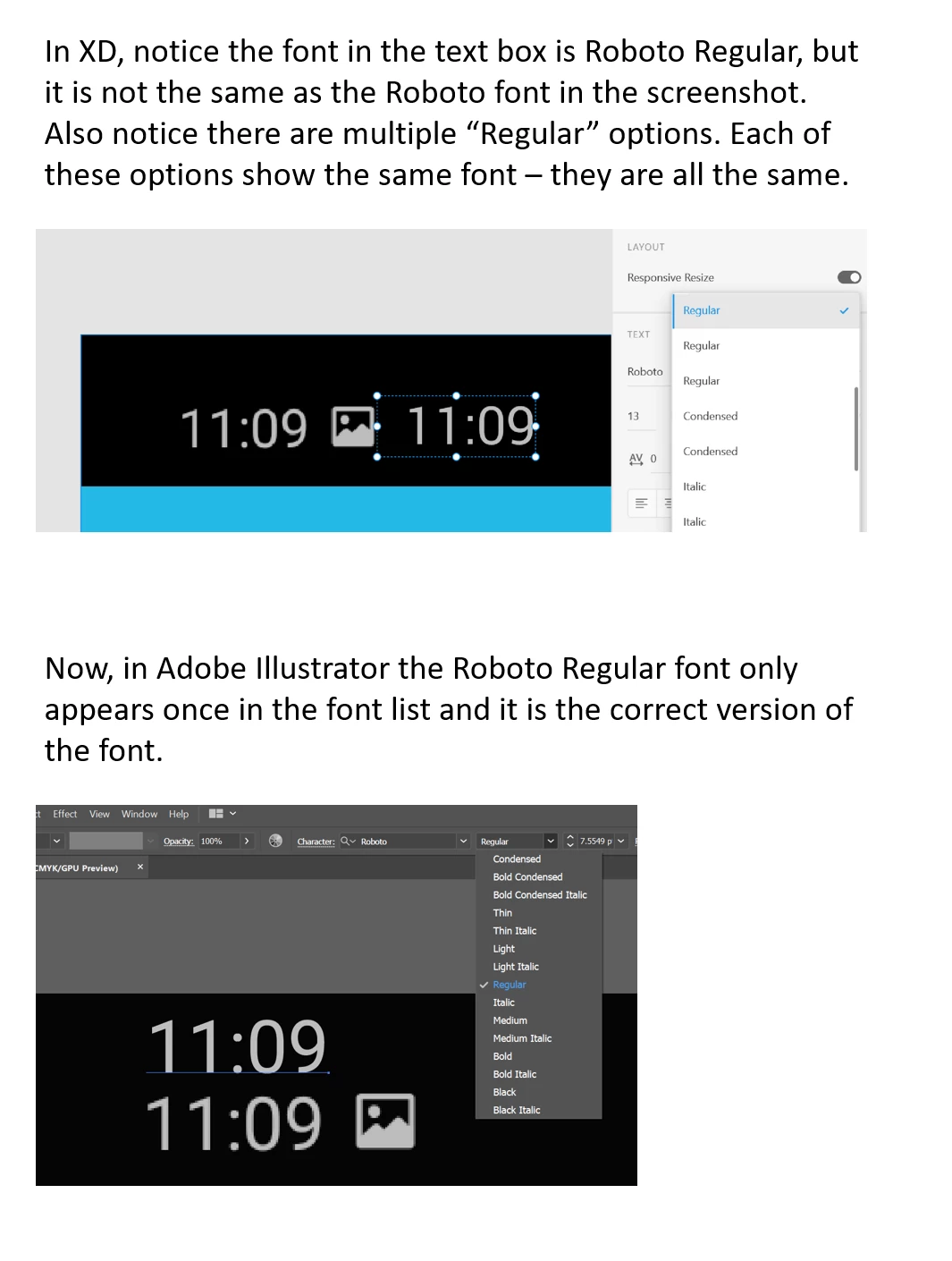
    I posted about a similar issue yesterday, but now I can't find that post. My Roboto font works fine in Illustrator but in XD it is using the wrong font family and won't let me switch it out. 


    I can't uninstall Roboto (Windows 10) as it says it's in use. Restarting computer doesn't help. I also uninstalled and reinstalled XD and that did not fix the issue.


    Hi there,


    Sorry for the delay in response. I would like to follow here if you are still experiencing issue, I would request you to please get in touch with our support team using this link: https://helpx.adobe.com/in/contact.html so that you can get the immediate assistance.


    Hope it helps.


    Thanks,

    Harshika

    5 replies

    Participant
    November 22, 2020

    Guys, I've finally solved this problem. You need to visit Adobe Fonts and then go to My Fonts. Then you need to search the font that is not working (Montserrat for example) and activate all the different font weights. Somehow, they were all deactivated. You're welcome.

    Known Participant
    November 23, 2020

    I have the same problem, can't choose different font weight... I tried your solution but when I visit "My Fonts" I cannot find font that I have installed from Google Fonts locally on my PC (which is Dosis). Don't know how to fix this... : /

    Participant
    November 21, 2020

    Hey guys, I'm having this same issue right now. I can't change fonts weight because the dropdown option is grayed out. Please help because I can't work anymore... fonts weight are essential.

    Participant
    November 21, 2020

    I was not able to resolve this. My workaround was to have a colleague save the files on her Mac - which does use the correct font. It is far from ideal and very annoying that XD has this bug for Windows.

    Participant
    November 22, 2020

    Man, that's not way to work...I think I'm gonna switch to Figma until they solve this issue. I love Adobe Xd but right now I can only use fonts that stink. Please Adobe, solve this problem anytime soon...

    Participant
    November 17, 2020

    I just ran into this same issue. I was wondering why everything looked so weird and when I tried changing font weights for the Open Sans I'm using, I only saw a really weird selection of them (for example bold, italic and regular were missing). I tried deactivating and reactivating the font weights from Creative Cloud and restarting XD but to no effect. Anyone found a solution for this?

    Known Participant
    June 30, 2020

    This just happened to me. WITH ROBOTO! Literally 20 minutes ago, I was changing font weights. Same document, same program. Have been working on it consistently. Suddenly, the weight is grayed out: I can't change anything from bold to regular, or from regular to bold. So frustrating.... why would this happen? 

    Rishabh_Tiwari
    Community Manager
    Community Manager
    March 19, 2020

    Hi Alberto,


    Sorry to hear about the trouble. Could you please try using that font in a different application and check if you are able to change the font-weight?


    Regards

    Rishabh

    Participant
    April 13, 2020

    I have exactly the same problem. the fonts work fine on other applications like illustrator and other application. 

    Rishabh_Tiwari
    Community Manager
    Community Manager
    April 22, 2020

    Hi there,


    Sorry for the delay in response. Could you please confirm if you have tried re-installing the font? If not, could you please try that and let us know if that helps or if you need any further assistance.


    Regards

    Rishabh