Participant
December 2, 2022
Question

Text with same font size is not aligning together after adding currency symbol

  • December 2, 2022
  • 2 replies
  • 778 views

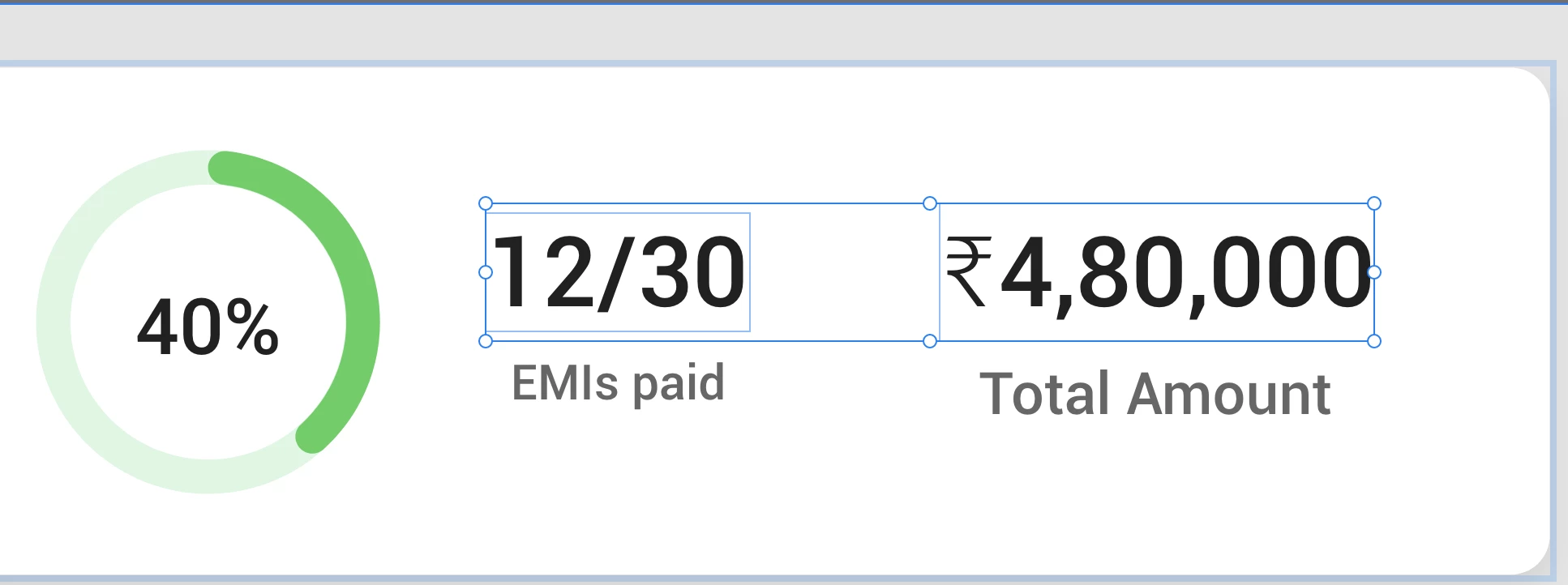
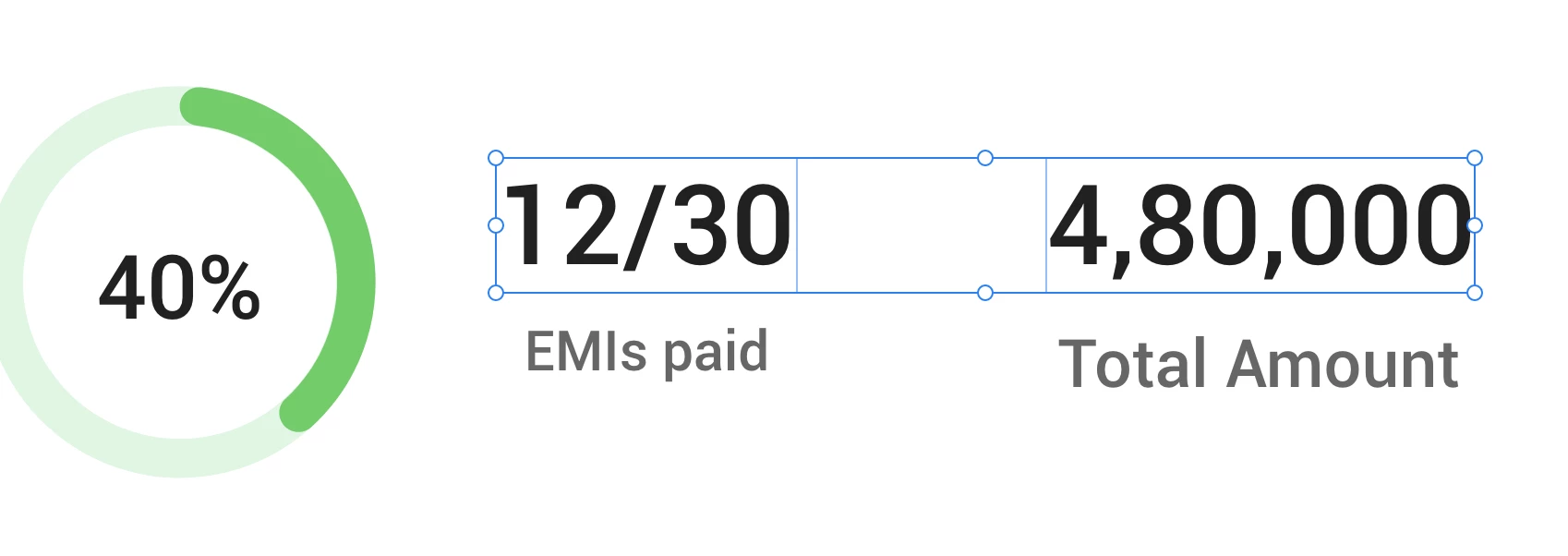
Hey! I am adding images for reference. So the issue is that the font size for both texts is 20 and is aligned together perfectly. However, once I add the rupee symbol to the second text box its height increases, making it difficult to align with the first text box. The font weight is medium for the numbers and light for the rupee symbol (size remains the same). It will be really helpful if someone could help me out with this. 
This topic has been closed for replies.

2 replies

Inspiring
December 20, 2022

What font are you using? I'm not seeing that problem with Inter.

@thomashallgren
vrinda001Author
Participant
December 20, 2022

It's Roboto

HARSHIKA_VERMA
Community Manager
Community Manager
December 20, 2022

Hi @vrinda001,


Thanks for sharing the requested info. We would also like to know if you have copied the Rupee symbol from anywhere or used any font to write it.


Thanks,

Harshika


AkinGn
Community Expert
Community Expert
December 3, 2022

Hi @vrinda001, I think for now I'd use some trick we use aligning objects with borders to the ones that don't have borders, which is making the borders invisible/with zero opacity. In this case, it would be resolved by using the Rupee symbol also in the text at left and zeroing its color's opacity (by selecting it with the cursor and double clicking the fill color on the right sidebar under the "Appereance" section and moving down the color opacity slider to the very bottom). Hope this helps!

vrinda001Author
Participant
December 20, 2022

Sure this will help! Thank you