Participant
June 27, 2021
Question

The color selection tool, it doesn't work

  • June 27, 2021
  • 1 reply
  • 809 views

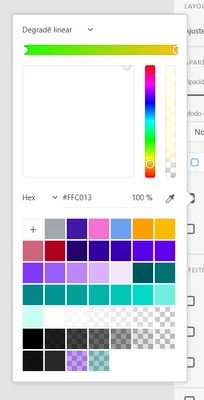
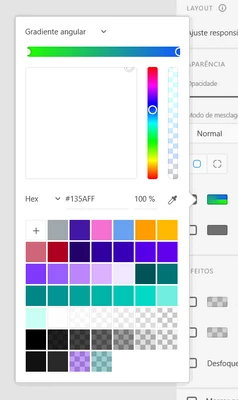
By applying the colors to my elements, they work perfectly... But the same is not true in the color selection tool, where when activating Gradient colors the frame is entirely white.
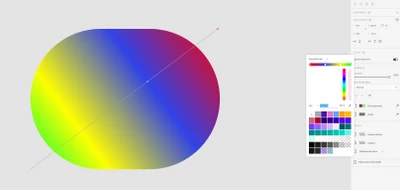
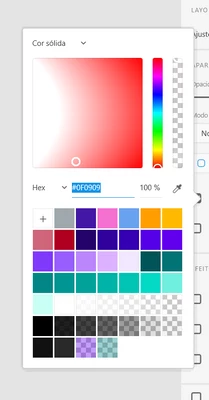


I made a video demonstrating the problem:


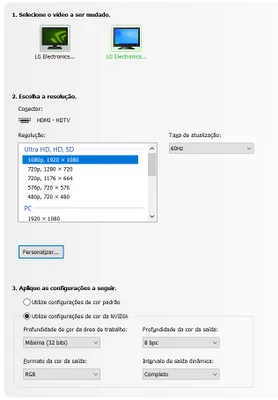
I use two monitors to work, one with color output depth at 10 bpc and another and 8 bpc.
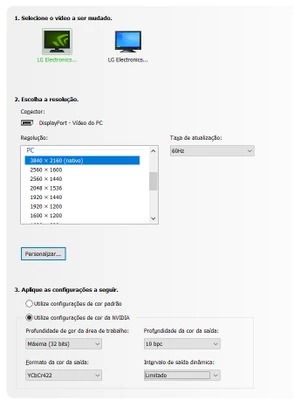
This topic has been closed for replies.

1 reply

Ares Hovhannesyan
Community Expert
Community Expert
June 27, 2021

Thank you for video and capture. 


1. Does it happens only with Adobe Xd or with any other applications?

2. Do previous Adobe Xd version can display correct pallete? It seems not only gradient but also solid color shows not correct. I can't see black color for red?

3 Did you calibrate you display color?

Participant
June 27, 2021

Hello Ares, thanks for the quick return.


1. No, I can use all other Adobe applications normally, the problem is only with Adobe XD.

2. This happens in previous versions as well... The problem occurs in both solid colors (regardless of the selected tone "red, green, blue, anyone")... And the correct selection does not appear in the box, only the hexadecimal code and in the thumbnail of the selection tool.

3. It's all right with the color calibration of both monitors.


Participant
June 28, 2021

I see only 2 reason that can throw such a bug. 

1.XD is corrupted. Please use the Creative Cloud Cleaner Tool to solve installation issues
https://helpx.adobe.com/creative-cloud/kb/cc-cleaner-tool-installation-problems.html

2. There is conflict between some OS settings and XD. 


Okay, I'll try to perform the cleaning of the XD installation and return with the result. As for the Operating System, I don't know what to say about it.