Participant
August 18, 2020
Answered

The share links have disappeared

  • August 18, 2020
  • 2 replies
  • 810 views

Hi,


From one day to the next the 3 different links that I shared for weeks with design, development and client have disappeared!


What happened?

    This topic has been closed for replies.
    Correct answer Spas K.

    Hey there, can you elaborate a bit more on what you mean by "disappeared"?

    Disappeared from where? Are the links still active when you open them?


    If you saved the file as a copy with a different name, the links will stay with the old file and won't appear when in the "Share" tab of new file.


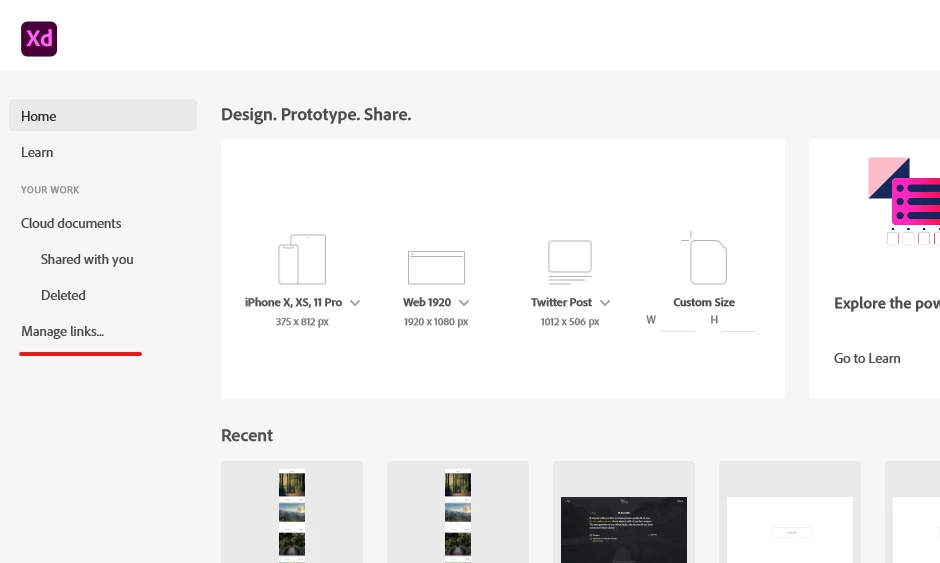
    If you go to the Adobe Xd Home screen, you can click on "Manage links..." (the last item on the left), and try to find the links there.


    2 replies

    Rishabh_Tiwari
    Legend
    August 18, 2020

    Hi there,


    Sorry to hear about the trouble. In addition to what Spas asked, you can also check if you are able to see the links here: https://assets.adobe.com/links


    I'd also like to if it has happened with some specific links or all the links are missing? If it happens with some specific link, was co-editing enable on those documents?


    Regards

    Rishabh

    Spas K.
    Community Expert
    Spas K.Community ExpertCorrect answer
    Community Expert
    August 18, 2020

    Hey there, can you elaborate a bit more on what you mean by "disappeared"?

    Disappeared from where? Are the links still active when you open them?


    If you saved the file as a copy with a different name, the links will stay with the old file and won't appear when in the "Share" tab of new file.


    If you go to the Adobe Xd Home screen, you can click on "Manage links..." (the last item on the left), and try to find the links there.