
Ewa No
Participant
September 16, 2021
Answered

The top layer reveals elements (text) from layers underneath it

  • September 16, 2021
  • 1 reply
  • 361 views

Hi everyone,

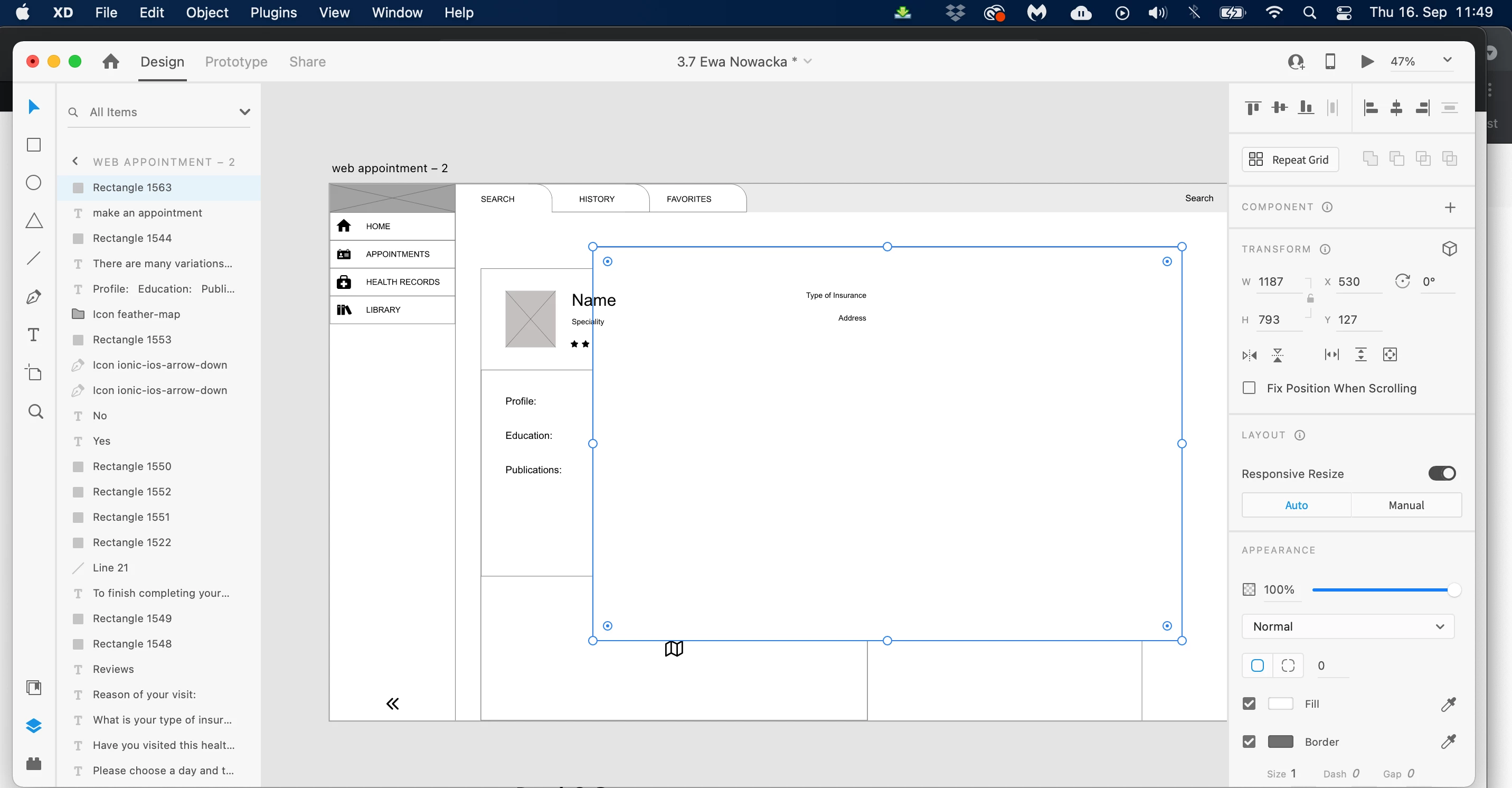
I run into a problem. While drawing a new rectangle, it reveals a text which is placed underneath it in the layer list...The appearance is set to Normal, filled with white. I am confused. Maybe someone has any tip? Thank you.
This topic has been closed for replies.
Correct answer Spas K.

Hey there! Can you select any of the elements that appear on top and make another screenshot?

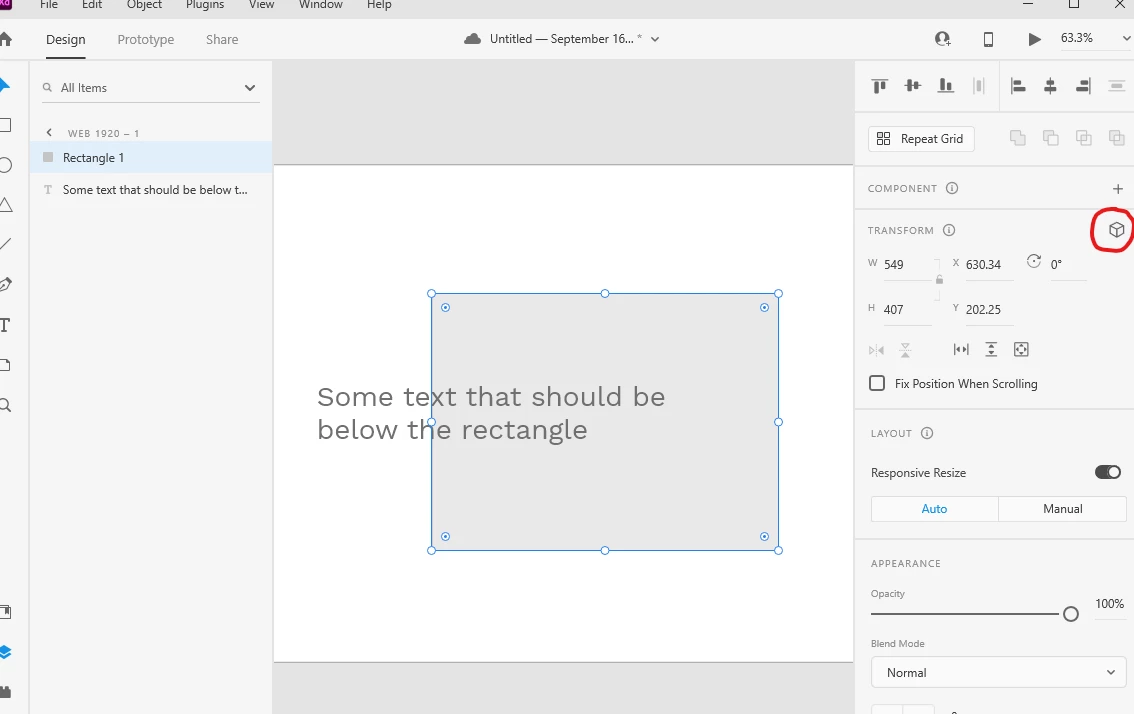
Make sure you didn't check the 3D transform on these layers by accident, and set their depth (z axis) to something below or above 0. Even if you switch it off, it will remember the depth.


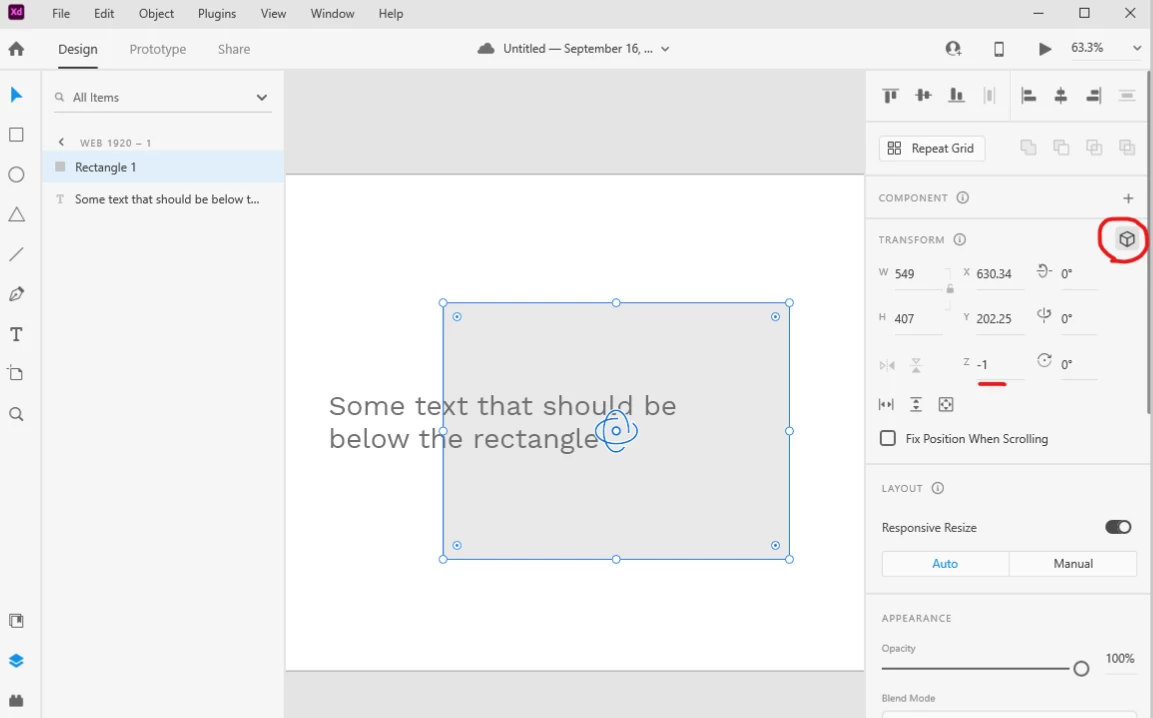
In reality, it's still -1 on the z axis, when you swith the 3D on:


If that's not the case, you can share the file and we'll try to figure it out 🙂

1 reply

Spas K.
Community Expert
Spas K.Community ExpertCorrect answer
Community Expert
September 16, 2021

Hey there! Can you select any of the elements that appear on top and make another screenshot?

Make sure you didn't check the 3D transform on these layers by accident, and set their depth (z axis) to something below or above 0. Even if you switch it off, it will remember the depth.


In reality, it's still -1 on the z axis, when you swith the 3D on:


If that's not the case, you can share the file and we'll try to figure it out 🙂

Ewa No
Ewa NoAuthor
Participant
September 16, 2021

Hey Spas! Thanks a lot for your reply! 

I checked this 3d Transforms option and indeed the text layers were on a 14th Z position 🙂 Not sure how did they ended up there but it doesn't matter now as it worked! Thank you so so much! 🙂