


Participating Frequently
July 15, 2024
Question

Trouble creating and editing component

  • July 15, 2024
  • 1 reply
  • 652 views

How do I get this shape to be a hover state within the component and how do I resize with the length of the text in the button component?
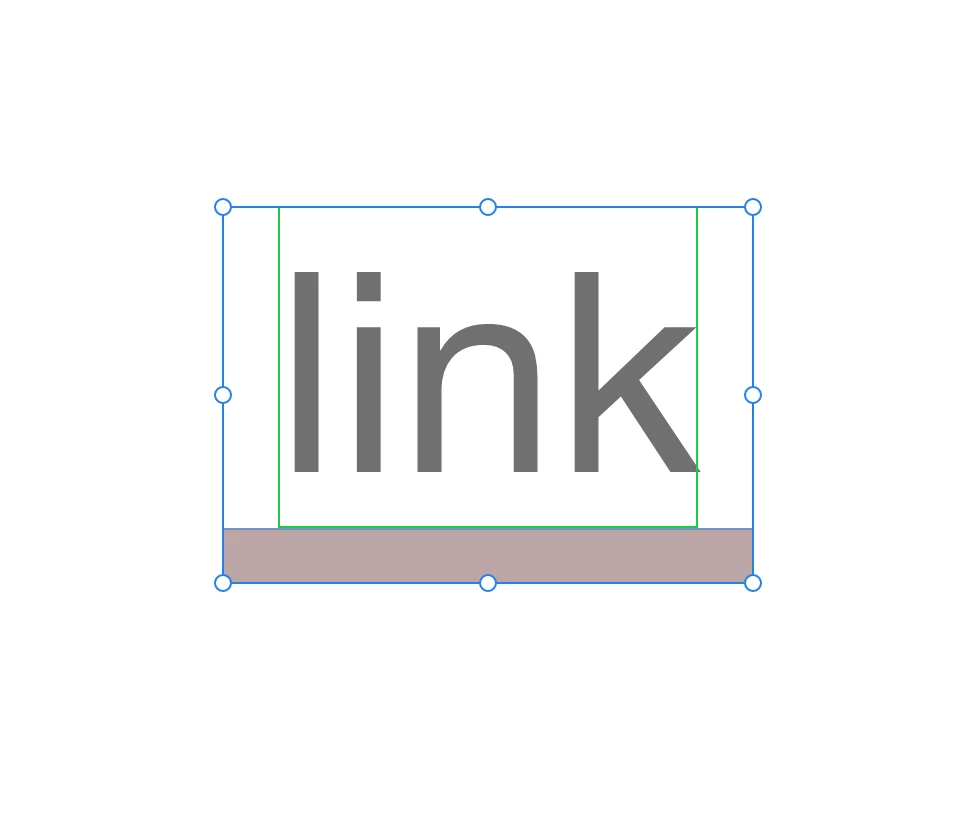
    This topic has been closed for replies.

    1 reply

    creative explorer
    Community Expert
    Community Expert
    July 15, 2024

    @Laura37191504gq47  See hover.mp4


    1. Select your text (use the layers to make sure just the text is selected)
    2. Command K (Mac) or Control K (PC) to make it into a component
    3. A default sault will be created
    4.  Click on the + beside Default and select Hover State
    5.  Change the colour text
    6.  Go back and select the default state (it won't work properly if you are still on the hover state)
    7.  Play Preview
    m
    Participating Frequently
    July 21, 2024

    Got the hover state working, but I'd like the line to vary in length depending upon the length of the text once instances are created. 

    creative explorer
    Community Expert
    Community Expert
    July 22, 2024

    @Laura37191504gq47 It isn't an automatic system like how Figma does it's auto layou with dynamic adjustments. You can do this in Xd, but you need to manually adjust the responsive resize. 

    It's similiar as above, but maybe on a hover state, you will have to manually extend the text for each instance. It's a work-around, but doable

    m